Running a business in New Zealand is hard enough without drowning in tedious admin. The good news is you don’t need a computer science degree to claw those hours back. Below are five ways I personally use AI in my own business to cut admin time and focus on work that actually moves the needle. I’m Blake, an AI engineer who’s helped over 25 NZ and Australian businesses roll AI into their workflows, and every one of these is easy to set up.
1. Let Claude Triage and Draft Your Emails
Like most business owners, my inbox is relentless. Context switching between messages kills momentum. In Claude you can connect Gmail, Outlook or other providers so it reads your inbox directly.
What I do: ask Claude to pull my recent emails, prioritise them by importance, and draft replies in my tone of voice for the ones that matter. The output gives me top-priority items (like client feedback), then lower-priority notifications and billing updates.
To set it up, head to Connectors › Manage Connectors, hit the plus button, browse connectors, pick your email provider and sign in.
Make it automatic with Scheduled Tasks
Having to manually ask Claude every morning is friction. Inside the Co-Work section there’s a Scheduled Tasks feature that runs prompts on a fixed interval. I’ve set mine to “summarise my emails” daily at 9am. Co-Work can even push draft replies straight into Gmail, so all I do is tweak and click send.
2. Teach Claude Your Business with Skills
Generic AI output is useless. Large language models are just predicting the next token, so the more context you give them, the better the result. That’s what Claude Skills are for. Before Claude drafted any emails for me, it read a “voice and style” skill plus my business context skill.
Build a skill for every repetitive process: proposal writing, email drafting, social posts, and also pure-context skills about your business, clients and offers.
Creating a skill
Go to Customize › Skills › Add › Create a Skill and pick “Create with Claude”. It’ll ask what you want, then generate a skill.md file you can review and tweak in chat. Hit Save as Skill and it’s available across all your Claude instances.
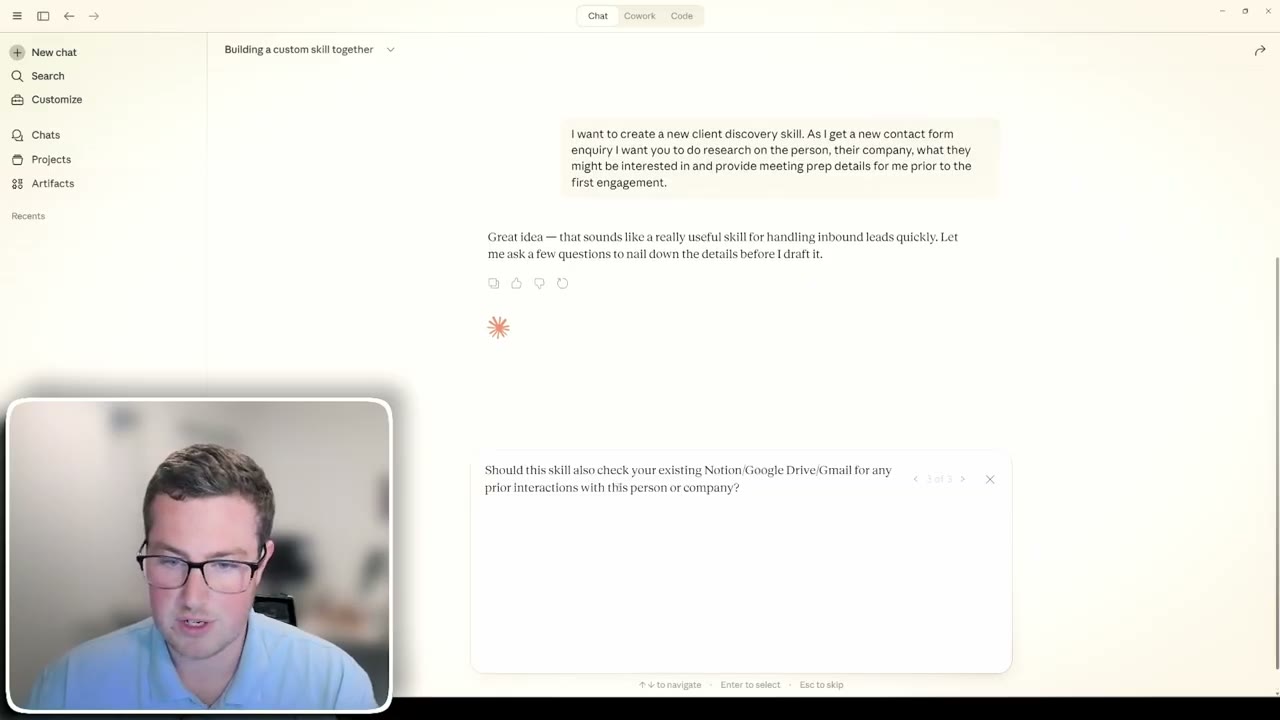
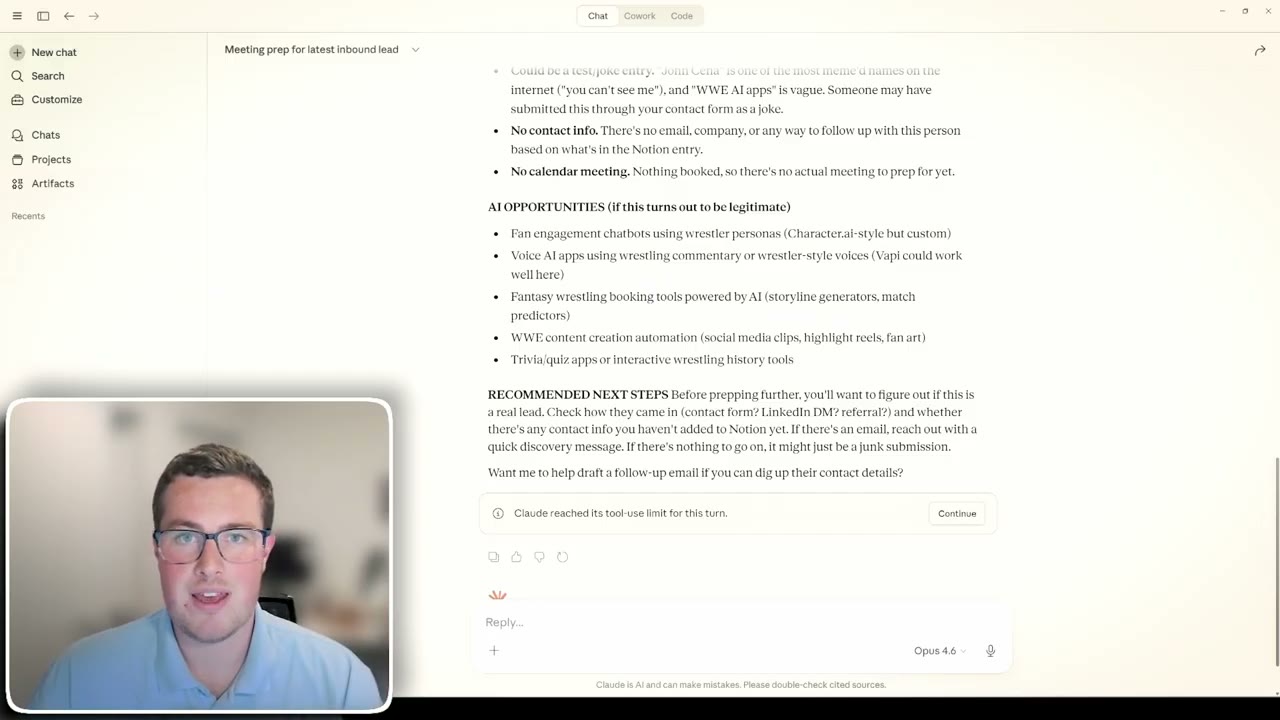
One of mine researches every new inbound lead. Claude pulls the record from my Notion inbound leads table, runs the meeting-prep skill, and returns relationship history, reason for the chat, things to watch for, AI opportunities and recommended next steps. Pair it with a scheduled task and every new lead gets prepped automatically.
3. Stop Typing, Start Talking with Whisper Flow
All that context is powerful, but I don’t want to spend my day typing it into a computer. Whisper Flow is an AI transcription tool that lets you speak directly into any app as text. You can build dictionaries for tricky names (like “Blake at Harkness AI”) and Maori pronunciations, plus snippets for things like your LinkedIn URL.
Once installed, hit Ctrl + Windows and whatever you say is transcribed and dropped into the active field. I brain dump a full proposal brief - client, budget, scope, features - and Claude picks up my proposal skill and turns the word vomit into a finished document.
- My typing speed is about 80 words per minute.
- My speaking speed is around 180.
- That’s more than double the throughput to the AI.
I can even do this from my phone on a walk - dump info into Claude, ask it to check emails or meeting notes, and have it generate work entirely from voice.
4. Connect Claude to Xero
Xero is the most popular accounting platform for NZ businesses, and you can connect Claude straight into it. I use this to:
- Upload receipts and have Claude log them with the correct GST and account codes.
- Validate data - I asked it to check every Claude subscription charge since I started using Xero, and it surfaced all three transactions cleanly.
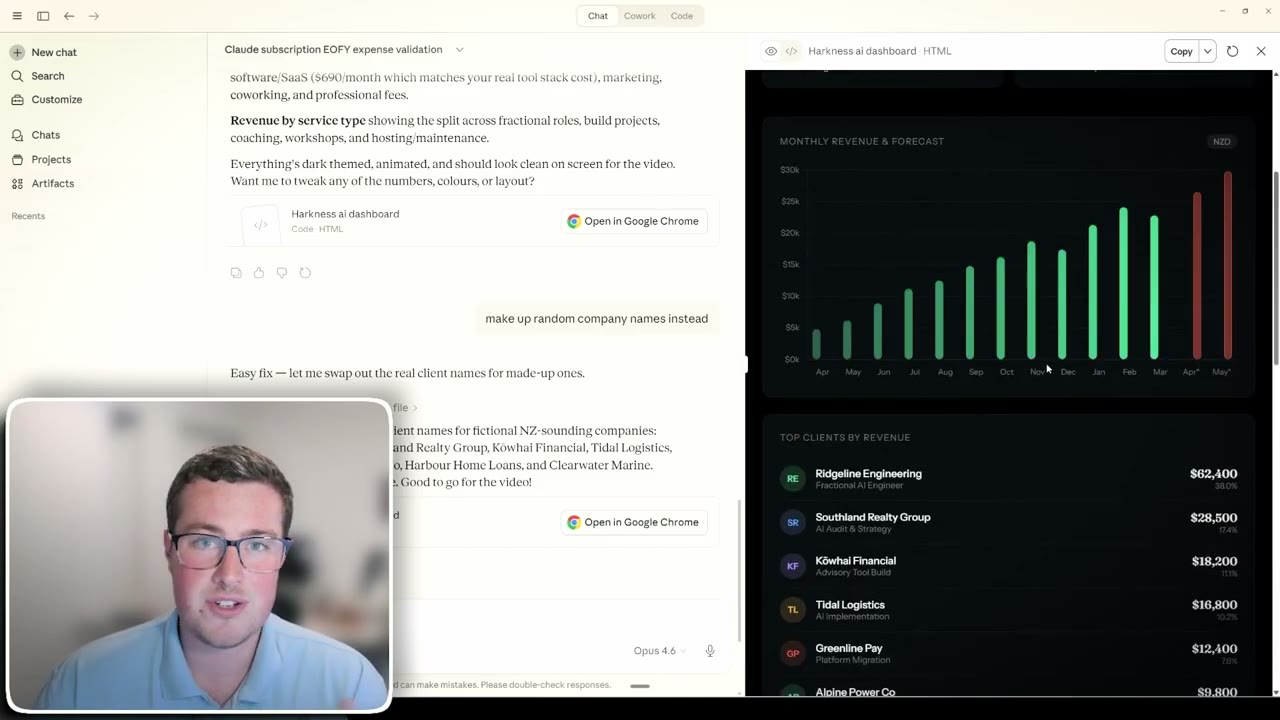
- Build custom dashboards on demand - total revenue, expenses, net profit, client breakdowns and forecasting, all from a text prompt or voice command.
No more wrestling with Excel to get the view you want. The full setup, connector by connector, is written up on the Claude and Xero hub.
5. Stack Everything into One Workflow
The real leverage is combining the above. Scheduled tasks keep your inbox under control. Skills give Claude your voice, context and repeatable processes. Whisper Flow removes the typing bottleneck. Connectors like Gmail, Notion and Xero give Claude the systems to actually do the work.
The result is a business where admin happens in the background while you focus on client work and growth.
AI is a must-have inside NZ businesses because it slashes admin time and frees you up for the work that grows the company. If you want to stop mucking around with AI and get real results, reach out through the link in the video description.
If you’d rather have someone set this up with you, that’s the work I do with NZ businesses - here’s how I can help.