If you’re a business owner in New Zealand and you aren’t using these three types of AI tools, you’re leaving money on the table. They aren’t fancy, they’re not complicated, and anyone can set them up and start saving hours for their team every single week. I’ll cover the three AI tools I recommend to every business I work with -and some quick wins on how you can set them up, even if you’re not technical.
1. A Core AI Chatbot
The first essential AI tool you need is a chatbot. Most people are familiar with ChatGPT at this point -it’s an interface where you can ask questions, get answers from the internet, generate new ideas, and even rewrite your emails. But there’s a lot more to it than that.
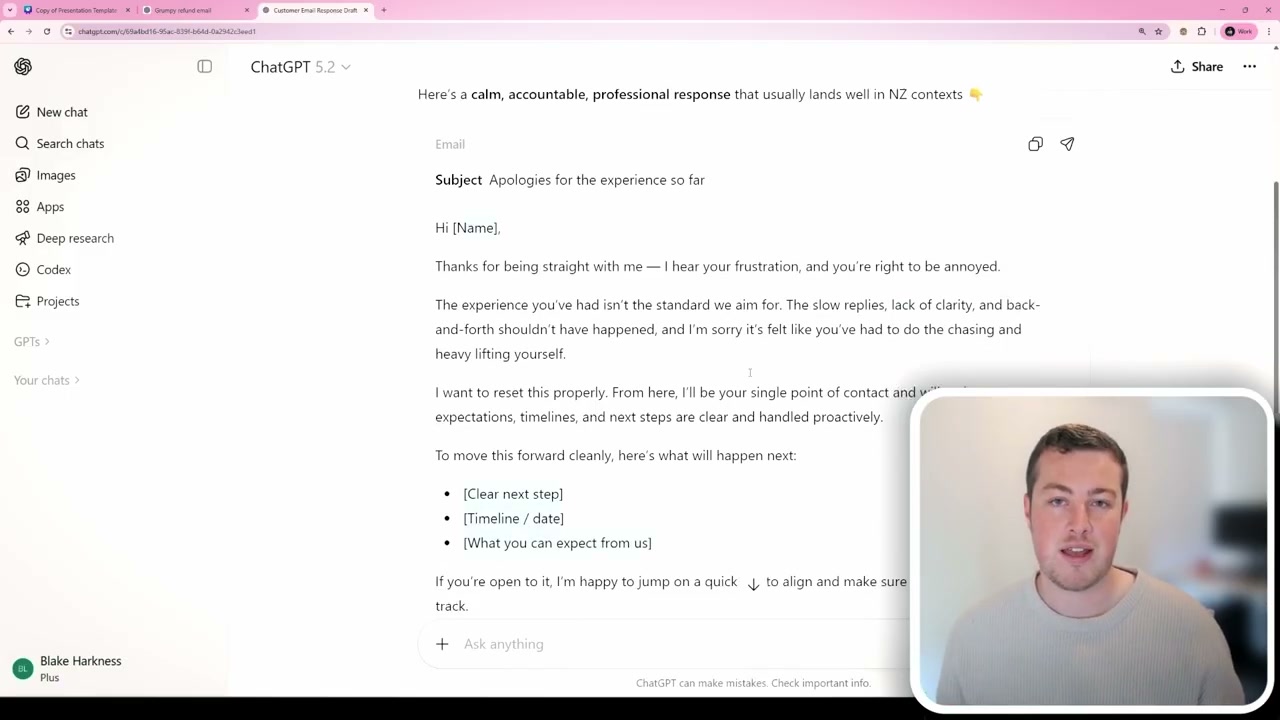
Quick Win: Draft Customer Email Responses
Here’s something you can do right away, even on a free plan. Say you’ve received a customer email and you’re not quite sure how to respond -maybe it’s an angry message, or a confusing question. You can paste that email into ChatGPT or whichever AI model you prefer, and ask it to help draft a professional response. The AI will generate a well-structured reply in a professional tone. You’ll want to tweak it for your specific business context, but it helps enormously with wording and structuring responses. It’s a real quick and easy win.
Why Integrations Matter
However, ChatGPT is quite limited when it comes to connecting with your other software. Tools like Google Gemini integrate deeply into the Google environment, Copilot works within the Microsoft ecosystem, and Claude can connect to almost anything. This is where AI gets truly powerful -when it understands who you are, what you’re doing in your business, and can provide far better outputs than the generic responses you’d get otherwise.
With Claude, for example, you get the same chat interface where you can ask all your questions -and I find its answers are generally better than ChatGPT’s. But you can also connect it to a whole range of tools: Google Drive, Gmail, Google Calendar, Notion, and even Xero for your accounting. Setting it up is straightforward -you go into the connectors section, browse available integrations, click on the one you want, sign in, and it has access from there.
Real Example: Scheduling a Meeting Automatically
Here’s a practical example of what an integrated chatbot can do. I asked Claude to look at my latest email, find a time in my calendar to meet with the sender, create a calendar event, and draft a reply email -all automatically. Claude read through my emails, found the relevant one, checked the sender’s availability, checked my calendar for free time, created a calendar event, and drafted an email response. All in one go.
The real power of these AI tools comes from integrating them with the other software you use on a day-to-day basis. All those quick little admin tasks that build up over time and prevent you from doing meaningful work -AI can speed those up dramatically, making your workload much more efficient.
2. Voice and Transcription Tools
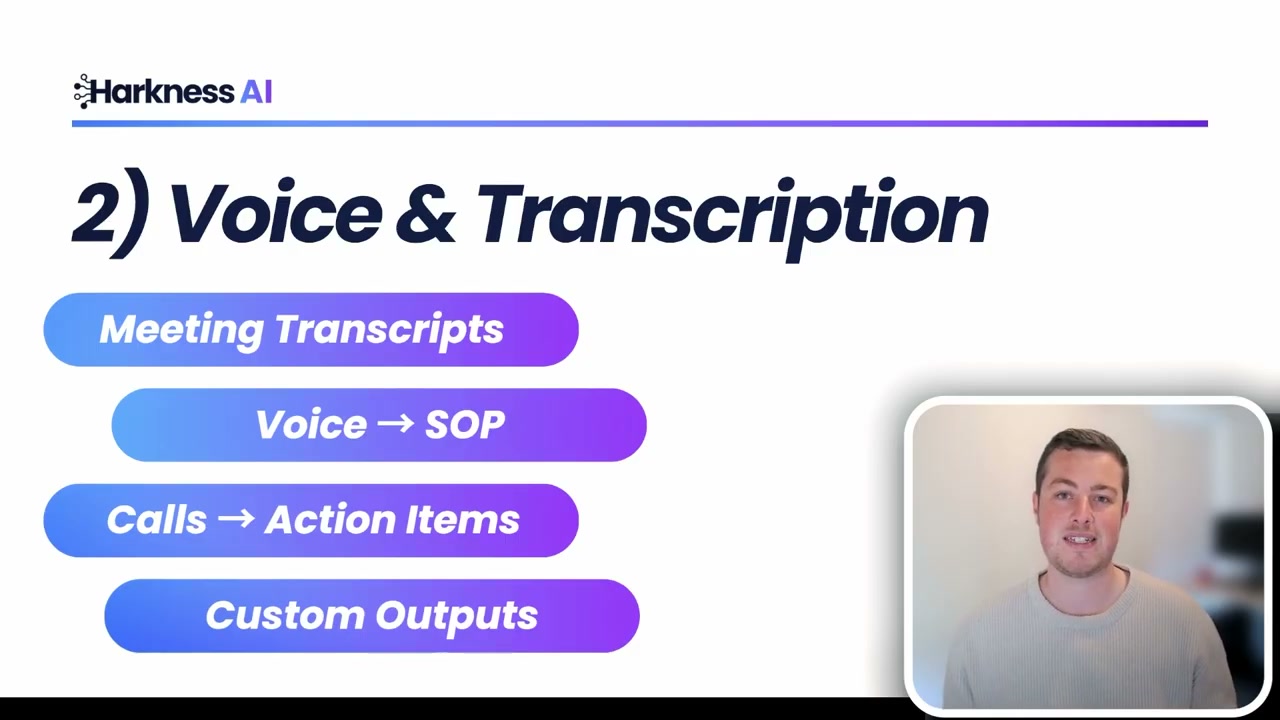
The second essential type of AI tool is voice and transcription. Humans are much better at communicating orally than through typed messages -that’s why face-to-face meetings (or video calls) are so important for building trust and getting on the same page with clients. But the issue is our memory. We can’t remember what we had for dinner a couple of weeks ago, let alone the details of complex business conversations.
This is where AI comes in. It can sit in your meetings, listen to everything being said, transcribe the entire conversation, and then provide you with action items and summaries.
Popular Transcription Tools
- Fireflies AI - Probably the most popular option for meetings. It joins as a notetaker, records the meeting, and provides a full transcript at the end.
- Google Gemini - Ideal if you’re already in the Google ecosystem. Built right into Google Meet.
- Microsoft Copilot - The go-to option if you’re using Microsoft Teams.
They’re all very similar in capability. If you use Google Meet or Microsoft Teams, you’ll find the Gemini or Copilot icon in the top right of your meeting window. Simply turn on note-taking or transcriptions, and AI will work behind the scenes throughout the entire meeting.
What You Get After a Meeting
After every meeting, you’ll receive an output showing who attended, who was invited, any attachments shared, and a full recording. You get a summary with key headings of what was discussed, and a list of action items for everyone involved. If you need the word-for-word detail, the full transcript is right there too.
Searching Your Meeting History
Over time, you’ll build up a massive library of meeting transcripts in your drive. The challenge becomes finding what you actually need. This is where the chatbot integration comes back into play. Because Claude can connect to your Google Drive, it can search through all your meeting notes for you. Need to remember what a client said about pricing? What someone’s availability was? Just ask Claude, and it will find the answer across all your transcripts. AI is incredibly good at this kind of knowledge retrieval.
3. Automation Tools
The third essential type of AI tool is automation. Automation platforms have been around for a long time, but they’re significantly more powerful now with AI integrations built in. There are three main options to consider:
- Make - The most beginner-friendly option if you’re not technical at all.
- Zapier - Great if you’re somewhere in the middle ground of technical capabilities.
- n8n - The developer-focused option that can automate virtually anything.
If you’re a business owner and your staff (or yourself) are doing the same repetitive process with slight variations every single day or week, you shouldn’t be doing that manually anymore in 2026. These automation tools can handle it for you.
Real Example: Automated Invoice Tracking
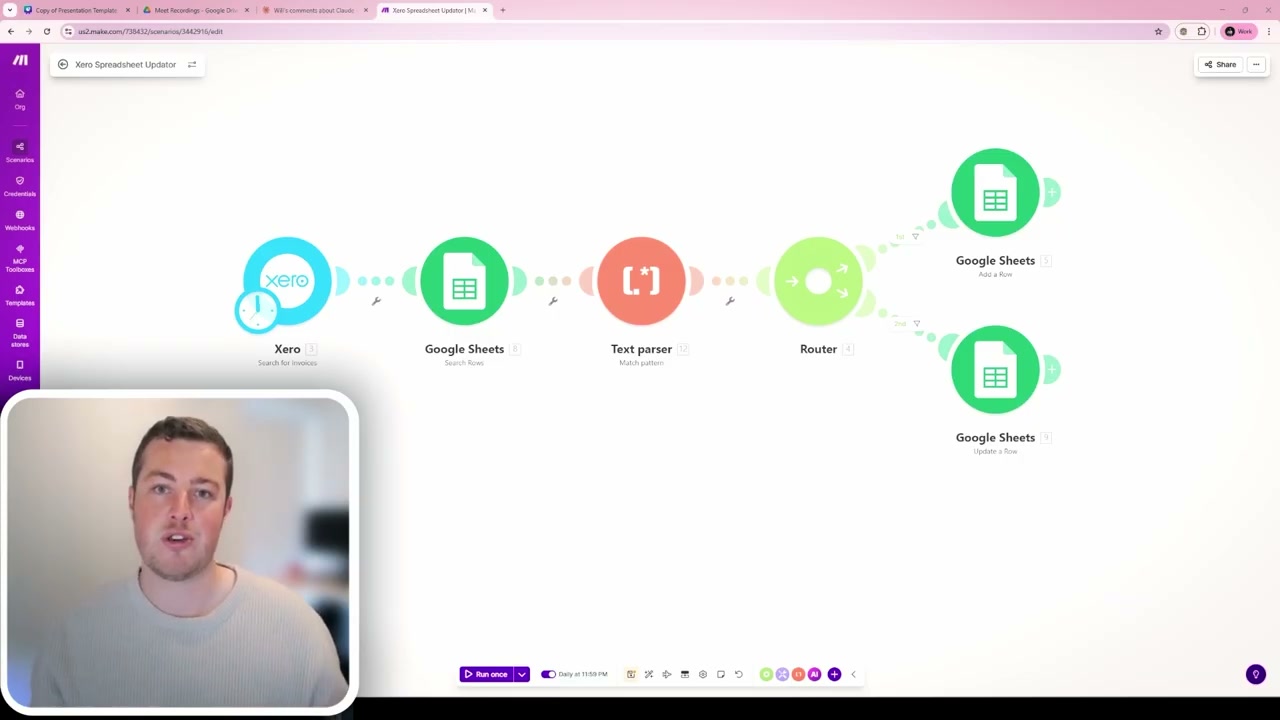
Automation opportunities are highly dependent on your specific business, but here’s a quick win I set up for a client. Their team was spending time at the end of each month pulling invoices from Xero, then manually entering client information and job details into a track record spreadsheet. This was a massive spreadsheet they used to reference past work for future clients.
The automation I built is straightforward: every night, it checks Xero for any new invoices, then goes into Google Sheets to verify whether those invoices are already logged. If not, it adds a new row. If an existing invoice has been updated -say the pricing terms or comments have changed -it updates the existing entry automatically. This completely eliminated the need to spend up to four hours at the end of each month manually recoding invoices into a spreadsheet, freeing up that time for more valuable tasks.
Bringing It All Together
So those are the three types of AI tools that every business in New Zealand needs in 2026:
- A core chatbot that can answer your quickfire questions, rewrite emails, and do research -but more importantly, one that connects into your business systems so the outputs are tailored to your context, not just generic responses.
- Meeting transcription tools that capture every conversation so you never forget what was said with a client, and that feed into your searchable knowledge base.
- Automation tools that handle the repetitive daily and weekly tasks your staff are doing manually, freeing everyone up for value-adding work.
I help businesses work smarter, not harder, with AI right across New Zealand. If your business needs help with AI transformation, book a free chat with me to get started.
If you want a hand choosing and setting these up, here’s how I can help.