There are thousands of AI tools out there promising to solve all your problems. Most of them don’t. I’ve spent the last year helping businesses implement custom AI tools and get real ROI, so I know what works and what doesn’t. Here are the three types of tools every business needs, plus a bonus one that’s blowing my mind right now.
1. A Core Chatbot
Every business needs a central chatbot. This is where you ask questions, pull back answers from the web, generate reports, draft emails, do research, and run data analytics. But choosing the right one depends on the software your business already uses.
Gemini
Gemini is the pick if you’re already in the Google environment. You get it at no additional cost, and it integrates directly into Gmail and Drive so you can search for files and information without leaving the app. You also get access to Google’s video generation, image creation and editing through Imagen, and NotebookLM for condensing information into podcasts or flashcards.
Copilot
Copilot is the choice if you’re in the Microsoft environment, which is the majority of bigger businesses in New Zealand. There’s a business or pro plan at around $34 a month per seat, and I’d recommend it because it connects directly into Outlook, OneDrive, and SharePoint. The core model behind Copilot is ChatGPT’s latest version, though it tends to be about six months behind on the newest features.
Claude
Claude is what I personally use for all my day-to-day work. The main reason is MCP connections, meaning I can connect to any API or software out there. In Gemini you’re limited to Google tools, in Copilot you’re limited to Microsoft tools, but with Claude I can connect to Gmail, Outlook, Xero, Notion, and anything else. It also has Claude Skills, which are custom instructions you can invoke on demand. I have skills set up for YouTube scripts, project proposals, and more, all callable from one chat window without switching into separate custom GPTs or agents. There’s also Claude Code for software development and the recently released Claude Cowork for knowledge workers handling file management, presentations, and document creation.
You might notice ChatGPT isn’t on my list. It’s the most popular chatbot out there, with around 10% of the world’s population using it. But I just don’t use it enough compared to other tools. Claude has connections to all my software where ChatGPT can’t. Gemini handles my image and video creation better. There’s simply no gap in my workflow that ChatGPT fills right now.
2. Voice and Transcription Tools
The second essential is some form of voice and transcription tool, primarily for meeting notes. When I sit down with a client, I want AI listening, writing out the full transcript, and then turning that into summaries, key bullet points, and action items. After a meeting, I get a complete record of the conversation plus clear next steps: Blake needs to do X, Alex needs to do Y. That clarity is huge for communication.
There’s also voice to SOP. If I need to create a standard operating procedure, instead of typing it all out, I just speak my exact process and AI generates the documentation. We communicate so much better through speech than typing, so the more we can use voice in our workflows, the better.
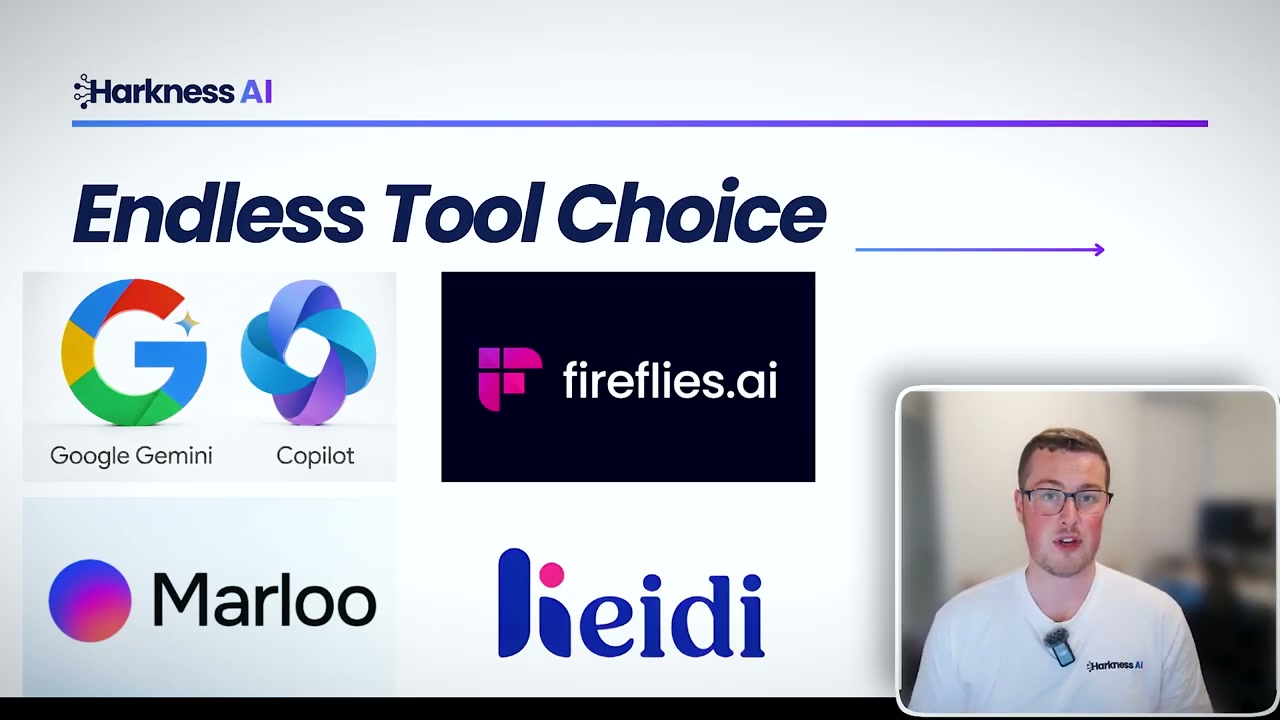
For specific tools, if you’re in the Google or Microsoft environment, stick with the native options. Google Meet with Gemini and Microsoft Teams with Copilot both handle transcription well. Outside of those, Fireflies AI is one of the most popular standalone options. Maloo is popular with financial advisers and mortgage brokers as it’s trained for that type of language. And Heidi Health serves GPs and physiotherapists with output specifically trained for healthcare.
3. An Automation Tool
The third type is automation. These are for processes across your business that are manual and tedious and you just want to eliminate completely. For example, finding any invoices overdue by more than a week and automatically emailing that client a reminder.
Make.com
Make.com is the entry-level option. It has a really user-friendly interface with visual nodes you connect together. Add the Xero node, the Gmail node, connect them up, put your credentials in. It’s much easier for someone who hasn’t used this sort of tool before.
Zapier
Zapier sits in the middle of the experience range. It offers more customisation plus some chatbot, agent, and database features that make it more capable for advanced automation.
n8n
n8n is the developer-focused option. It’s almost fully customisable and you can do pretty much anything you imagine, connecting to any tool. But it is significantly more technical to get up and running.
Bonus: Voice Agents
This one depends on your business type, but the applications are incredible.
24/7 Receptionist
You can’t answer the phone all the time. If you’re on leave, it’s after hours, but you don’t want to miss leads. A voice agent picks up the call, has a natural conversation, qualifies the lead, logs the information, and books a calendar invite automatically. And these don’t sound robotic anymore. There is genuinely no way to tell you’re speaking to AI rather than a real person.
Outbound Calls
If you have a database of old leads you haven’t contacted in a while, a voice agent can call them up. For a real estate example: “Are you looking to sell your property?” If no, all good. If yes, a real person calls them back. It’s lead capture at scale, and it works for appointment reminders too. Call the day before to confirm they’re still coming, otherwise that’s lost revenue.
Internal Reporting
Nobody wants to fill out lengthy health and safety forms or daily job reports. Instead, set up an agent they can call from an app on their phone. They speak out everything that would go into the form, AI transcribes it, structures the data, and stores it back into your system automatically.
How to Build Your Own AI Tool Stack
Start by identifying problems. Map out your business processes and find the bottlenecks that are taking too much time. Then look at solutions. Is it a voice agent? Automation? Something you can handle in Gemini or Claude? Give it a trial period of at least 30 days before deciding if it works. And most importantly, avoid shiny object syndrome. Tools are getting updates daily, new ones pop up constantly promising the world. Give your chosen tools proper time. Make sure it’s the tool that doesn’t work, not a user issue.
Those are the three types of AI tools I believe every business needs. If you need help with getting Claude set up, use case identification, or custom development, here’s how I help businesses across New Zealand work smarter with AI.