I’ve been playing around with Google Labs’ Whisk feature, a new experimental tool that is completely free for anyone with a Google account. It can combine a range of images together into different styles, scenes, and subjects. You can make custom stickers, pins, bento boxes, and plushies - I’ve been showing this to NZ businesses for quick product mockups. Here’s how to get started.
How Whisk Works
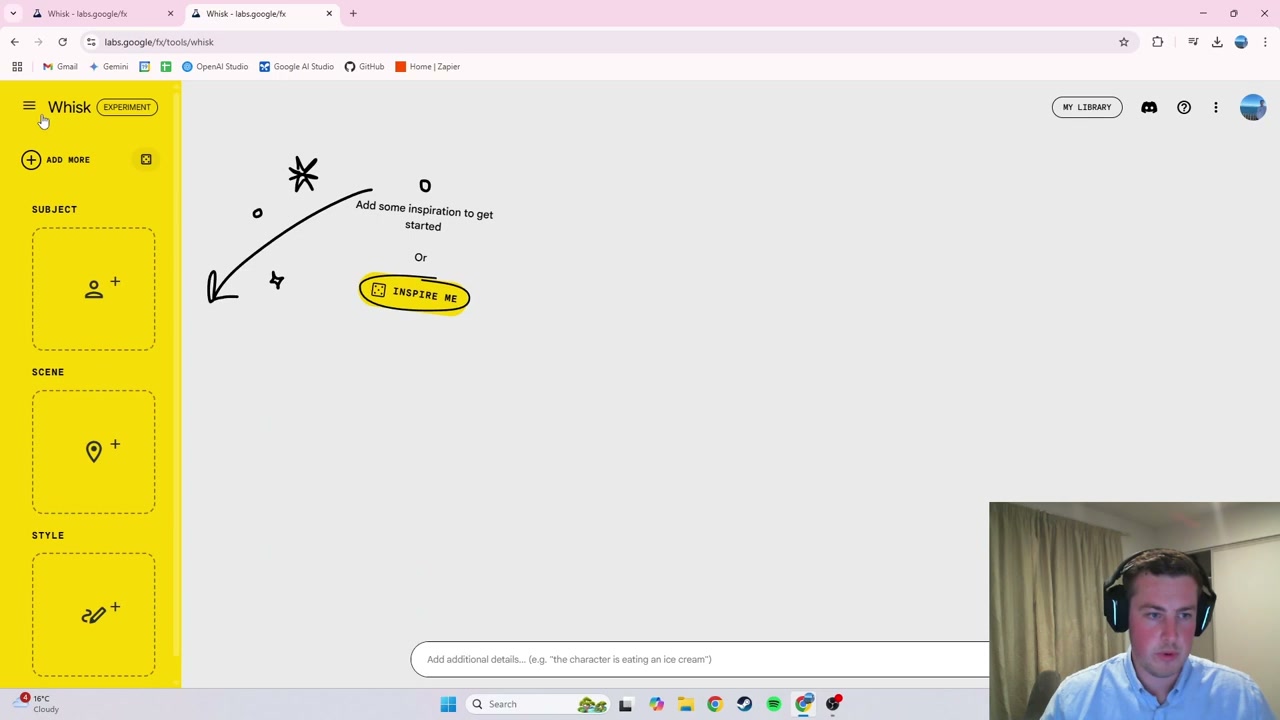
Head to Whisk on Google Labs and sign into your Google account. You’ll see templates to choose from or you can start from scratch. There are three key components to every creation:
- Subject: The main image you want featured in the output (e.g., a dog)
- Scene: The background of the image (e.g., a beach)
- Style: How the final output looks (e.g., sticker, pin, plushy)
For each component, you can either enter text to generate an image from scratch or upload your own image. Instead of simply merging images together, Whisk uses AI to describe a prompt for each image and then combines those prompts to form the new output. You can click on the generated image to see the exact prompt that was used.
Example 1: Custom Dog Sticker
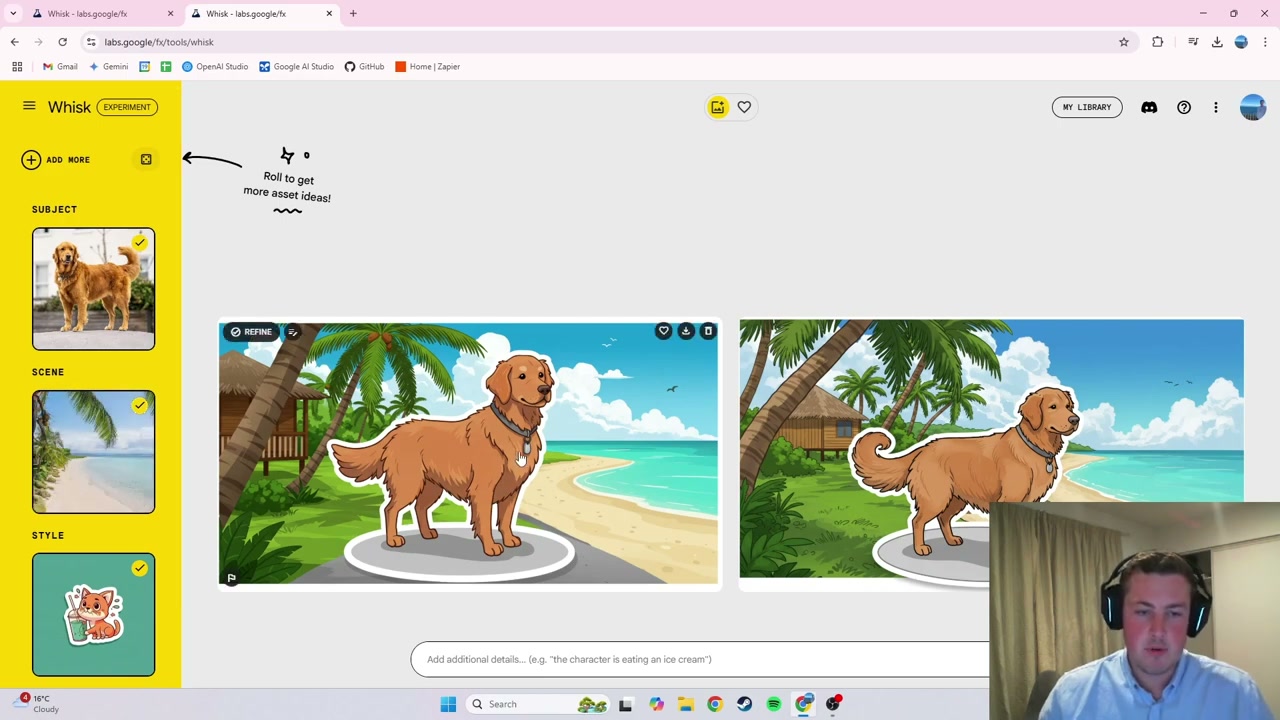
I uploaded an image of a dog as the subject and set the scene to a beach. Keeping the sticker style, Whisk produced two outputs that looked similar to the original dog - complete with collar - in a beach setting with a sticker format. If you want just the sticker by itself, you can remove the scene or set a white background, then download it and print it out.
Example 2: Custom Pin
For the pin example, I uploaded a photo of Dwayne “The Rock” Johnson as the subject with no scene and added an extra prompt to give the man a hat. The output captured the general likeness in a cartoony pin style with a white background. There’s some work needed to get it perfectly identical, but it makes a cool keepsake piece.
Example 3: Pikachu Plushy
The plushy feature is particularly exciting for product design and proof of concepts. I uploaded a Pikachu image and Whisk generated a plushy version with cuddly fabric textures on a plain white background. This is really useful for anyone in business who wants to quickly visualise product concepts.
Practical Applications
Whisk is great for several use cases:
- Creating custom merchandise designs (stickers, pins)
- Product proof of concepts for businesses
- Rapid prototyping of physical product ideas
- Fun personalised gifts and keepsakes
Everything is completely free with a Google account, and you can regenerate, edit prompts, and download your creations at any time.