I challenged Gemini’s 2.5 Flash Nano Banana model to six different tests - ones that completely break all other AI image generators on the market. We’re talking generating profile pictures, marketing material, and even merging two people into one photo. Normally, these images would come out looking absolutely cursed, but 2.5 Flash claims to nail them.
The wild bit? You can run this completely free using your own Google account.
How to Access Nano Banana
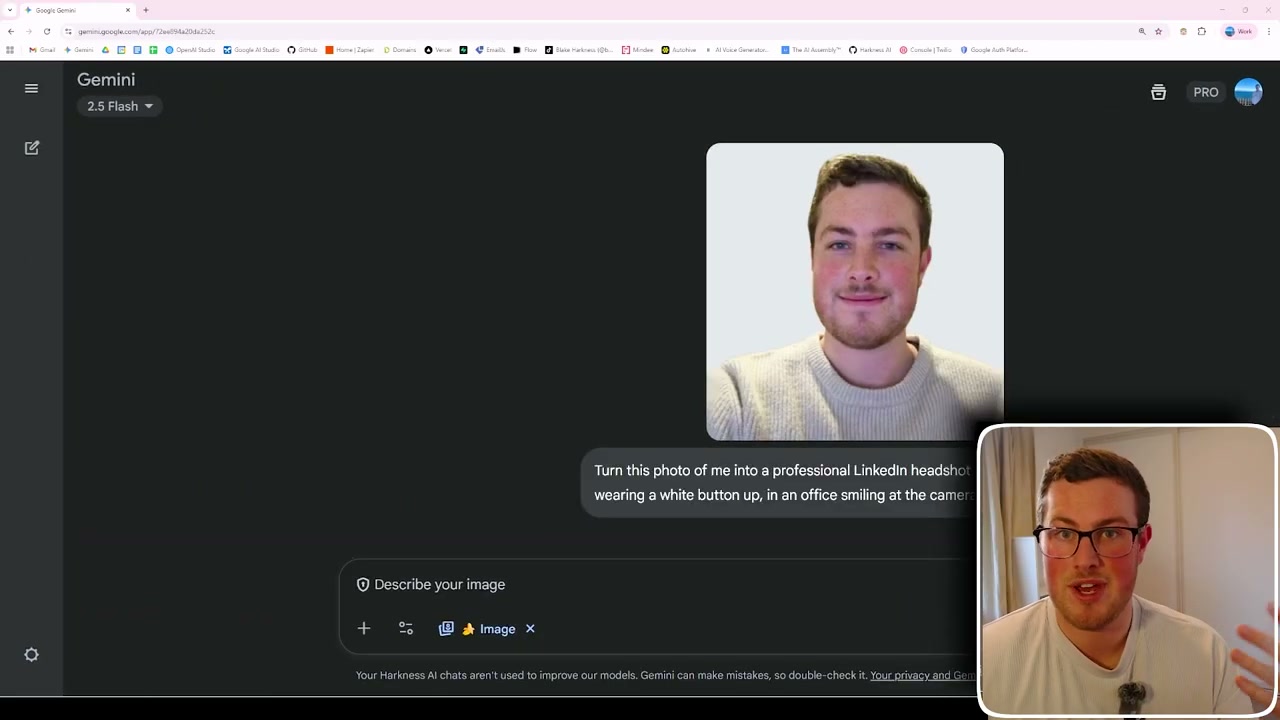
All you need is a free Google account. Head over to the Gemini app and you’ll find the same chat interface you’d expect from any AI tool. To activate the Nano Banana model, go to Tools and select Create Images - you’ll see a little banana icon confirming you’re on the right model.
Test 1: LinkedIn Headshot Generation
The first test was turning a casual photo into a professional LinkedIn headshot. I uploaded a basic photo of myself smiling at the camera in a knit shirt, then asked Gemini to create a professional headshot with me wearing a white button-up in an office environment.
The result came back in about 5 seconds. Side by side, it kept my entire look - the way my hair sits, consistency throughout. It put me in a white shirt in a nice office background. Instead of messing around with Photoshop or Canva, you can just use words to create and edit images in real time.
For comparison, I put the exact same photo and prompt through ChatGPT’s image model. The result was absolutely not me - it got the overall theme but gave that uncanny feel. No consistency.
Test 2: Text-in-Image Accuracy
A big issue with AI image generation has always been text coherence - letters would blend and merge together. GPT-1 started solving this, so I wanted to see if Gemini could keep up.
I prompted: “Create me an image of the map of New Zealand with labels of all the towns and key tourist destinations.”
The result came back with some key names like Auckland, Wellington, and Queenstown. It even got some of the smaller towns. The text came out clear and legible, which is really impressive for AI-generated maps.
Test 3: Colourising Black and White Photos
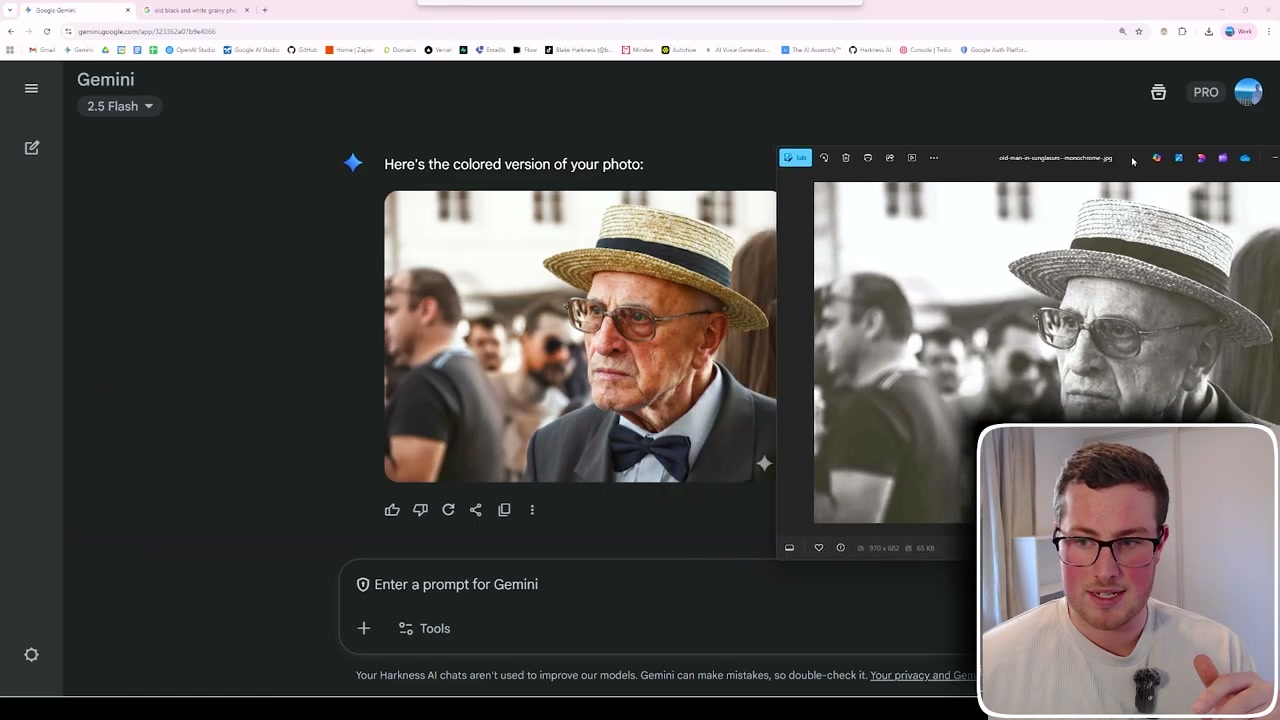
I uploaded a black and white photo and simply asked: “Can you bring back colour in this photo?”
Side by side, the output was amazing. You wouldn’t be able to tell it’s an AI-coloured photo. It even got the sunglasses, the bed texture - all the details.
Another test with a complex image of a shack with tools and equipment on the wall came back doing really well - getting the wood textures, the knots in the wall. A few small grey areas remained, but overall an amazing job at colourising.
Test 4: Product Marketing Creative
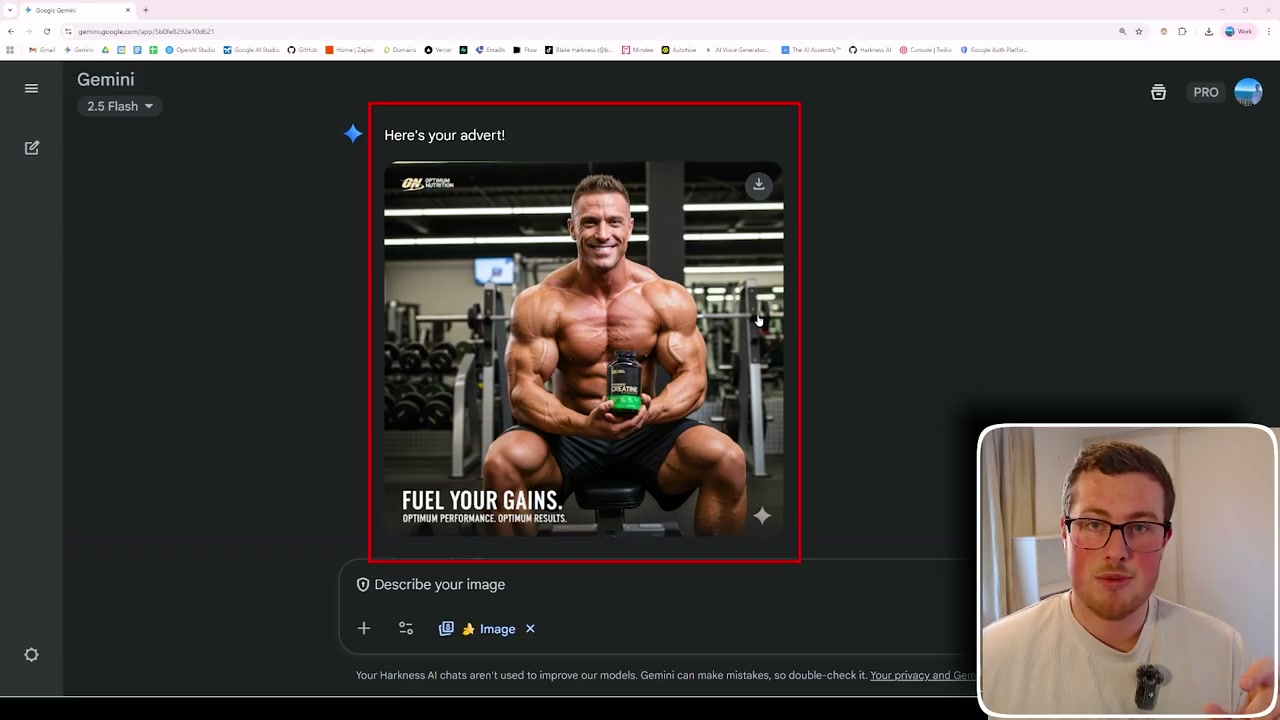
A lot of marketers use AI for advertising content. The biggest problem with ChatGPT’s image generation was that once you’ve generated an image, editing small details messes up the rest.
I uploaded an image of a creatine bottle and asked for an advert with a strong bodybuilder in a gym holding it, smiling and flexing. Then I tried editing it - “I want it to be red instead of blue” - and it maintained consistency while making the change.
This is a huge game changer compared to mucking around with Photoshop and Canva.
Test 5: Merging Two Images
Another thing AI couldn’t do well was blend two images together while keeping consistency. I had a sports team photo from a volleyball tournament - imagine wanting to add someone who missed the photo.
I uploaded my team photo plus an image of Dwayne “The Rock” Johnson, then asked: “Add the person in the second image to the volleyball team photo.”
In a couple of seconds, it produced the result. The speed and accuracy shocked me.
Test 6: YouTube Thumbnail Recreation
This one’s for YouTube thumbnails, branding templates, or any similar use case. I uploaded a photo of myself and an existing thumbnail from YouTuber Liam Otley (absolutely amazing AI and automation content - definitely check him out).
I asked Gemini to put me in his place. It came back in seconds with impressive accuracy - a straight copy and paste, keeping everything else in the thumbnail the same while inserting me.
I’m not saying you should copy people’s thumbnails, but many thumbnails are picks and blends of different content. This can help with ideas and editing to match your niche and brand.
Final Thoughts
AI image generation has come such a long way in a short time. Originally it was pure slop. Then MidJourney came out and you could create cool artwork. Then GPT Image One brought realism to faces and text accuracy.
But now with Gemini’s 2.5 Flash Nano Banana model, it’s absolutely insane that you can get this kind of stuff in 2 seconds with perfect character consistency - your face, background, everything. And that means a complete game changer for creating marketing material, profile pictures, social media content, and more.