If you haven’t used NotebookLM before, you’re missing out on a tool that creates interactive podcasts, study notes, and practice questions - all for free. Whether you’re a student in New Zealand or a professional upskilling, the last thing you want is reading through endless text and documentation. Google’s NotebookLM uses AI to collect all that information and deliver it in a genuinely usable and user-friendly way.
Getting Started with NotebookLM
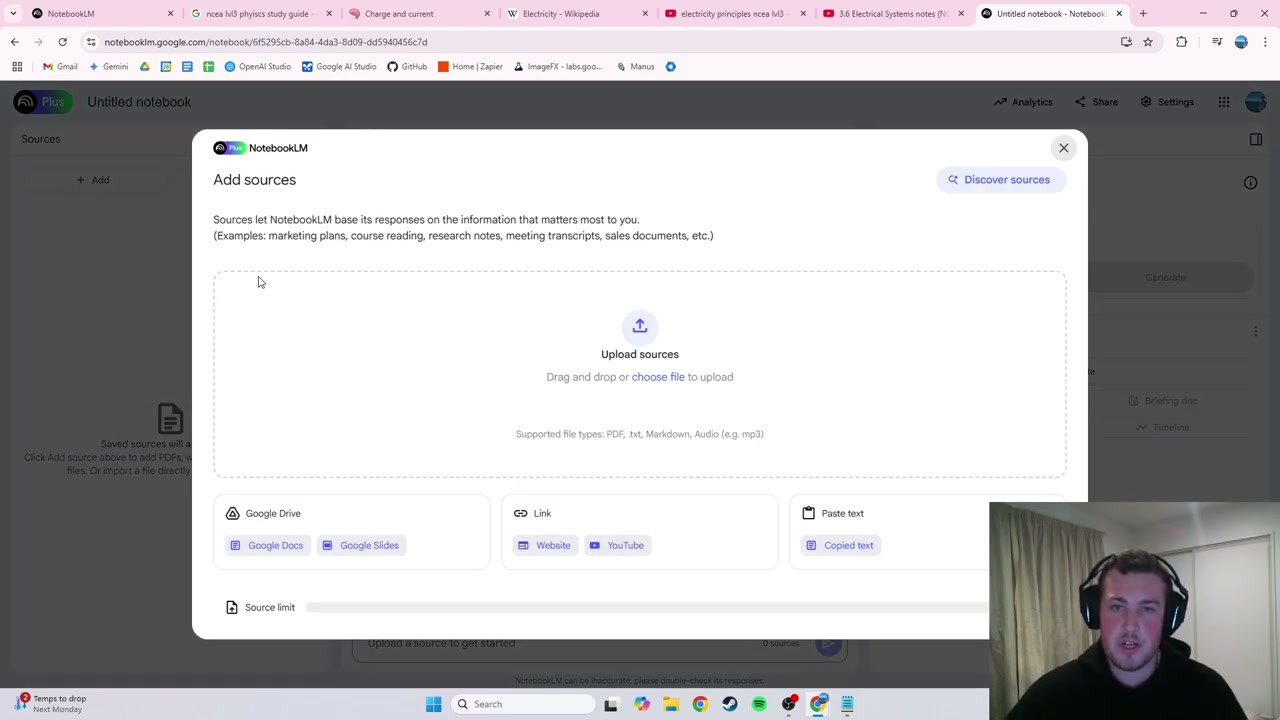
Search for NotebookLM and log in with a free Google account. Click “Create New” to start a new notebook. The first thing you’ll see is the knowledge screen where you upload your sources.
You can upload a range of different source types:
- PDFs and documents
- YouTube video links
- Website URLs
- Files from Google Drive
For this demo, I uploaded sources for NCEA Level 3 Physics (electricity exam): a 34-page PDF study guide, the Wikipedia page for electricity, and a one-hour YouTube lecture video.
Generating an Audio Podcast
On the right side, you’ll find the audio overview section. You can customise it to focus on specific topics, or leave it broad. Click “Generate” and NotebookLM creates a full podcast from your sources.
My demo generated a 28-minute podcast covering the uploaded material. The hosts discuss concepts naturally - for example, explaining electrical resistance using a highway lanes analogy for parallel vs series circuits.
Interactive Mode: Join the Podcast
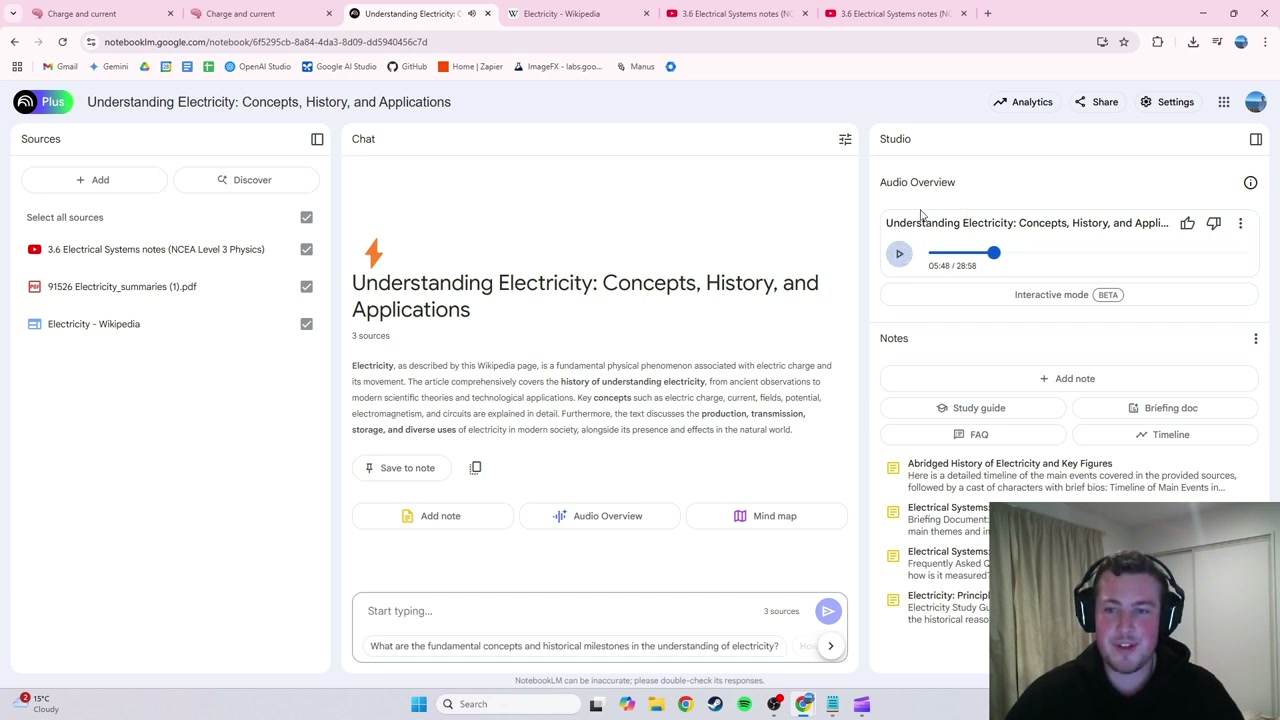
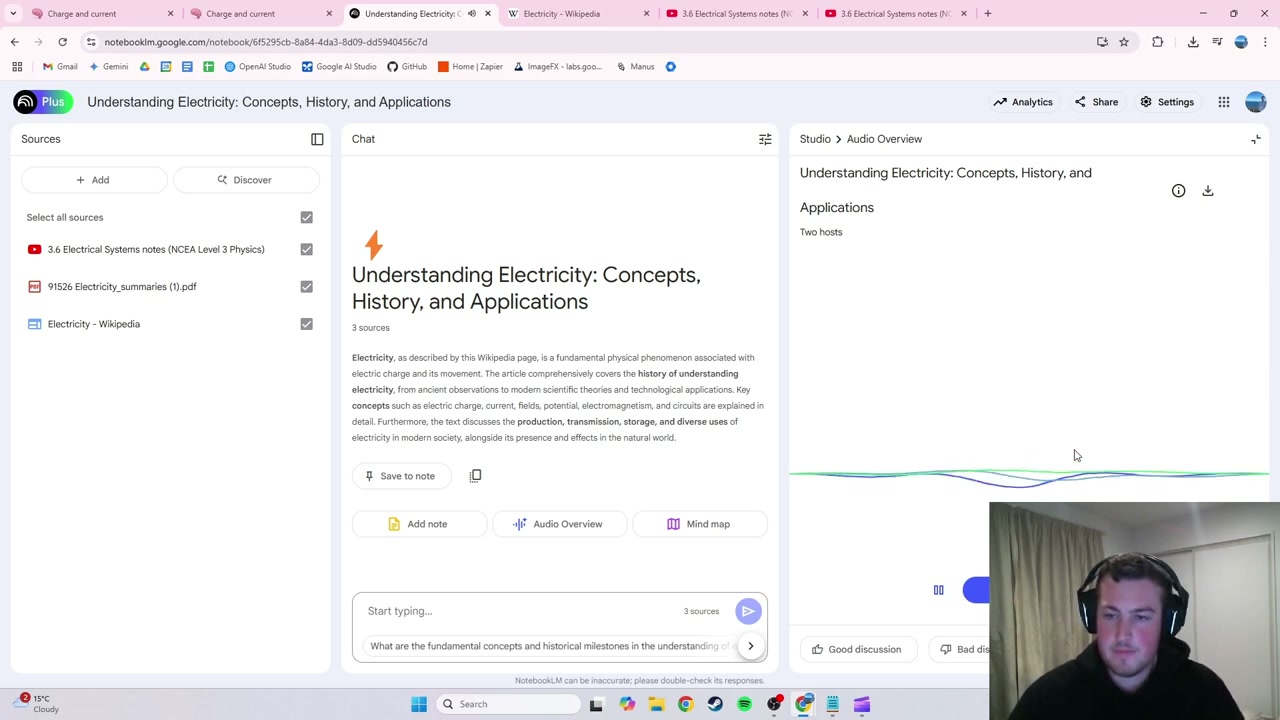
The standout feature is Interactive Mode (in beta). While the podcast is playing, click “Join” and ask questions in real time - like you’re actually part of the conversation. I asked “How do you calculate the voltage in a circuit?” and the hosts responded naturally with the relationship between energy, charge, joules, and coulombs.
Auto-Generated Study Materials
Beyond podcasts, NotebookLM generates four types of study materials from your sources:
- Briefing document: A concise overview of all combined information
- FAQ: Practice questions based on your material
- Core concepts: Key explanations with source references
- Timeline: Historical events and innovations arranged chronologically
Each reference is tagged with its source, so you always know where the information is coming from.
Final Thoughts
NotebookLM is a brilliant study tool for anyone learning new material - whether for school, work, or personal interest. Upload your sources, get an interactive podcast you can join, plus auto-generated quizzes and study guides. It’s a far more engaging way to learn than simply reading through documents.