Google just overhauled their AI Studio, making it much more user-friendly. I’ve been using it heavily with NZ clients and it’s now cleaner, faster, and actually fun to build in. The new interface strips out all the old clutter, featuring a new Customisability display, enhanced API dashboard, and a whole new vibe coding library.
Getting Started
To access Google AI Studio, just search for it or use the link in the description. All you need is a free Google account - no workspace or paid plans required.
The New Front Page
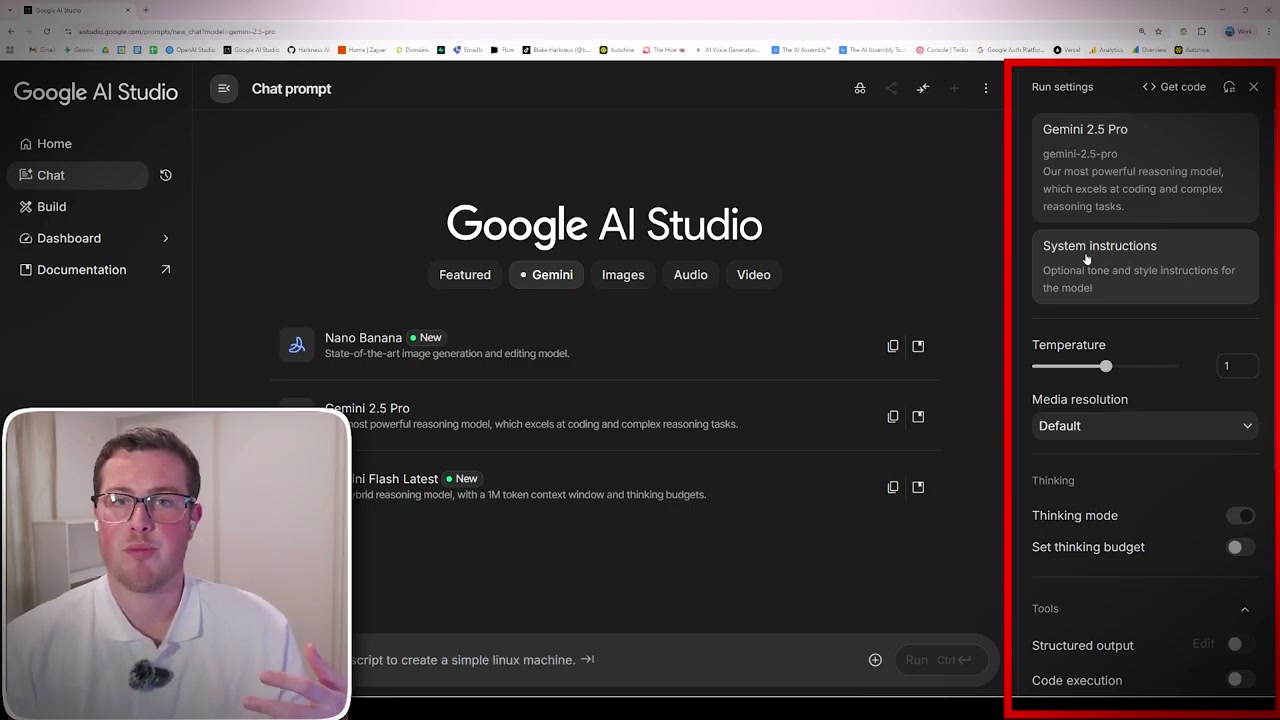
The homepage is completely new with three main sections:
- Chat with models in the Playground: Test and experiment with different AI models
- Vibe code GenAI enabled apps in Build: Create applications using natural language prompts
- Monitor usage in the Dashboard: Track your API usage and spending
What’s New Section
Google showcases their latest features including:
- Nano Banana for image generation and editing
- Veo 3.1 for video generation (paid)
- Fetch information with URL context
- Generate native speech capabilities
Model Selection
The Chat section offers various models to choose from:
- Gemini 2.5 Pro: The flagship model with advanced reasoning
- Gemini 2.5 Flash: Faster, more cost-effective option
- Gemini Flash 8B: Lightweight for quick tasks
- Gemini 1.5 Pro: Previous generation, still capable
- Imagen 3: Free image generation
- Gemma models: Open-source models that can run on mobile phones
The Gemma 4B parameter model can actually run on a smartphone - no cloud compute needed for a functional chatbot.
Customisability Controls
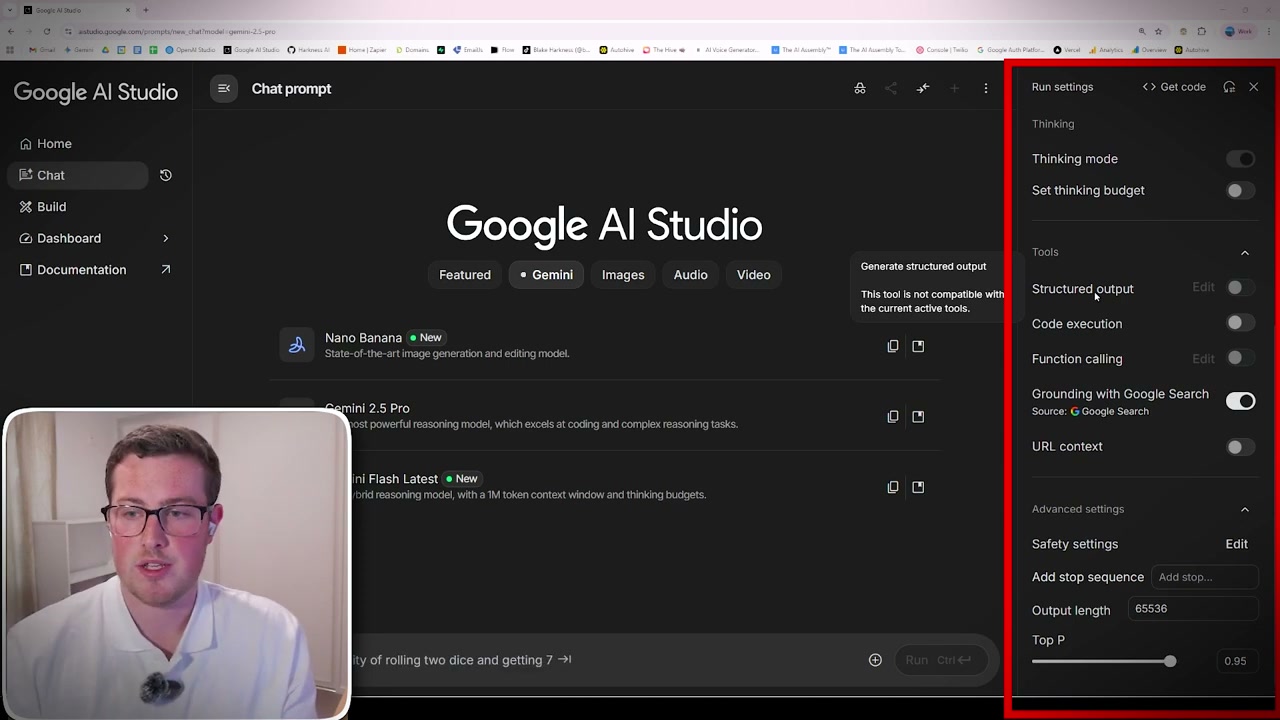
Unlike many AI builders, Google AI Studio offers extensive customisation:
System Instructions
Similar to other platforms - instructions that always get sent with your messages. Define roles, provide context, and set guidelines for responses.
Generation Parameters
- Temperature: Controls randomness (lower = more deterministic)
- Output Length: Set maximum response length
- Top-P: Controls diversity of word selection
- Top-K: Limits vocabulary for each token
Tools and Features
- Code Execution: Run Python code for data analytics (like ChatGPT’s code interpreter)
- Function Calling: Create custom API calls or set up MCP servers
- Grounding with Google Search: Validates AI responses against search results
- URL Context: AI can fetch and analyse information from provided URLs
Safety Settings
Toggle controls for hate, harassment, sexually explicit, and dangerous content. Useful for testing limits or ensuring appropriate responses for your application.
Audio and Multimodal Features
The audio section offers powerful use cases:
- Native Audio Conversation: Voice-based back-and-forth chat
- Webcam Integration: AI can see your webcam while speaking
- Screen Sharing: AI can view your screen and coach you through unfamiliar software
Screen sharing is particularly useful for learning new tools - Blender, exam prep, or navigating complex websites.
Build Section (Vibe Coding)
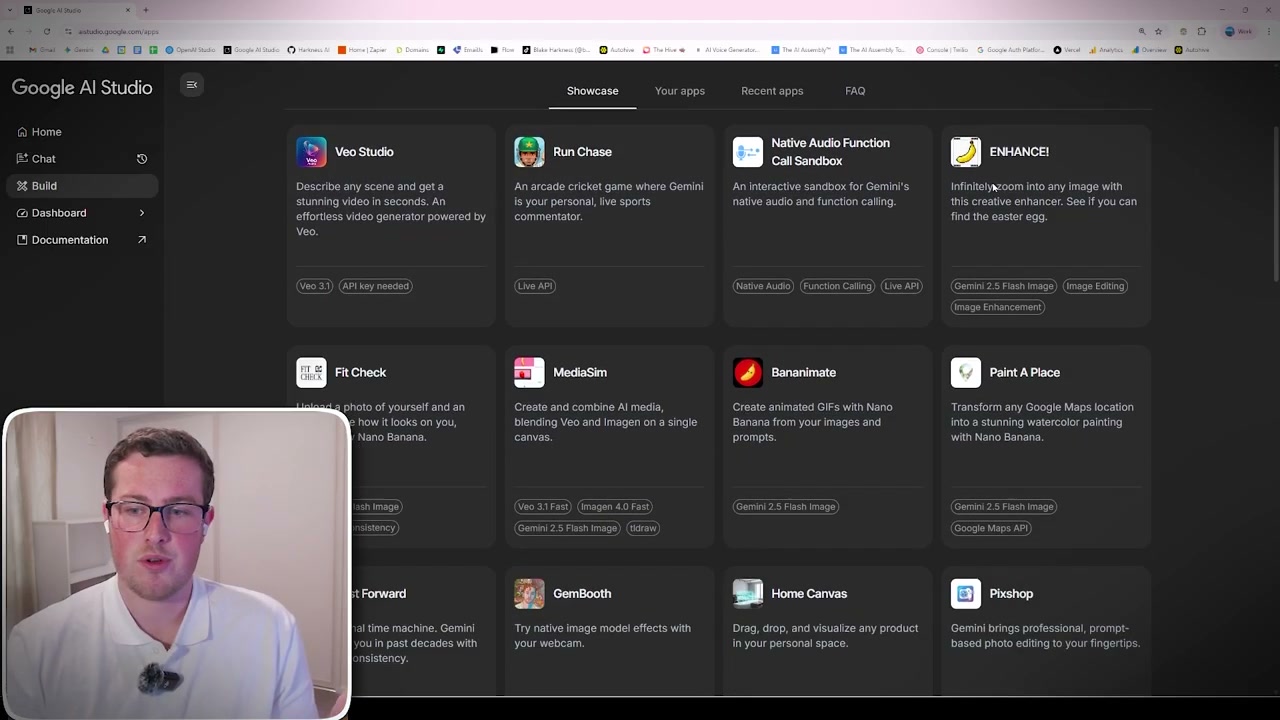
The Build section lets you create GenAI-enabled applications using natural language prompts. Google showcases community examples like a bowling simulator - complete with retro styling, tutorials, and gameplay - all generated from prompts.
Dashboard and API Management
Previously, managing API usage required navigating Google Cloud’s complex interface. Now everything is integrated:
- Generate and manage API keys directly
- View usage and billing in one place
- Free tier available for most models
Important caveat: The free tier trains on your data, so avoid sensitive information. It’s perfect for trials and proof-of-concept work.
Final Thoughts
Google AI Studio is now in a really nice place for testing, developing, and comparing AI models. The extensive customisation options, free API access, and dramatically improved UI make it a strong choice for developers and experimenters alike.