Did you know that most students are using AI to do their entire coursework for them? Whether you’re studying in New Zealand or anywhere else, the smart students are doing something different - they’re using AI to learn faster, stay more organised, and actually build valuable skill sets.
Here’s the top AI tools every student should be using to stay ahead of the game.
1. NotebookLM (Google)
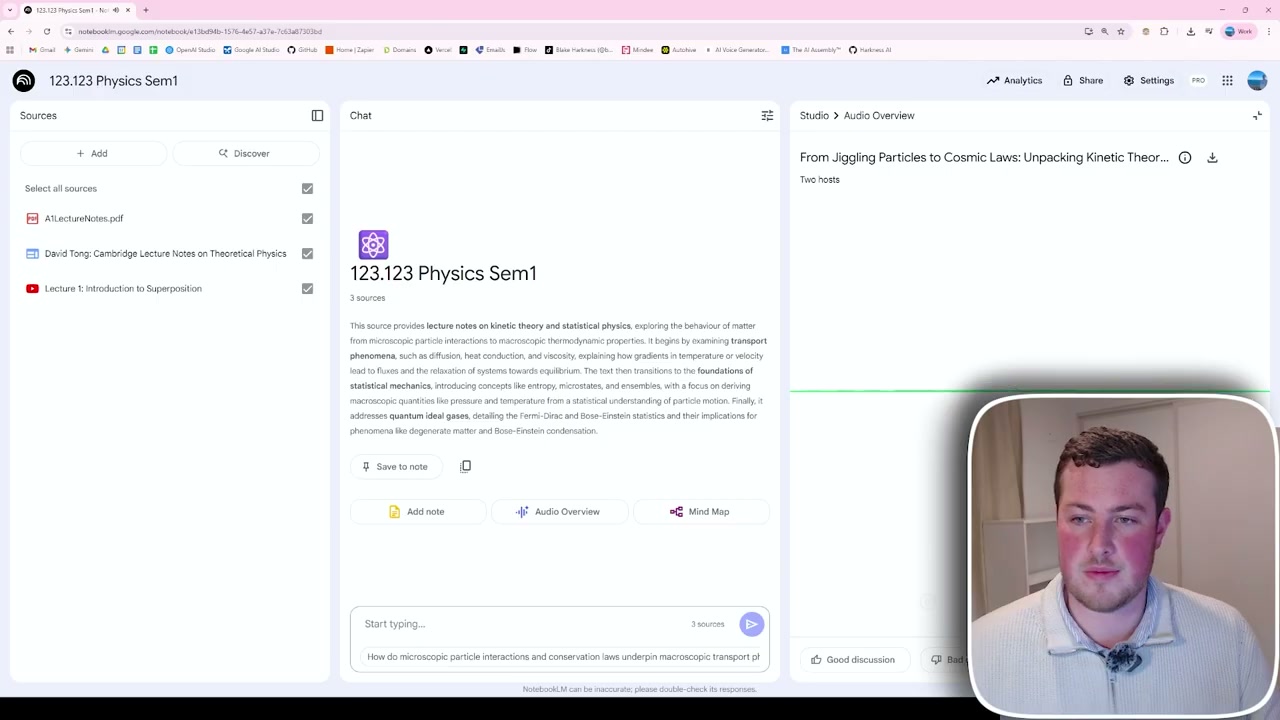
The first and most powerful AI tool on this list is Google’s NotebookLM, which is completely free. It allows you to upload hundreds of different documents, YouTube links, PowerPoints, and lecture notes for it to ingest.
Once uploaded, NotebookLM provides you with a chatbot that you can ask questions back and forth. It can generate custom questions, Q cards, and even a full-on interactive podcast talking about your content.
The podcast feature is particularly impressive - you’ll have hosts discussing your material, and you can even chime in with your own voice to ask follow-up questions.
2. Google AI Studio
With Google AI Studio, you can share your entire screen while going through your workings and have a back-and-forth conversation with an AI chatbot. All you need is a free Google account.
Head to Google AI Studio, go into the real-time streaming section, and hit the share screen button. You can then go over to your notes or exam and get instant help.
Even on your phone, you can share your camera and show your in-person notes. For example:
“Hey Google, what are my next steps here to solve this problem?”
The AI can see the quadratic equation and discriminant formula, identify what values you need, and guide you through the substitution process - correcting mistakes in real time.
This is like having a personal tutor available 24/7 that you can really cater to your individual learning needs.
3. Notion
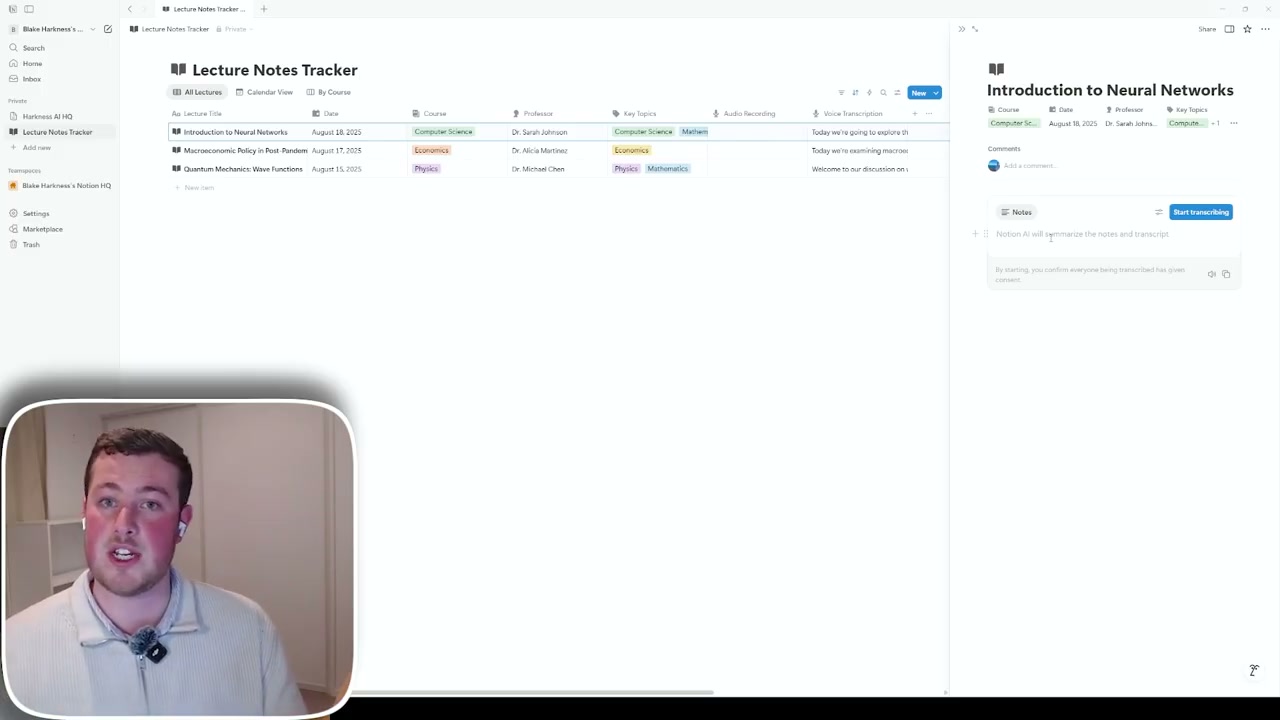
The next tool is more about organisation - keeping up to date with notes, lecture material, and different content. Notion has a whole range of AI features that make things really easy to use and stay on track.
The best thing about Notion is flexibility. You can set up databases, notes, and recordings structured exactly how you want, formatted to fit your style.
Lecture Note Tracking
Create templates for lecture notes with the title, dates, course, professor, and key topics. Then use AI to summarise content, extract key points, and organise information automatically.
AI Meeting Notes
One powerful feature is AI meeting notes. Hit “Start transcribing” and it will listen to everything from your microphone. If you’re in a lecture hall, it will transcribe the entire lecture and write all the notes for you.
This means during lectures, you only need to focus on the key important parts and how they’re actually teaching, rather than keeping up with note-taking.
Outside of lectures, you can also capture your own thoughts. Whip out Notion on your phone, start speaking, and it will record your voice, extract key points, and let you reference that transcript later.
4. ChatGPT
The last AI tool is ChatGPT. Most people have used it before, but they’ve recently added a “Study and Learn” feature that caters to structured learning with a quiz-based, back-and-forth approach.
You can access this completely free with just a plain ChatGPT account. Click the plus button and select “Study and Learn” mode. It’s a custom version of ChatGPT designed specifically for learning.
Try prompts like:
- “How can I remember the quadratic formula?”
- “Can you give me some algebra questions to practice with?”
It will come back with information tailored to help you learn and retain knowledge effectively.
Final Thoughts
These four tools - NotebookLM, Google AI Studio, Notion, and ChatGPT - represent the best free AI resources for students in 2025. Instead of using AI to cheat, use it to genuinely learn faster, stay organised, and build skills that will serve you throughout your career.