Whether you're a business in New Zealand or anywhere else, most of us are still using AI tools like they're just fancy search engines. You type in a question, copy the answer, paste it somewhere else, and call it a day. But you're barely scratching the surface of what these tools can actually do.
Did you know that ChatGPT, Claude, Gemini, and pretty much every major AI platform can integrate with the software you already use daily? We're talking Gmail, Google Calendar, Canva, Booking.com, Notion, the works. It's a game-changer.
The Real Magic Happens When Everything Connects
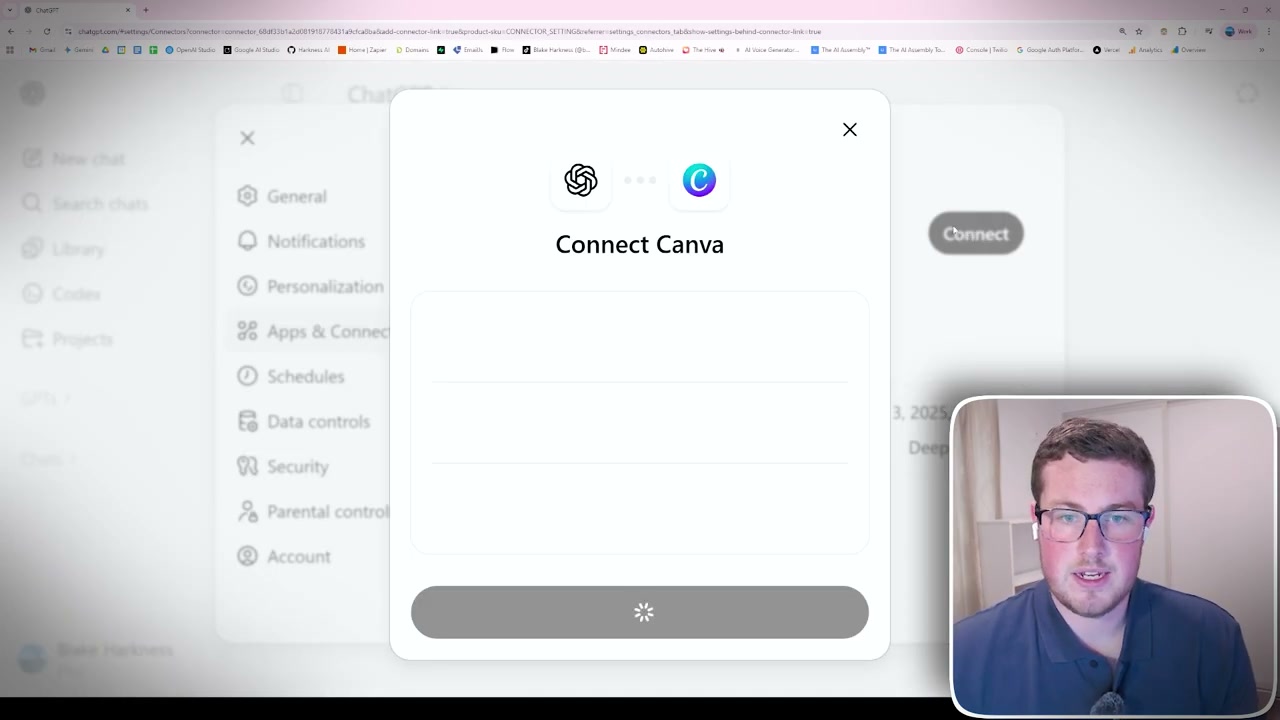
Instead of juggling between different apps and manually copying information around, you can use AI workflow automation to orchestrate your workflow across tools, all from one interface. For example, I can ask ChatGPT to:
- Check my Gmail for recent emails from specific people
- Look at my calendar and tell me what meetings I have today
- Create Instagram carousel designs in Canva using my brand colours
- Pull info from meeting transcripts in Google Drive and organise it in Notion
The best part? No more app-switching madness.
How to Actually Set This Up
For ChatGPT users: Click the add button, go to "add sources," and connect integrations like Gmail, Google Calendar, Notion, Canva, Booking.com, HubSpot, Slack, and the list keeps growing.
For Claude users: Anthropic's Model Context Protocol (MCP) unlocks even more, from iPhone messages to full computer control. It's powerful (and a little scary), but incredibly useful.
For Gemini users: You're mostly within the Google ecosystem right now, but if that's your workflow, it's solid and getting better.
The Real-World Impact
I recently had a client meeting with an AI transcription saved in Google Drive, follow-up emails in Gmail, and tasks to track in Notion. Instead of spending 30 minutes organising everything, I told ChatGPT: "Look at this meeting transcript, check my related emails, and update my Notion project tracker." Done. In seconds.
The Trust vs. Efficiency Question
Giving AI access to your email, calendar, and other personal data can feel intense. There's a trust factor, and you should weigh privacy considerations against efficiency. For me, the time savings are massive. No more hunting through emails or rebuilding designs from scratch. I describe what I want and have it ready in minutes.
What's Coming Next
We're still early. In some regions, full payment processing and booking directly within ChatGPT are already being tested. The goal is a true all-in-one interface where you never need to leave the chat to get things done.
My Take
The space is moving fast, and most people are behind on what's possible. If you're still copying and pasting everything manually, you're making life harder than it needs to be. Connect your AI to your tools and let it work where your work lives.