Short answer: if you want AI that works inside the tools your business already runs - your email, your calendar, Xero, Notion, your own systems - Claude is the better fit for most New Zealand businesses, and it’s what I run my own business on. ChatGPT is still a reasonable choice if your team already lives in it and mostly needs chat, writing and images. The prices are now close enough that cost shouldn’t be what decides it.
I moved Harkness AI from ChatGPT to Claude last year, and setting Claude up for NZ businesses is now a big part of what I do, so I’m not neutral. But every price and plan feature below comes from Anthropic’s and OpenAI’s own pages, checked on 18 September 2026, with the sources linked so you can check them yourself.
Is Claude better than ChatGPT for business?
For most New Zealand businesses that want AI to work inside their own tools, yes. Claude connects to email, calendars, Xero, Notion and custom systems through connectors and MCP (the Model Context Protocol, the standard Claude uses to plug into other software), and saved Skills let it repeat your processes the same way every time. That’s the difference between an AI you copy and paste into and one that actually does the admin.
ChatGPT is still strong for general chat, image generation and teams that have already built a lot of custom GPTs. The plans cost almost the same, so choose on how well each one fits the tools you already run.
Claude vs ChatGPT side by side
| Claude | ChatGPT | |
|---|---|---|
| Entry paid plan | Pro: US$20 a month, or US$17 a month billed yearly | Plus: US$20 a month |
| Heavy-use plan | Max: from US$100 a month (5x or 20x Pro usage) | Pro: US$100 (5x Plus usage) or US$200 (20x). New US$200 sign-ups paused since 10 September 2026 |
| Team plan, standard seat | Team: US$25 a seat monthly or US$20 billed yearly, for 2 to 150 people | Business: US$25 a seat monthly or US$20 billed yearly, 2 seats minimum |
| Team plan, premium seat | US$125 monthly or US$100 yearly, 5x standard usage | US$125 monthly or US$100 yearly, 5x standard usage |
| Enterprise | US$20 a seat a month plus usage at API rates, billed yearly | Priced through OpenAI sales |
| Connects to your tools | Connectors on every plan, including Free | Apps that connect to internal tools on Plus and Pro |
| Reusable processes | Skills and Projects | Custom GPTs, Projects and scheduled tasks |
| Coding agent | Claude Code on all paid plans | Codex, with more usage on Plus and above |
| Image generation | Not listed as a plan feature | Included on every plan |
| Training on your content | Personal plans: on unless you opt out. Team and Enterprise: none by default | Personal plans: on unless you opt out. Business: OpenAI will not train on workspace data |
| Billing currency | Listed in US dollars, tax extra | Localised pricing at checkout, including NZD |
Sources, all checked 18 September 2026: Claude pricing, ChatGPT pricing (plan features), and OpenAI’s help centre articles on ChatGPT Plus, ChatGPT Pro tiers and ChatGPT Business (US dollar prices). Both companies change their plans often, so check before you buy.
How much do Claude and ChatGPT cost in NZ dollars?
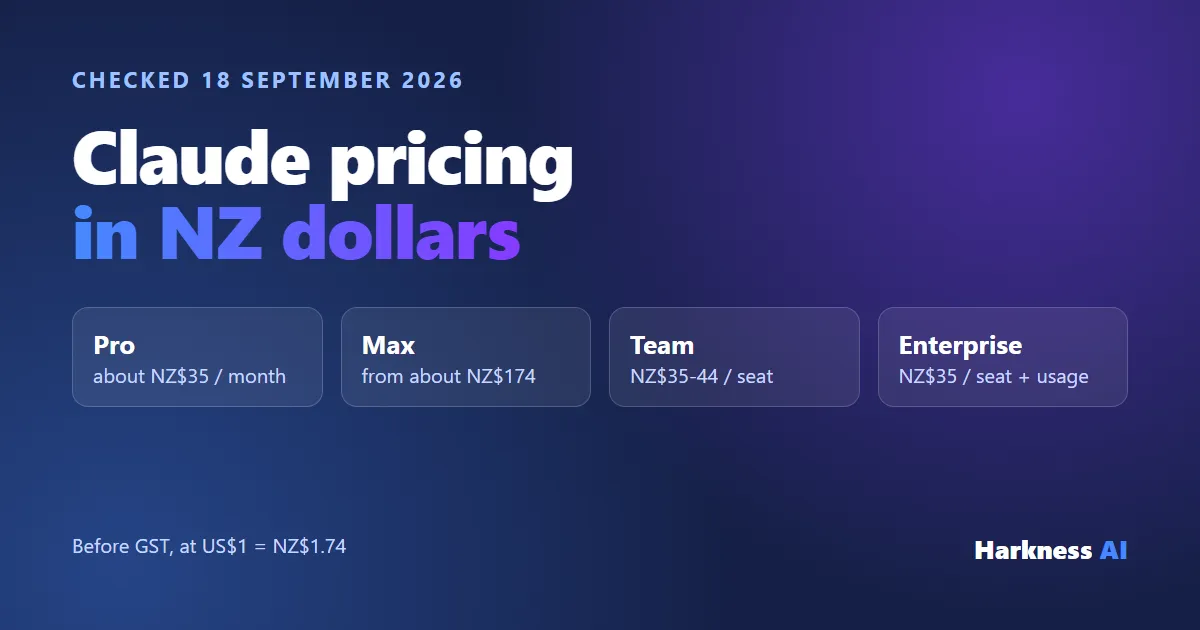
At the entry level, the same: US$20 a month, which is about NZ$35 before GST. The team plans are priced identically too. Here are the list prices with a rough NZD figure next to each.
| List price (USD) | About (NZD) | |
|---|---|---|
| Claude Pro | US$20, or US$17 a month billed yearly (US$200) | NZ$35, or about NZ$30 a month billed yearly |
| ChatGPT Plus | US$20 | NZ$35 |
| Claude Max | From US$100 | From NZ$174 |
| ChatGPT Pro | US$100 or US$200 | NZ$174 or NZ$348 |
| Claude Team, standard seat | US$25 monthly, US$20 billed yearly | NZ$44 or NZ$35 a seat |
| ChatGPT Business, standard seat | US$25 monthly, US$20 billed yearly | NZ$44 or NZ$35 a seat |
| Claude Enterprise | US$20 a seat plus usage at API rates, yearly only | NZ$35 a seat plus usage |
| ChatGPT Enterprise | Contact OpenAI sales | - |
How I worked out the NZD: I used the European Central Bank euro reference rates for 17 September 2026, the latest published when I checked, which put US$1 at about NZ$1.74. The figures are rounded and will move with the exchange rate. OpenAI says it offers localised pricing in NZD at checkout, so the ChatGPT price you see may not match this conversion exactly. Claude lists its prices in US dollars.
For every Claude plan in NZD - Free, Pro, Max, Team and Enterprise - and which one fits which kind of business, see Claude pricing in NZ dollars.
Do Claude and ChatGPT charge GST in New Zealand?
Both list prices before tax. Anthropic says your billing address decides how tax is calculated, and both Claude and ChatGPT let you add a tax ID to your billing details. Under IRD’s rules for overseas suppliers of remote services, a supplier should treat a NZ customer as not GST-registered unless the customer says they are or gives their GST number.
In practice: if your business is GST-registered, put your GST number in the tax ID field when you sign up. Adding it later only applies to future invoices. If you don’t, expect 15% GST on top of the list price, which takes a US$20 plan to about NZ$40. Check the first invoice either way, and ask your accountant how to code it in Xero - I’m an engineer, not a tax adviser.
Which is better for connecting to Xero, Gmail and other business tools?
Claude, in my experience. AI is a “garbage in, garbage out” system: to get useful results, it needs to be connected to the tools your business actually runs on. Claude can connect directly into those systems, pull information out and send information back, and you can build repeatable workflows inside the Claude app. Here’s what does the work:
- Connectors and MCP: connect Claude to the business software you use. Connectors are included on every Claude plan, including Free.
- Skills: similar to custom GPTs, but instead of switching between separate agents, Claude can use several Skills on its own within one conversation.
- Claude Code: developer or not, you can build websites and custom software to solve business problems.
- Working on your computer: Claude can work through tasks on your desktop, producing presentations, proposals and templates.
Xero is a good example for NZ businesses. Xero now has an official read-only Xero connector in Claude, and for deeper work Claude can run Xero’s open-source MCP server, which can create invoices, contacts and bank transactions. I walk through the setup in how to connect Claude to Xero. ChatGPT has apps that connect to internal tools on Plus and above, but most of the integration work I do for NZ clients is built on Claude.
Do Claude or ChatGPT train on my business data?
Not by default on the business plans. Claude Team and Enterprise have no model training on your content by default, and OpenAI says it won’t train on a ChatGPT Business workspace’s data. On personal plans (Claude Pro and Max, ChatGPT Plus and Pro), training is on unless you opt out, so turn it off in settings if you use a personal plan for work.
If you handle client or customer information, the Privacy Act 2020 still applies to what you put into any AI tool. For a team, that’s the main reason to pay for Claude Team or ChatGPT Business rather than letting everyone run personal accounts.
Why I moved my business from ChatGPT to Claude
Price and features aside, three things moved me across.
Ethics and leadership
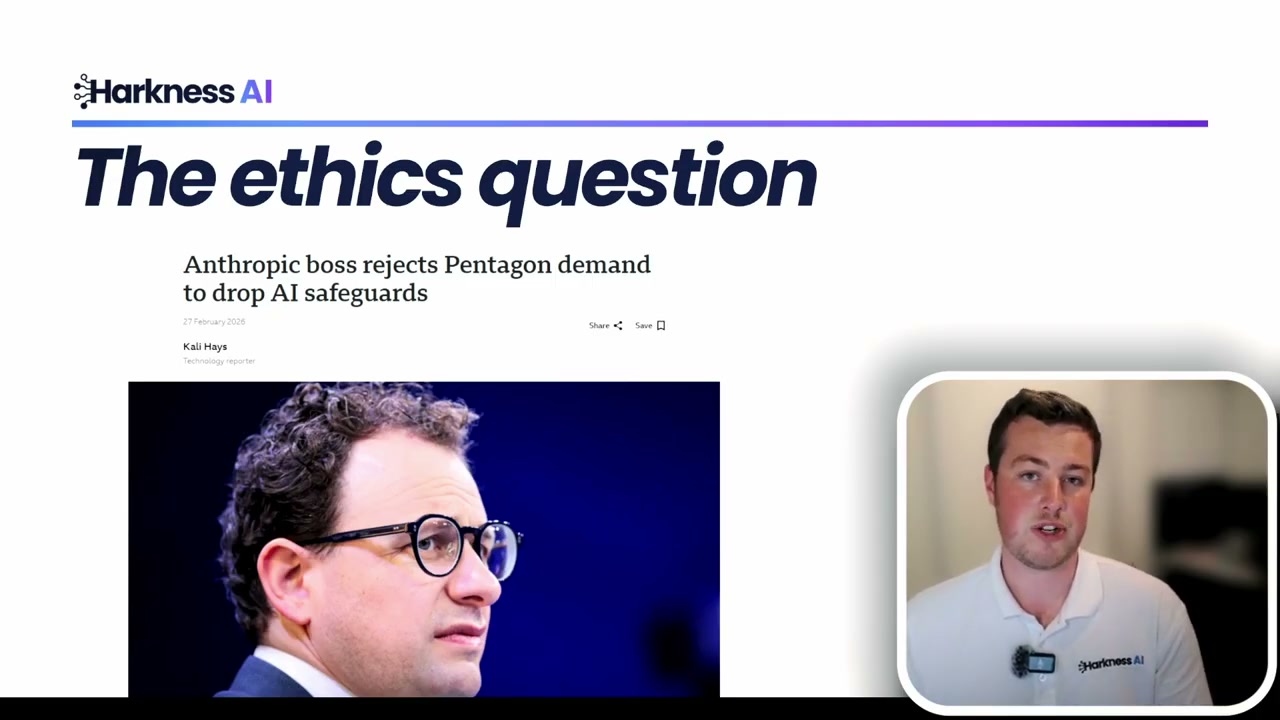
One of the biggest reasons people are leaving ChatGPT comes down to ethics. The US Department of War under the current administration had Anthropic (the company behind Claude) as a contractor. When the contract came up for renegotiation, the Department wanted Anthropic to allow Claude’s models to be used for mass surveillance of US citizens and autonomous lethal systems - think AI-controlled drones and robots.
This crossed a clear ethical boundary for the Anthropic team, and they pulled out of the contract. Within hours, OpenAI (the company behind ChatGPT) stepped in and signed that same contract, stating they didn’t share those same concerns. For many users, this was a turning point.
The “yes man” problem
Another major frustration with ChatGPT is what’s known as the “yes man” problem. ChatGPT is constantly trying to appease you, agree with whatever you’re thinking, and keep you happy in the conversation. Sam Altman himself has acknowledged it on multiple occasions and said it’s something they’re looking to fix.
Even if you change the system prompt to try and avoid this behaviour, ChatGPT still defaults to that agreeable, people-pleasing tone. For business decisions, you need an AI that will challenge your thinking and give you honest, critical feedback - not just tell you what you want to hear.
It does real work inside the business
The third reason is the connection point above. Once Claude was wired into my email, calendar, Google Drive, Notion and Xero, it stopped being a chatbot and started doing admin. The examples further down are from my own setup.
When ChatGPT is still the better pick
- Your team has already built custom GPTs and workflows in ChatGPT, and switching would cost more time than it saves.
- You need image generation every day. It’s included on every ChatGPT plan.
- You mainly want a general chat assistant and don’t plan to connect it to anything.
It isn’t all or nothing, and plenty of people use both. For a business, though, I’d pick one as the daily driver and learn it properly rather than half-learning two.
Can I move from ChatGPT to Claude without losing my history?
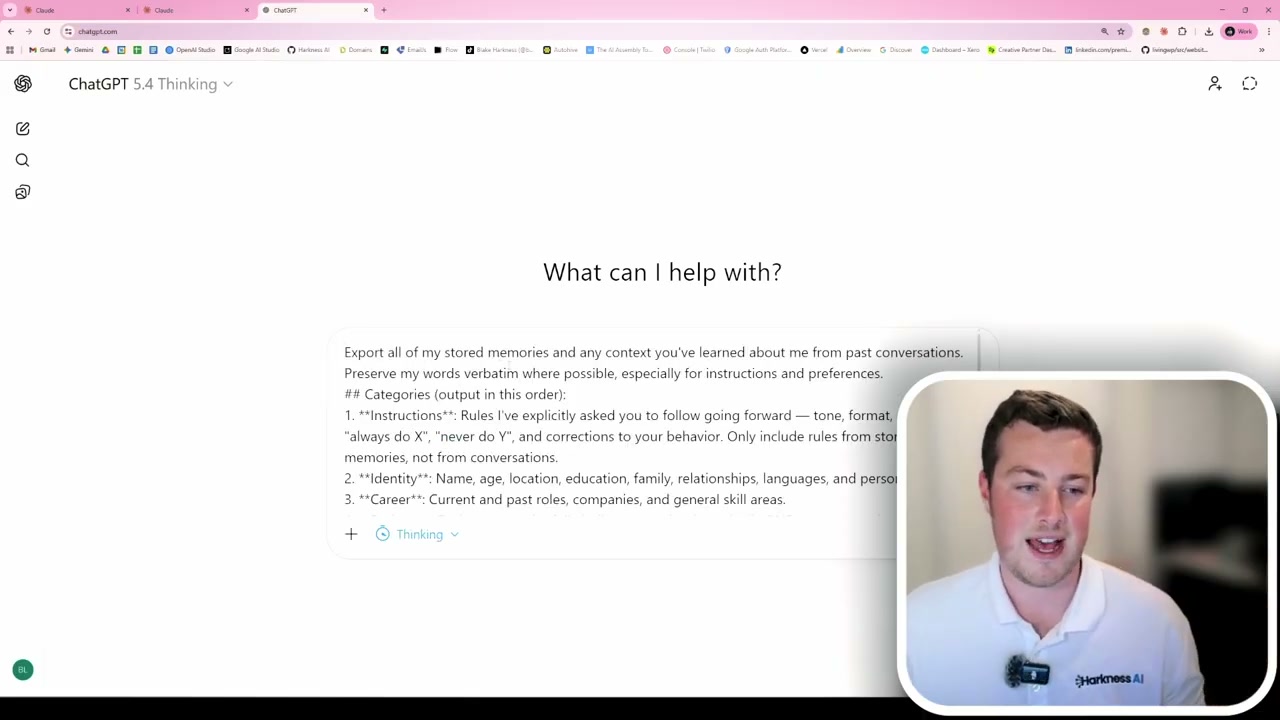
Yes. One of the biggest worries about switching is losing the memory and context you’ve built up in ChatGPT. Claude has a dedicated import page for this, and it takes a few minutes:
- Go to Claude’s “Get Started” migration page and log in to your account
- You’ll receive a prompt to copy - paste this into ChatGPT (ideally using the thinking model for best results)
- The prompt asks ChatGPT to extract everything it knows about you: your identity, career, projects, preferences, and any other context from your conversations
- ChatGPT will compile all of that into a single text response
- Copy that response directly into Claude’s memory settings
- Fill in any gaps or missing details, then hit “Add to Memory”
Once that’s done, you can review your imported memory under Claude’s memory settings. If anything needs changing or adding, click the edit button and update it. Your old chat threads stay in ChatGPT, so export them first if you need a record.
What to set up first after you switch
Connect your business tools
Once your memory is imported, connect Claude to your business systems. From the Claude homepage, click the plus button, go to “Connectors,” and browse the available integrations. The most popular ones appear at the top. Click the one you want, sign in, and it’s connected.
Create Skills for repeatable tasks
Any repeatable task in your business that AI could help with should become a Claude Skill. A Skill is a set of instructions that Claude follows on your behalf. Here’s a simple example - creating an email drafting Skill:
- Ask Claude: “I want to create a skill”
- Tell it exactly what you want - for example, an email drafting skill
- Answer the follow-up questions Claude asks, providing as much context as possible
- Review the generated skill file (a markdown document outlining the instructions)
- Save it to your skills, and it’s available across all your devices
A real example: calendar and email
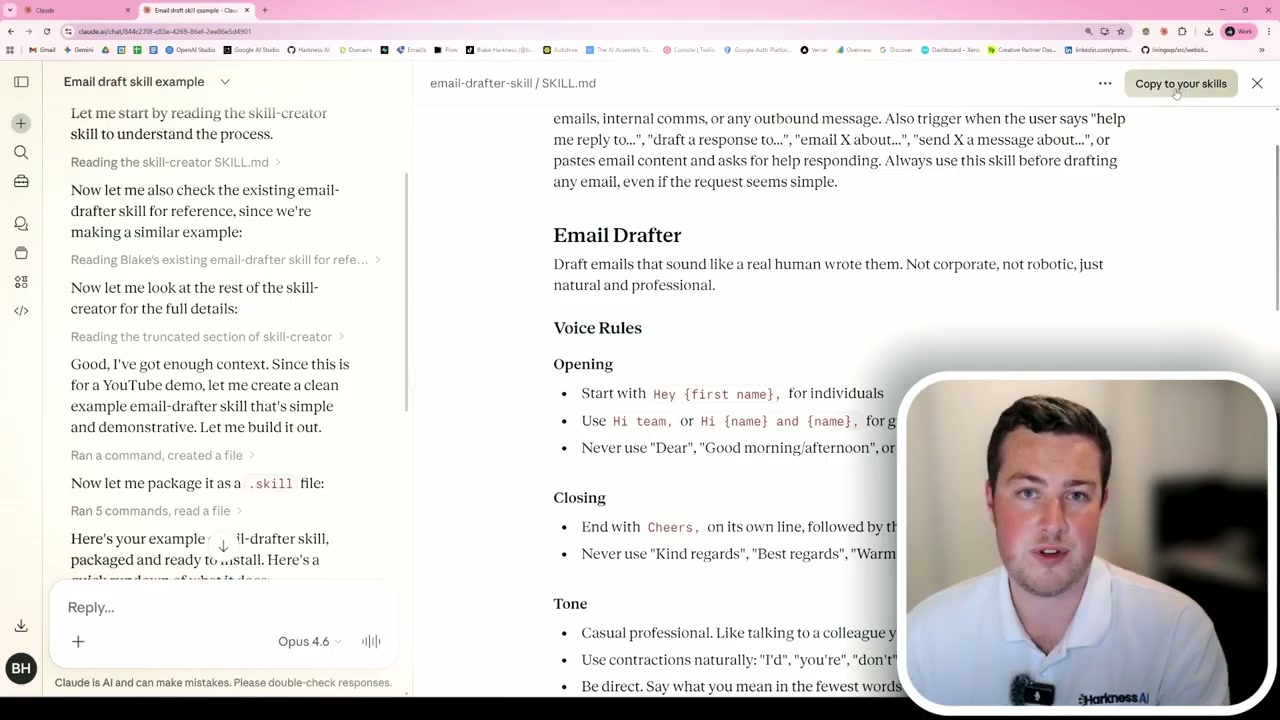
Once your calendar and email (Gmail, Outlook, or otherwise) are connected, you can ask Claude to find a specific meeting on your calendar, explain that you can no longer make it, and have it draft an email suggesting another time - all in one conversation.
Claude reads your email drafting Skill to match your tone of voice, checks your calendar to find the meeting and when you’re free, then drafts the email in Gmail. What used to mean switching between several apps now happens in a single chat.
Scaling it up: project proposals in 10 minutes
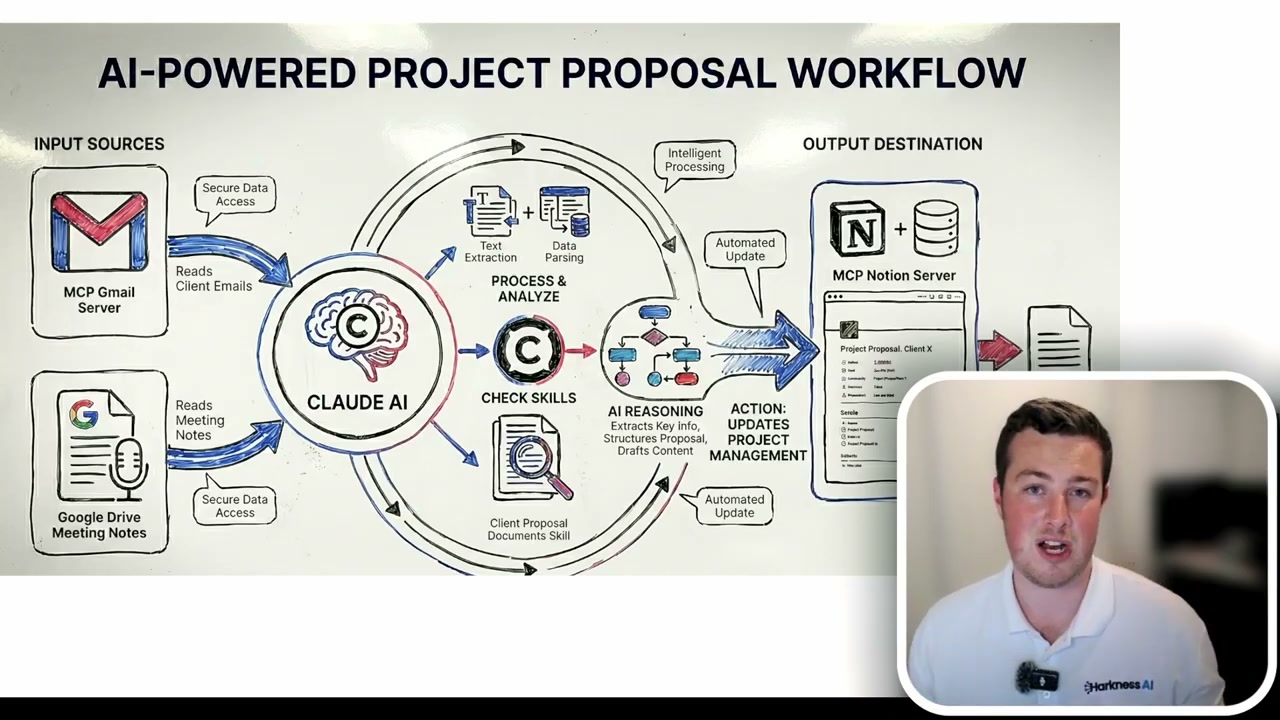
Here’s a more advanced example from my own workflow. I have all my client meetings transcribed and stored in Google Drive. I have email chains back and forth, and I have Notion storing all my previous project details. When I need a client proposal, I ask Claude to pull from all of these sources and use my client proposal Skill.
Instead of spending one to two hours copying information into a template, Claude generates the proposal. My job is to review the content before sending it. A task that used to take one to two hours now takes me about 10 minutes per client.
If you’d rather have Claude set up properly than work through all of this yourself, that’s what my Claude setup for NZ businesses covers: connected to your tools, trained on how you work, and handed over running. If you’d rather learn to do it yourself, the Build Your Claude Brain half day is hands-on Claude training against your own work.