Do you want to build your own custom AI voice assistant that sounds completely human and responds in real time? I’ve been setting these up for NZ businesses and the results are impressive. Here’s exactly how to set one up using ElevenLabs. We’ll build two different examples: a customer support and Q&A chatbot, and a personal assistant that can manage your Google Calendar.
Why ElevenLabs?
ElevenLabs recently released their 11 AI model with out-of-the-box MCP support, so you can connect it to any existing software and tools. They also have built-in integrations for Google Calendar, Slack, and Perplexity. With over 5,000 voice clones available - and the ability to clone your own voice - the customisation options are extensive.
Example 1: Customer Support Chatbot
Setting Up the Agent
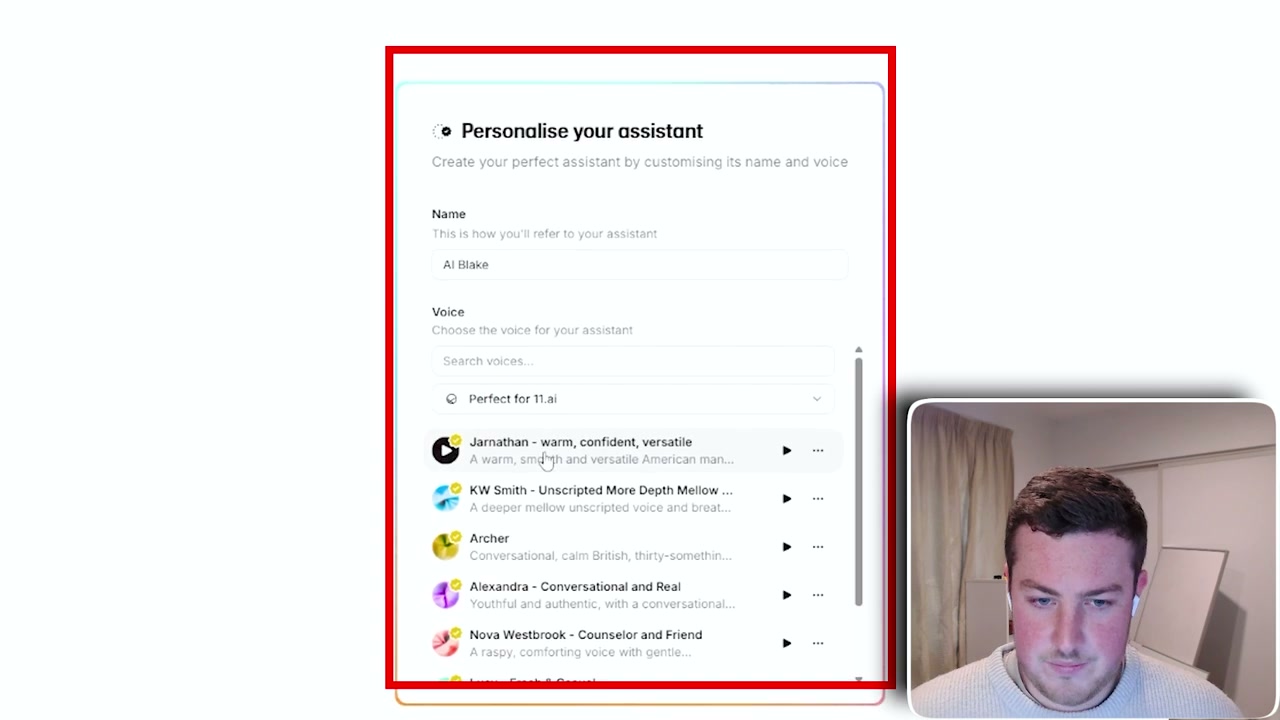
Start by creating a new agent and choosing a voice from the library. Then head to Settings and the “Customise Behaviour” section. This is your system prompt - it tells the agent how to behave. For example:
“You are AI Blake, professional voice assistant for the Harkness AI website. Your role is to assist users with clear, accurate, and friendly information about Harkness AI services.”
Adding Knowledge
Navigate to Conversational AI and then Knowledge Bases. Here you can upload documents, paste text, or add URLs. I added my website’s pages as knowledge sources so the agent can pull accurate information about services, contact details, and FAQs.
Back in the agent settings, add those knowledge bases and enable RAG (Retrieval Augmented Generation) for better answer quality. Then set a first message like “Hey, I’m AI Blake. How can I help?”
Deploying to Your Website
Integrating it onto your website is simple - just copy one line of embed code into the bottom of your site. Visitors will see a “Need Help? Start a Call” button and can have a natural voice conversation with your AI agent.
Example 2: Personal Assistant with Google Calendar
To make the agent a personal assistant, go to Integrations and add Google Calendar. After authenticating with your Google account, you can configure tool approval modes and choose what the agent can do:
- Read your calendar
- Create events
- Delete events
You can ask it questions like “When is my next meeting this week?” and it will pull the information directly from your calendar in real time.
Extending with Custom Tools
The real power comes from extensibility. You can add webhooks, client tools, and even your own custom MCP server with its own connections. This unlocks virtually unlimited freedom for what your AI voice assistant can access and control.