You know you should post more. You are not short of ideas, you are short of the two hours it takes to turn one into a post. This is how I do it with AI, including the parts that did not work.
Every number here is from my own channels or my own site, and says so. Checked 20 September 2026.
Most small businesses do not have a content problem. They have a second-draft problem: the video gets made and then nothing else happens, because turning it into a written piece and three posts is a fresh two hours nobody has. So I stopped writing posts and started writing instructions. One recording now becomes the article, the LinkedIn post and the short clips, and I approve all of it before anything goes out.
1
Video to article
Takes the transcript of the recording and drafts a written version for the website, with headings, and a line at the top saying it was drafted from the video.
Replaces: Writing the blog post from scratch, which is why it never gets written.
2
Article to posts
Writes the LinkedIn post and the short-video scripts from the same recording, each one pointing back to the long version.
Replaces: Staring at an empty LinkedIn box on a Sunday night.
3
Recording to short
Cuts the raw recording into a vertical video with captions burnt in, sized for TikTok, Reels and Shorts.
Replaces: An hour in an editor per clip, or paying someone to do it.
These three are set up in the developer version of Claude, because that is where I work. The shape is what matters, and it works just as well saved as instructions in the normal Claude app, or in whichever assistant you already pay for.
How to build the same thing
1
Record the long thing once.
A walkthrough, a customer question answered properly, a job explained. Everything else on this page comes out of that one recording, so it is the only part that needs your time.
2
Write the instructions down once, not the post.
The trick is not a clever prompt. It is a set of instructions you save and reuse: who you are, who you are talking to, how long the post should be, what you never say, and two of your own posts as examples. Claude calls a saved set of instructions a Skill, and every other assistant has some version of the same thing. Write it once, use it fifty times.
3
Ask for the written version first.
The article is the piece that keeps earning: it is the one a search engine and an AI assistant can both read. Say plainly at the top of it that it was drafted from your video, the way mine do.
4
One video, one article, one site.
I publish the same recording as exactly one article in one place. I learned that the annoying way: two videos went up as articles on both of my sites in May 2026, and the two copies ended up competing with each other in search until I redirected one set at the other in September.
5
Read every draft. Nothing posts on its own.
Drafts go into a queue and I approve each one. An assistant that posts by itself will eventually post something you would not have. The approval step is the whole safety net, so keep it.
How long it takes. The first reel I built this way went from “edit my recording” to a finished, approved video in about forty minutes, and that included two takes where the microphone was muted. With the graphics prepared first it now runs under half an hour. The article and the posts come out of the same recording in the time it takes to read them.
Be straight about what the clips are. Mine are recorded from scripts the assistant wrote, not cut out of the long video. If you tell people a short is a clip from something longer, make sure it is.
Guide 2 · Claude + Canva
One line about your offer into on-brand posts
Canva makes a connector for Claude, so you can describe the post in a sentence and get a real, editable Canva design back, in your own colours and fonts, sized for the feed and again for a Story. It does not replace Canva. It replaces the blank template and the twenty minutes you lose to it.
1
Turn the connector on.
In Claude, open Customise, then Connectors, hit the plus, find Canva and log in. It is made by Canva and listed in Claude’s connector directory. Canva says the connector works on every Canva account, including Canva Free. On a Canva team, business or education account your admin decides whether you can connect an AI assistant at all, so that may be a phone call first.
2
Ask in one line, not in a brief.
Give it the offer, the detail and the deadline, then let it draft. Canva lists making, resizing and exporting designs among the things an assistant can do, so the Story version is the same request, not a second job.
3
Finish it in Canva.
What comes back is a real, editable Canva design, not a flat image. Open it, fix the bits that are wrong, and post it from there. Treat the first draft as the blank page problem solved, not as the finished post.
Fill in the brackets, paste into Claude
Using my brand kit, make an Instagram post for [what you are offering, in one line: what it is, the discount or detail, and when it ends].
Keep the text to under 12 words on the image.
Then resize it for a Story.
Three things nobody mentions
Your brand only comes through with a Brand Kit, which Canva sells as part of the Canva Pro bundle. Without one you get a generic design in generic colours, and you will spend the time you saved recolouring it.
Generating designs uses your Canva AI credits. Canva says AI-powered actions like generating designs may use your monthly Canva AI credits, so a long afternoon of drafting has a limit on it.
Connectors change. Anthropic says plainly that it cannot verify third-party connectors will keep working the way they do today, so if something on this page does not match what you see, trust the app.
Every answer you find to this online is someone quoting someone else. So in September 2026 I pulled my own: 262 TikTok posts going back to May 2025, 162 Instagram and Facebook reels, and every video on my YouTube channel. One account, mine, mostly New Zealand viewers. Here is what actually showed up.
1.3x
Lunchtime beat every other slot
TikToks I posted between 11am and 3pm NZ time got about 1.3 times the first-week views of my posts from the same period at other times. It held in both years and across tool videos, news and vlogs. My old 7pm slot came out average, not bad. Sunday was the weakest day of the week.
7a week
More posts did not cost me per-post reach
Up to about seven posts a week, each extra post added roughly 700 views and about 1.7 net followers to the week, and the average post did no worse. Two in one day was fine. Three or more in a day ran about 10% under. So the answer to “am I posting too much” was no, until about seven.
10-50x
The topic is worth far more than the clock
A good time slot was worth about 1.3 times. My handful of breakout videos were worth between ten and fifty times their neighbours. Spending an hour picking a posting time and five minutes on the first line is the wrong way round.
69-76%
The hour does not change who sees it
New Zealanders were 69 to 76% of my viewers in every posting band from 6am to midnight. Posting late at night did not buy me an overseas audience, and posting at lunchtime did not cost me one. TikTok works out where you are, not what time it is.
5-9sec
The number I actually had to fix
Through September my videos held people for five to nine seconds out of thirty to forty-five, and the share of viewers who already followed me had climbed from about 4% to 27%. That is a video not escaping its own follower list. No posting time fixes that. The first two seconds do.
Which platform is actually reaching New Zealanders
Platform
My NZ share
What that means
TikTok
65-70% NZ viewers
The one that reaches New Zealanders now. Worth the lunchtime slot.
Instagram
74% NZ followers
Same videos, same day. Use the in-app share to Facebook rather than posting to Facebook separately.
Facebook
Single-digit views via API
Posts I pushed through a scheduling API in September got 1 to 28 views each. The same videos shared natively from Instagram did fine.
YouTube
1.6% NZ views
Global, and mostly search. Its job is the long version people find later, not the daily clip.
What I changed because of it
Pick one slot and stick to it. Mine is lunchtime, Monday to Saturday.
Two posts a day is the ceiling. Three starts costing you.
Take Sunday off, or use it for the post that does not matter.
Track average watch time per post, not follower count. It is the only number that tells you the first two seconds worked.
Re-run the numbers on your own account after 90 days. Mine is one account, and yours will differ.
Read this as one business owner’s data, not as a law. It is a single account, I never randomised what I posted when, and I compared seven different time bands, so one of them looking good by chance is expected. The lunchtime and Sunday results are the two that held up when I split the data by year and by content type. Everything else on the page is a finding I would want checked against your own account before you act on it.
Guide 4 · Being visible when someone asks an assistant
Be the business AI recommends
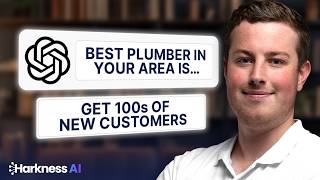
People have started asking a chatbot for a plumber the way they used to ask Google. The list it hands back is short, usually three names, and if you are not on it you are not in the running. You can check where you stand in about ten seconds.
The ten-second check
Ask it about your own trade and town
Open ChatGPT and ask who the best [your trade] in [your town] is. Then tap Sources under the answer and look at where the picks came from. That tells you what it is reading about your industry, which tells you what to fix.
In my own test on 18 September 2026, across three New Zealand queries, the citations came back as Google Maps listings rather than business websites. That test ran through an API rather than the app, so do not take my word for it. Run it yourself and look at your own sources, because that is the only version that matters to your business.
Fix one, if the sources are maps
Your Google Business Profile is doing the talking
If the citations are map listings, your website is not what is being read. Google publishes what improves a local ranking, and none of it is clever:
Verify the business. Google says a verified business is more likely to show up.
Pick the category that matches what you actually do, not the closest impressive one.
Fill in every field: address or service area, hours, phone, and the attributes.
Add real photos of real work. Not stock.
Ask happy customers for reviews, and reply to the ones you get.
Then ask the chatbot again next month and see whether you have moved.
Google Search Console is free and shows the exact phrases people type before they land on you, and where you sit. The cheap win is everything sitting between position 8 and 20: Google already rates the page, it just needs a push. Connect an assistant to it and you can ask for that list in plain English instead of building a report.
Google does not make a Search Console connector, so the no-code route is adding a custom connector and connecting Search Console through it. The usual one is Composio, and here is the catch: that toolkit can also submit sitemaps and add or delete sites from your account. Tell it to read only, every time, the way the prompt below does.
On my own site, this found 46 different ways people search for Claude and Xero, all sitting between positions 8 and 20, worth about 1,400 impressions and eight clicks over four weeks in August and September 2026. Forty-six phrases I was almost visible for, and would never have guessed.
Fill in your domain, paste into Claude
You're connected to my Google Search Console property [your domain]. Read only: don't submit sitemaps, and don't add or remove sites.
1. List every search term from the last 28 days where my average position is between 8 and 20.
2. For each one, show impressions, clicks and the page that ranks.
3. Sort by impressions, highest first.
4. Then pick the five with the most impressions and tell me, for each, what is missing from that page compared to what someone searching that term wants.
Fix three, when you publish
Getting a new page looked at sooner
When you publish something, you can ask Google to look at it, by inspecting the address in Search Console and clicking Request indexing. Claude’s Chrome extension can do the pasting, waiting and clicking for you. It is on the paid Claude plans, you need to be an owner or full user of the Search Console property, and the first thing to do is set the extension to Manually approve so it asks before every single action rather than clicking on its own.
Two honest bits. Google caps how many pages you can submit per site each day, and asking twice for the same page does not make it faster. When I ran this across three of my own sites in September 2026 I submitted 23 pages over two days, and one site hit its daily limit after a handful while another took eight to ten, so the cap is per site, not per person. If you have published a lot of pages at once, submit a sitemap instead and skip the clicking entirely.
The longer version, on video
Recorded August 2026: how to check what AI search already says about your business, and what moves the needle. Prefer reading? The written version covers the same ground.
Running the books rather than the marketing today? The Claude and Xero guides cover invoices, bills and the expenses that go missing.
Coming next
Coming soonTen questions to test whether AI can see your businessA list you can work through in ten minutes, by trade and by town, and how to read what comes back.
Coming soonThe content instructions, written out to copyThe three sets of saved instructions from section one, written so you can paste them straight into Claude.
Coming soonThe posting numbers, re-run at 90 daysSame method, same account, three months later. Whether the lunchtime result holds once the hooks improve.
Get the next content guide by email
When a new guide is ready, it goes out in Blake’s AI Briefing, a short monthly email on AI for NZ businesses.
We only collect your email address, to send you these guides and the AI Briefing. Harkness AI holds it and never sells it, and you can unsubscribe any time. Privacy policy.
Want this set up for your business?
We build the content system with your team, in your tools, so it keeps running after we leave.