Claude + Xero guides
Claude and Xero guides for NZ business owners
The written version of my videos, as checklists you can work through at your own pace. Every guide is here in full.
Kept up to date as Claude and Xero change. Facts checked 19 September 2026.
Guide 1 · The checklist I use with clients
Connect Claude to Xero safely
On 15 September 2026 Anthropic added an official Xero connector to Claude, as part of its Claude for Small Business plugin. It’s genuinely useful. But it’s your books, so set it up in this order.
What the official connector does today (claude.com, checked 19 September 2026)
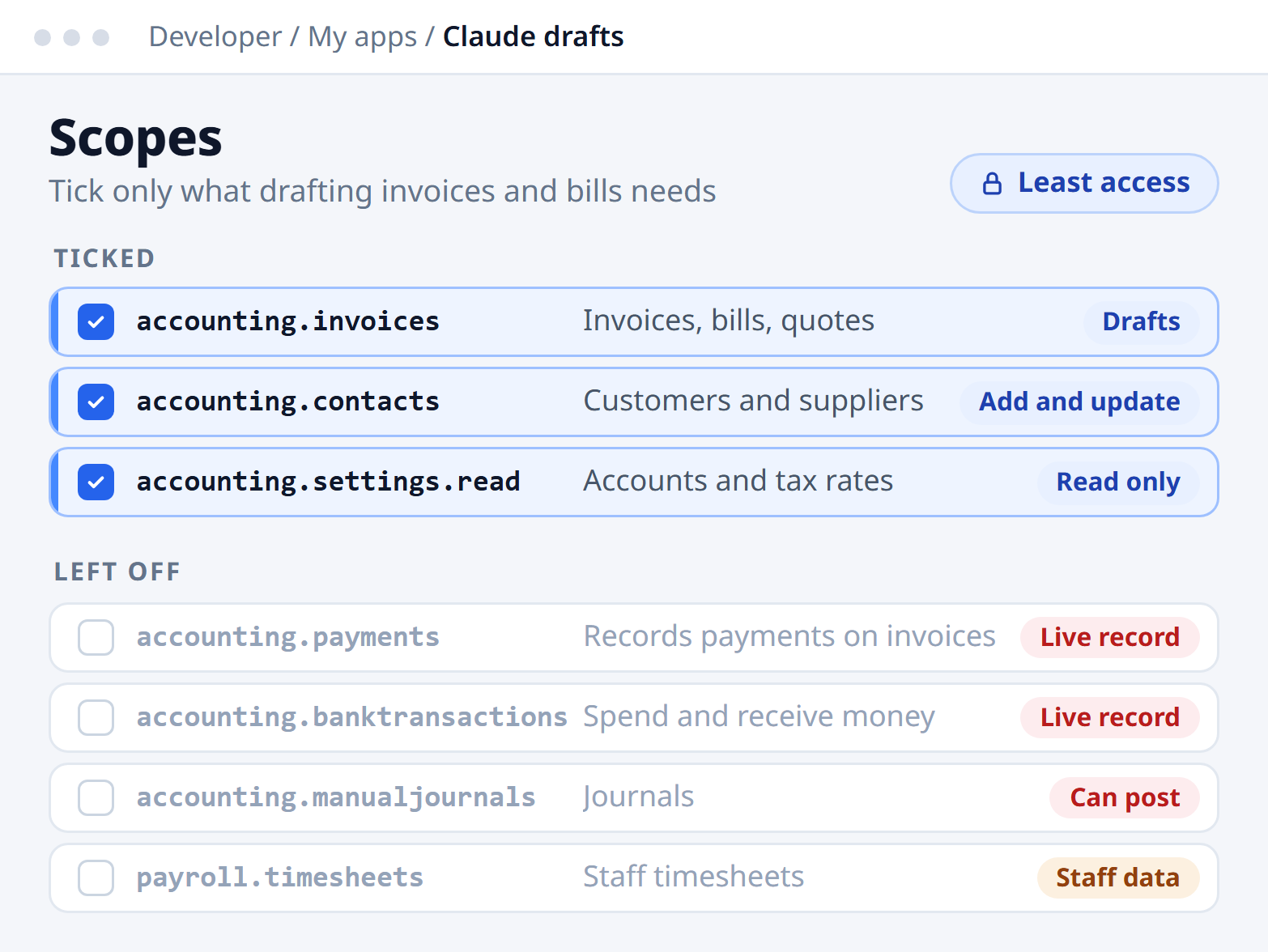
- Reads, never writes19 tools that read your books. None can create or change a record.
- Sees what your login seesIt can’t do more than the Xero user who connects it.
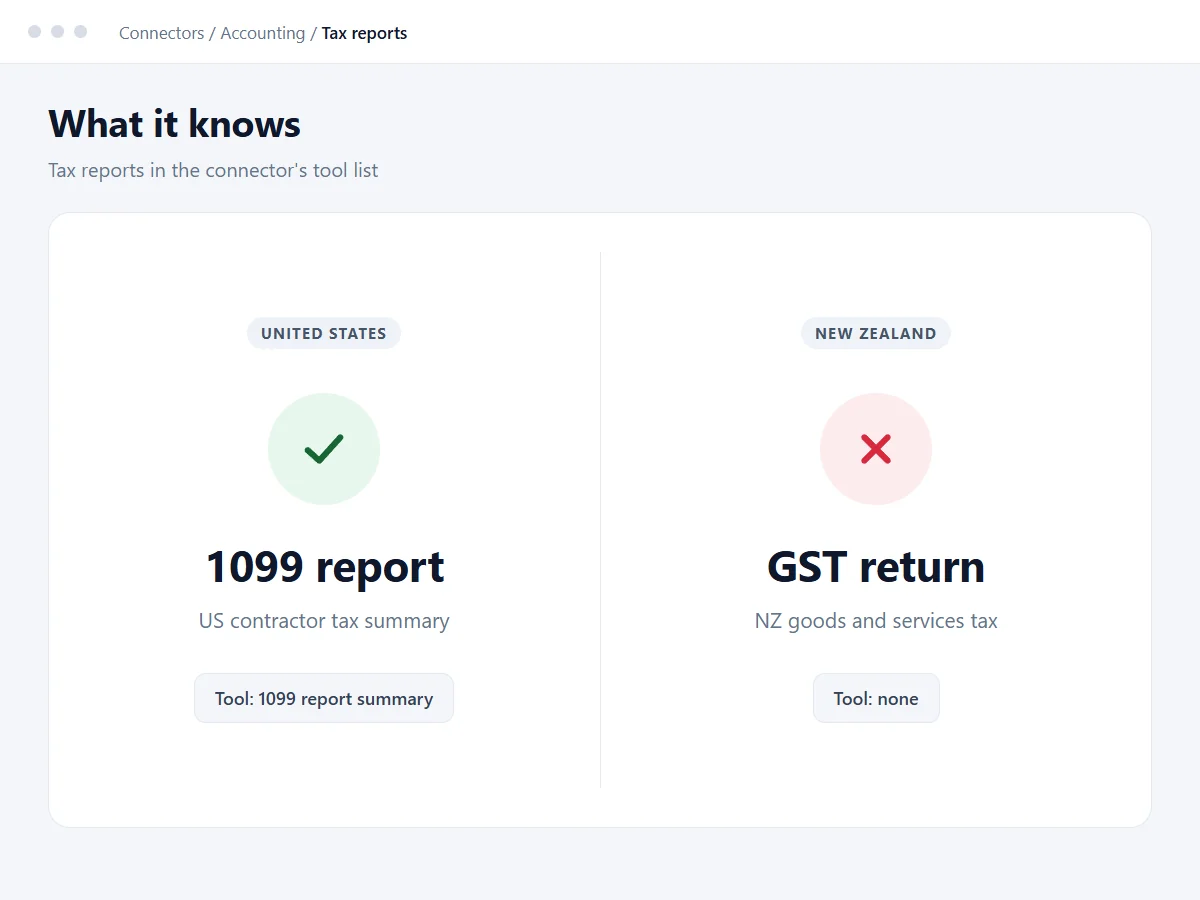
- Built US-firstIt has a US 1099 report tool, and no GST tool.
- Doesn’t keep your dataWhat it pulls answers your question and isn’t stored between sessions.
Before you connect
- Pick one person to connect it.
Claude works through the Xero login of whoever connects it, and can’t do more than that person’s Xero role allows. Use the owner or your finance lead, never a shared login. Xero’s Read only role is the safest start. On a Claude Team plan, the owner adds the connector once for everyone.
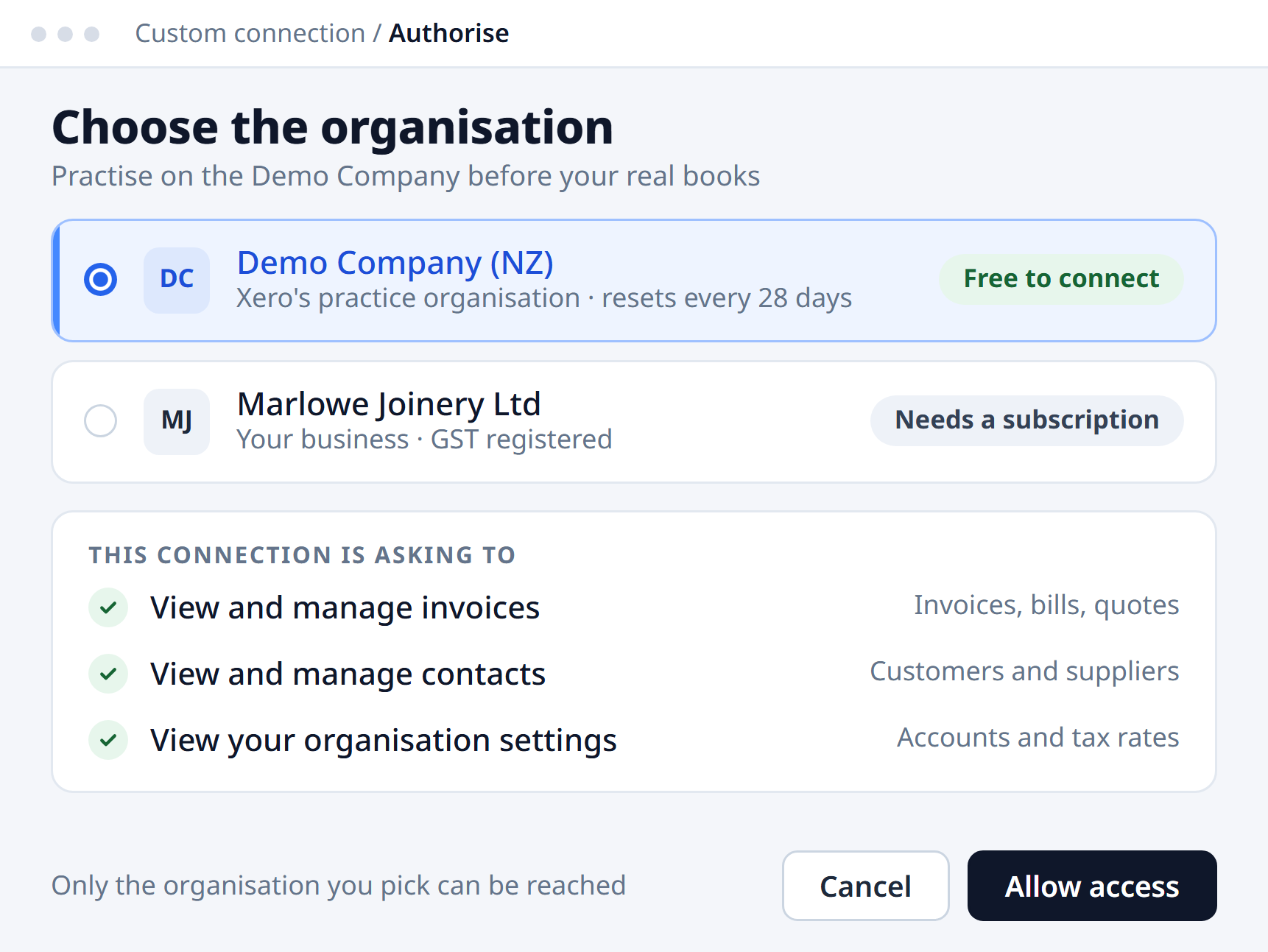
- Practise on the Demo Company first.
Every Xero account has one. It’s full of fake invoices, resets every 28 days, and can be switched to the New Zealand version. Spend your first week asking questions there, so any mistakes land on fake data.

Keep it read-only
- Start read-only.
Good news: the official Xero connector is read-only today. If you or a developer add one that can write, like Xero’s open-source MCP server, open Customize > Connectors in Claude and switch off every tool that creates or changes records.
- When you turn writing on, set it to Needs approval.
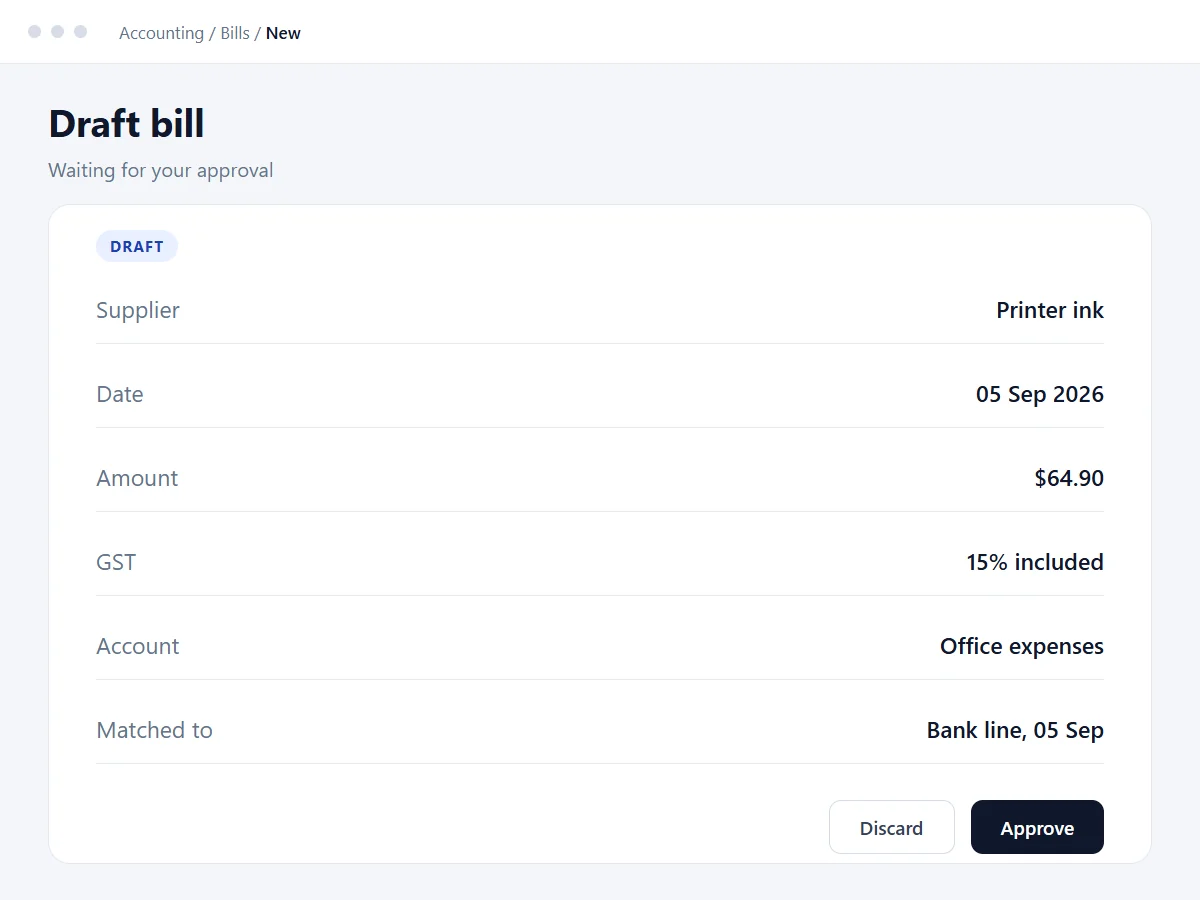
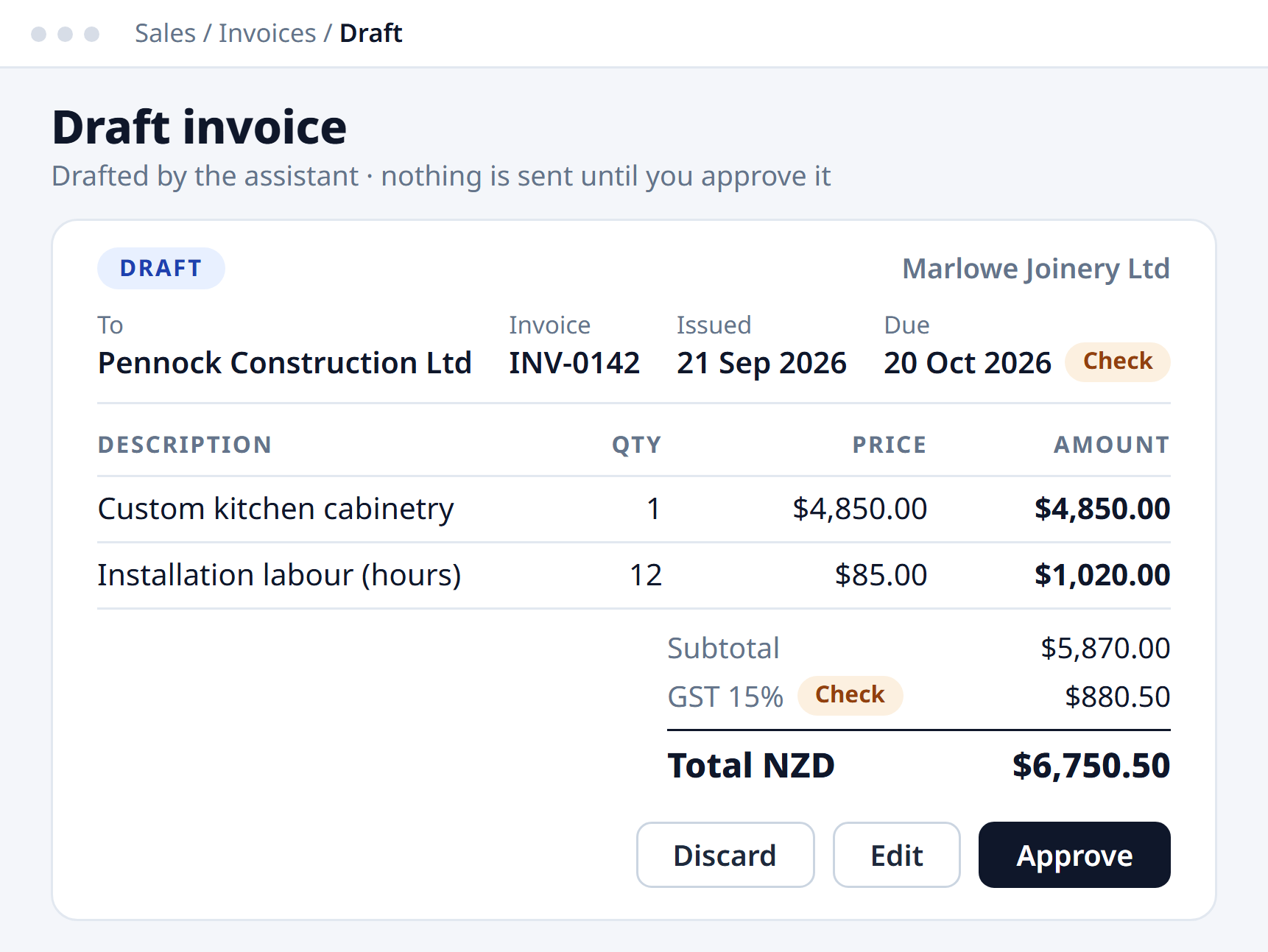
Claude drafts it, you check it, you approve it. On Team and Enterprise plans the owner can set each tool to Always allow, Needs approval or Blocked for everyone. The Small Business workflows already start in approval mode, so leave them that way.

Know its limits
- Do a GST reality check.
The plugin is built US-first. Its /tax-prep skill prepares “your quarterly taxes or 1099 list”, and the connector has a 1099 report tool. That’s US tax, not GST. Use Claude to find and explain your numbers. Your GST return and anything you file with IRD stays with you and your accountant.
- Don’t connect these yet.
Anything that can move money, and payroll or employee records. Your Xero contacts are personal information under the Privacy Act 2020, so on a personal Pro or Max plan, check the model-training setting under Settings > Privacy. Team and Enterprise plans run on commercial terms, where that setting doesn’t apply.

Test before you trust
- Ask questions you already know the answer to.
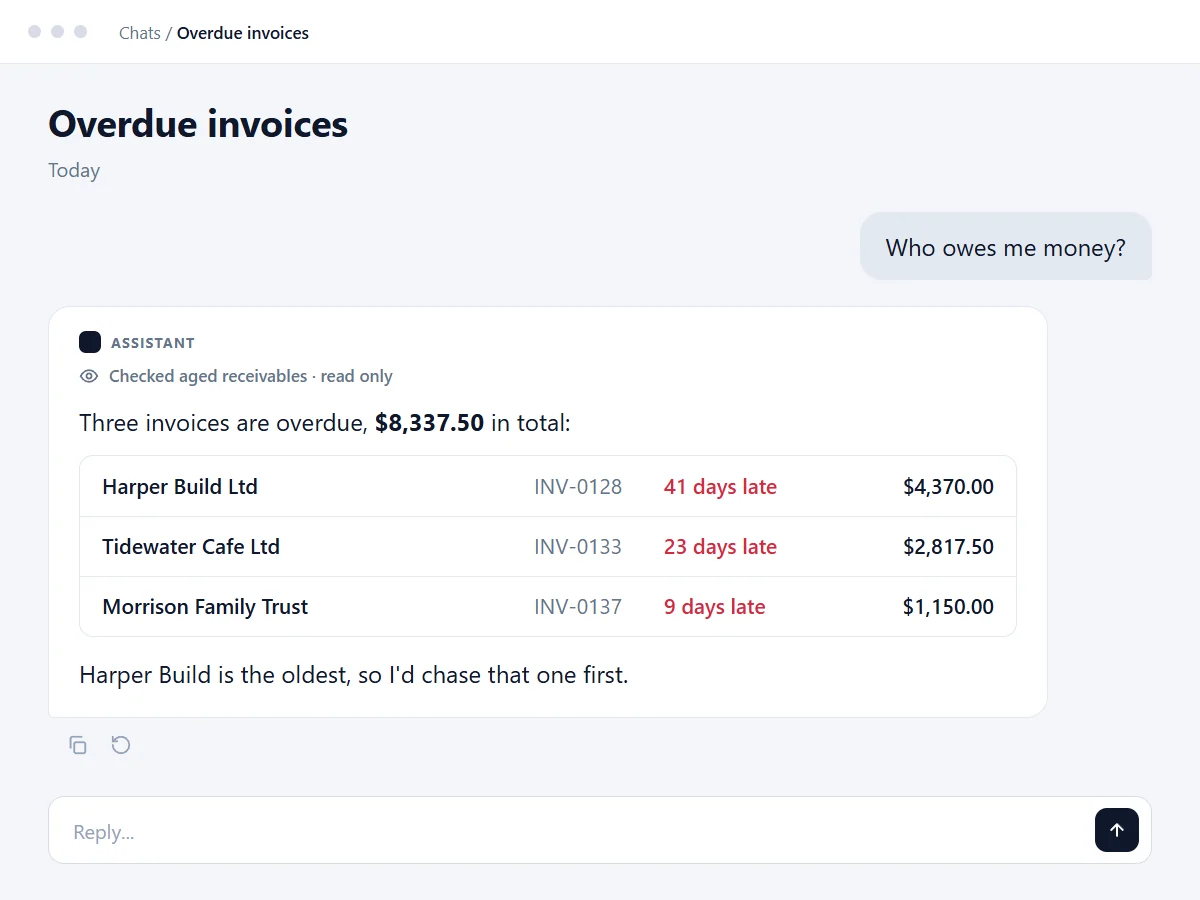
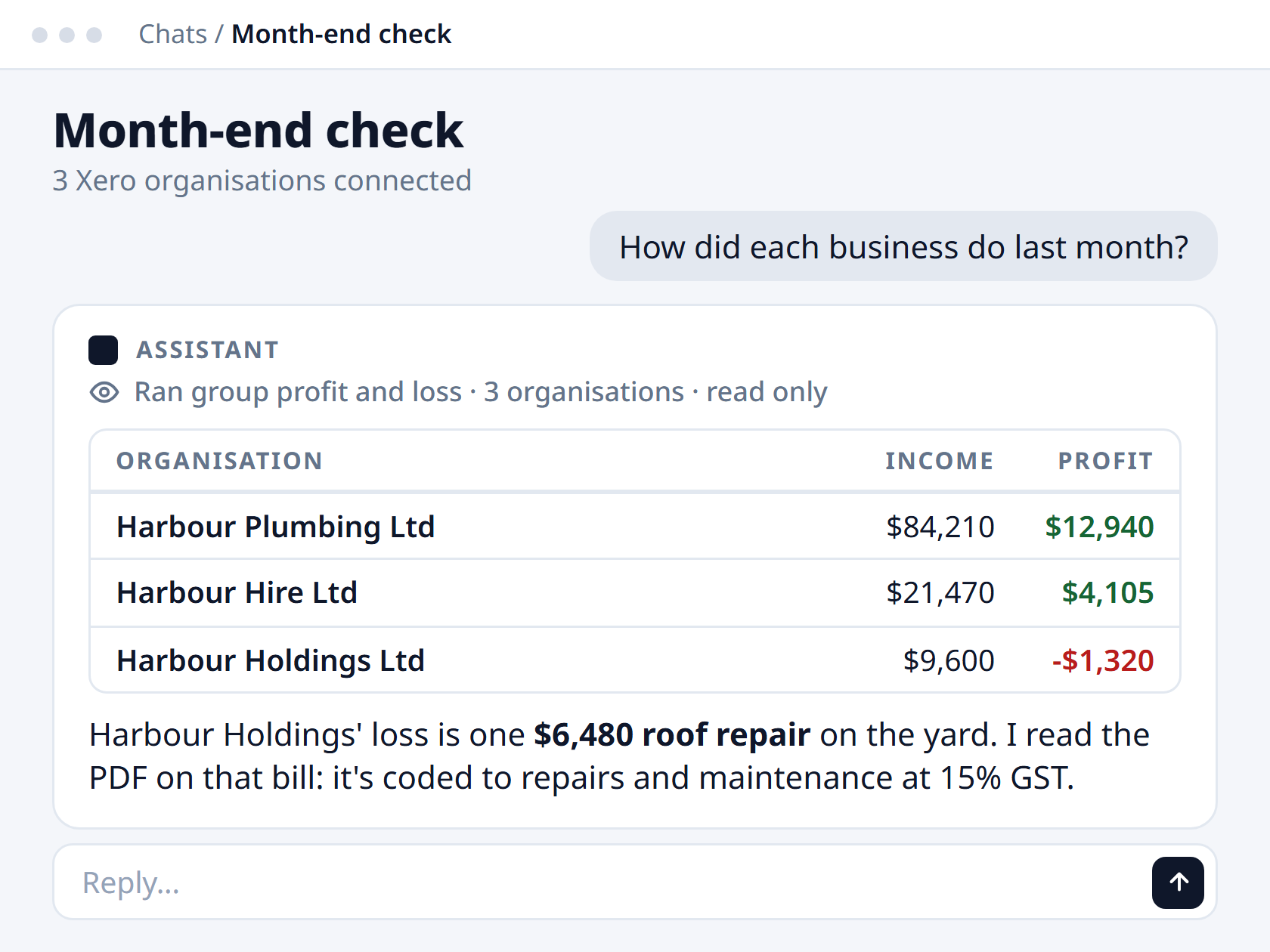
Try “Who owes me money more than 60 days overdue?” and check it against Xero’s Aged Receivables report. Once it matches a few times in a row, start trusting it.

Sources, checked 19 September 2026
- Claude for Small Business launch, 15 Sep 2026
- Xero connector: read-only, tool list, not stored between sessions
- Installing the Small Business plugin, approvals and /tax-prep
- Connector tool permissions and owner setup
- Xero Demo Company and its 28-day reset
- Xero user roles
- Xero’s open-source MCP server (can create records)
- Claude model-training setting
- GST, Inland Revenue
Guide 2 · The approach I use on my own books
Find the expenses you forgot to put in Xero
Why they go missing
Xero only sees the accounts in its bank feeds. Anything paid from a personal account, or a card that isn’t in Xero, is invisible unless someone types it in. That’s where deductible costs hide: phone, fuel, software, a share of home power.
How it works
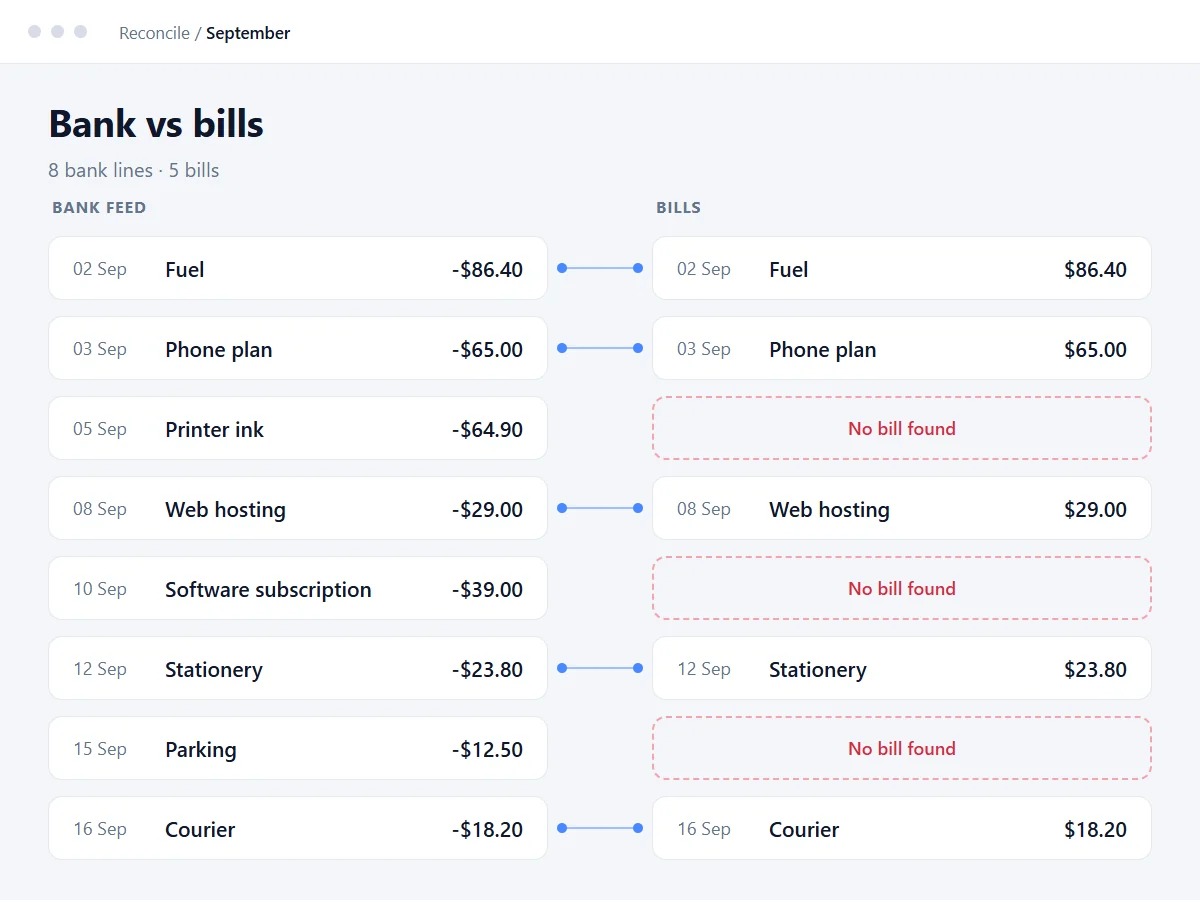
Claude reads your bank transactions alongside the bills and bank transactions already in Xero. It matches them by supplier, amount and date, and flags anything with no match. You check the gaps before anything goes in.
- List where business money leaves from.
Every account and card. Tick the ones already in Xero’s bank feeds. The rest are where the gaps are.
- Download the bank data.
From internet banking, export three months of transactions as a CSV file for each account that isn’t in Xero.
- Connect Xero, read-only.
Claude’s official Xero connector reads bills and bank transactions and can’t change anything. The Demo Company is there for a practice run.

Attach the CSV files, fill in the brackets and paste this in.
I've attached bank exports for [accounts] from [start] to [end]. You're connected to my Xero organisation. 1. List every debit that looks like a business cost, grouped by supplier. Mark anything monthly. 2. From Xero, pull my bills AND my bank transactions for the same period. 3. Match on supplier, amount and date, allowing a few days either way. 4. Table everything with no match: date, supplier, amount, likely GST treatment, suggested expense account. Don't guess business-use percentages - ask me. Don't create or change anything in Xero.
- Check before anything goes in.
- Already in Xero under another name? Search the amount, not just the supplier.
- GST: NZ suppliers usually charge 15%. Overseas subscriptions often don’t, so check the receipt.
- Mixed-use costs (phone, vehicle, home office): the business share is your call and your accountant’s, not Claude’s.
- Fuel pumps can pre-authorise, then refund the difference. Claim the net amount.
- Paid personally? Ask your accountant how they want it recorded.
- Enter them one at a time.
Do one, check its total matches the receipt, then the rest. If a connector can write for you (Xero’s open-source MCP server can create draft bills), set that tool to Needs approval.

Bank statements are about the most sensitive data you’ve got. Use a paid Claude plan, check its model-training setting, and delete the CSV files when you’re done.
Guide 3 · Video
Watch the full walkthrough
Recorded in April 2026, before the official connector arrived. It uses Xero’s custom connection, which can write to your books, so the checklist above matters even more. Prefer reading? The written guide covers the same setup.
Coming next
- Coming soonClaude drafts your overdue invoice remindersA polite, specific chaser for each overdue invoice, ready for you to check and send.
- Coming soonXero inside ChatGPT vs ClaudeWhat each one can see and do with your books, side by side.
- Coming soonFive questions to ask Claude about your booksQuestions that give useful answers on day one, and how to check them.
Get the next Xero guide by email
When a new guide is ready, it goes out in Blake’s AI Briefing, a short monthly email on AI for NZ businesses.
We only collect your email address, to send you these guides and the AI Briefing. Harkness AI holds it and never sells it, and you can unsubscribe any time. Privacy policy.
Want it set up for your business?
We connect Claude to Xero for NZ businesses, safely, and show your team how to use it.
Talk to us about a setupLast updated 19 September 2026