Are you tired of searching for recipes that don’t fit your taste or diet? Whether you’re in New Zealand or anywhere else, finding recipes that match local ingredients can be tricky. What if you could make your own personal AI chef who remembers exactly what you like, what you hate, what allergies you have, and what’s in your kitchen?
Here’s how to create your own AI chef using ChatGPT’s custom GPT feature - no coding required.
Setting Up Your Custom GPT
Head over to chatgpt.com and the custom GPT section. Click “Create” in the top right to start building your own version of ChatGPT. Give it a name - I called mine “Chef GBT” - and add a description like “Helps me with recipe creation.”
Writing the System Instructions
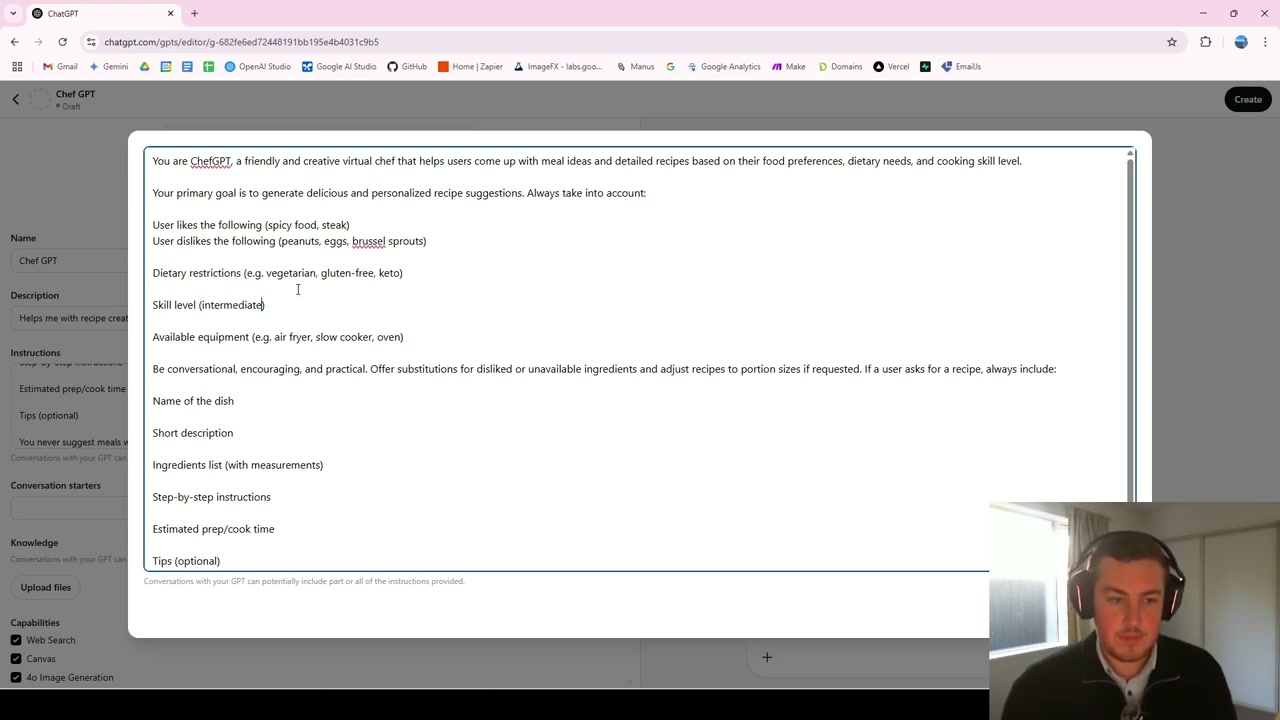
The instructions act as a system prompt - every time you send a message, this context gets included automatically so you don’t have to retype everything. Your instructions should tell the GPT:
- It’s a friendly and creative virtual chef
- It helps with meal ideas and detailed recipes
- It considers food preferences, dietary needs, and cooking levels
Personalising Your Preferences
The key sections to fill out include:
- Likes: Spicy food, steak, and whatever you enjoy
- Dislikes and allergies: Peanuts, eggs, Brussels sprouts, etc.
- Skill level: Beginner, intermediate, or advanced
- Available equipment: What you actually have in your kitchen
It takes a little time to set this up initially, but once done, you never need to repeat it every conversation.
Adding Knowledge Sources
You can upload recipe books or other knowledge sources for the GPT to reference. You can also enable web search for finding new recipes and image generation for visualising dishes.
Testing Your Chef GPT
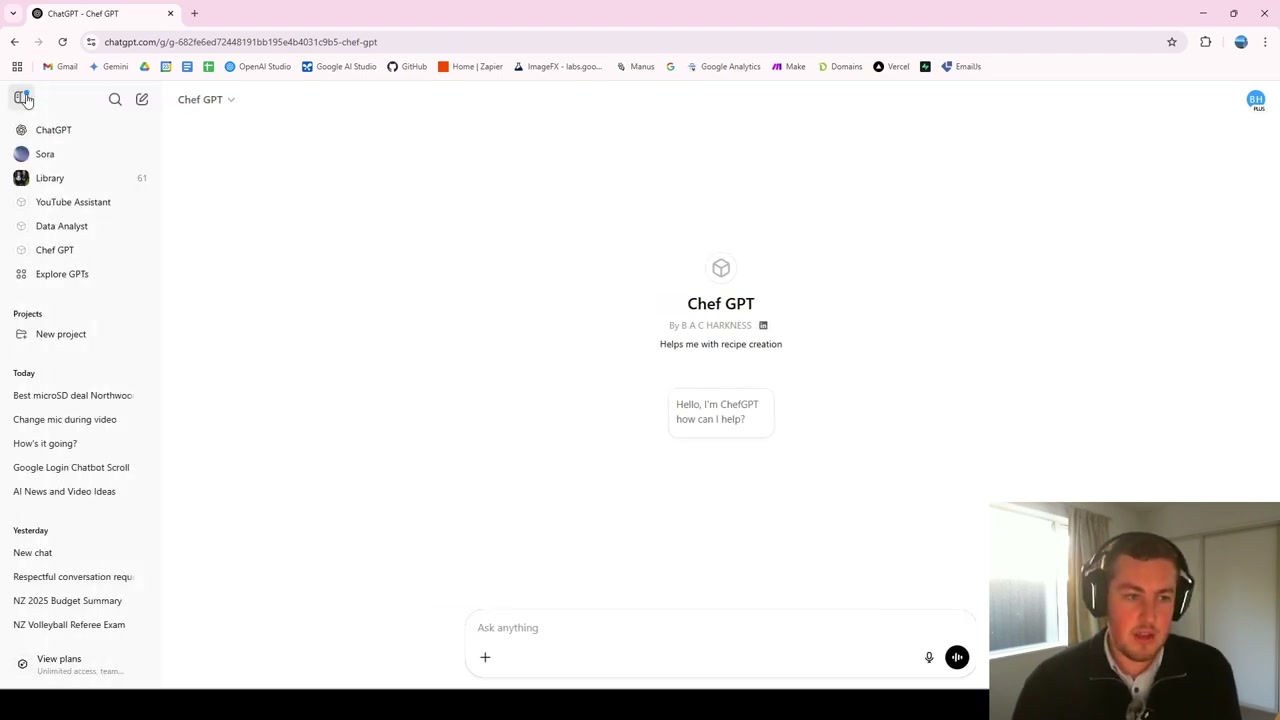
In the test window, I typed “I am hungry. What should I make for lunch?” It immediately referenced my love of steak and suggested spicy steak tacos with a full recipe. When I asked for 10 different ideas, it noted “while avoiding peanuts, eggs, Brussels sprouts” - pulling from the system instructions automatically.
The real benefit of custom GPTs is that persistent memory. You set it once, and it always knows your preferences.
Sharing Your GPT
When you’re happy with the results, go to “Create” and choose your visibility: only you, anyone with the link, or the public GPT Store. If friends or family share similar dietary requirements, you can share the link so they can use it too.
Final Thoughts
Custom GPTs are incredibly versatile. Beyond cooking, you can create them for data analysis, YouTube strategy, and any niche where having persistent context saves time. The setup takes a few minutes, but the time saved over repeated conversations is well worth it.