Every single email one tradie sent to a colleague had a swear word in it. Nobody knew that, including him, until we got AI to read his entire sent folder.
We set this up for a building company here in New Zealand. The idea was simple: get Claude to read six months of the emails they sent, work out how they actually write, and answer enquiries in their own words. Because these days you can always tell when an email is written by AI - the em dashes everywhere, the “I hope this email finds you well”, every sentence the same length. Your clients can tell too. They just don’t say anything.
Here is exactly how to build the same thing for yourself, so Claude writes your emails and proposals in your own tone of voice.
Why doesn’t telling AI your tone of voice work?
The first thing most people do (I did this too) is tell the AI: write this in my tone of voice, I’m direct, I’m friendly, I don’t use jargon - and chuck in a couple of examples. Then you see what comes back. It’s fine. It’s readable. But it’s the most generic email out there, and it would be identical for any consultant in the country who described themselves the same way.
That’s because it’s working from the same training data as everyone else, so it lands on an average, everyday-person email. Give it the actual evidence instead - six months of real emails to all your different clients - and it can categorise them and find your real patterns. That’s where pattern recognition earns its keep.
How do you connect Claude to your email?
Don’t copy and paste emails in and out of the chat window. In Claude, open Connectors on the left-hand side, choose Gmail or Outlook, and log in. Now Claude can read your inbox directly and see six months of what you actually write to real people.
Is it safe to connect your inbox to AI?
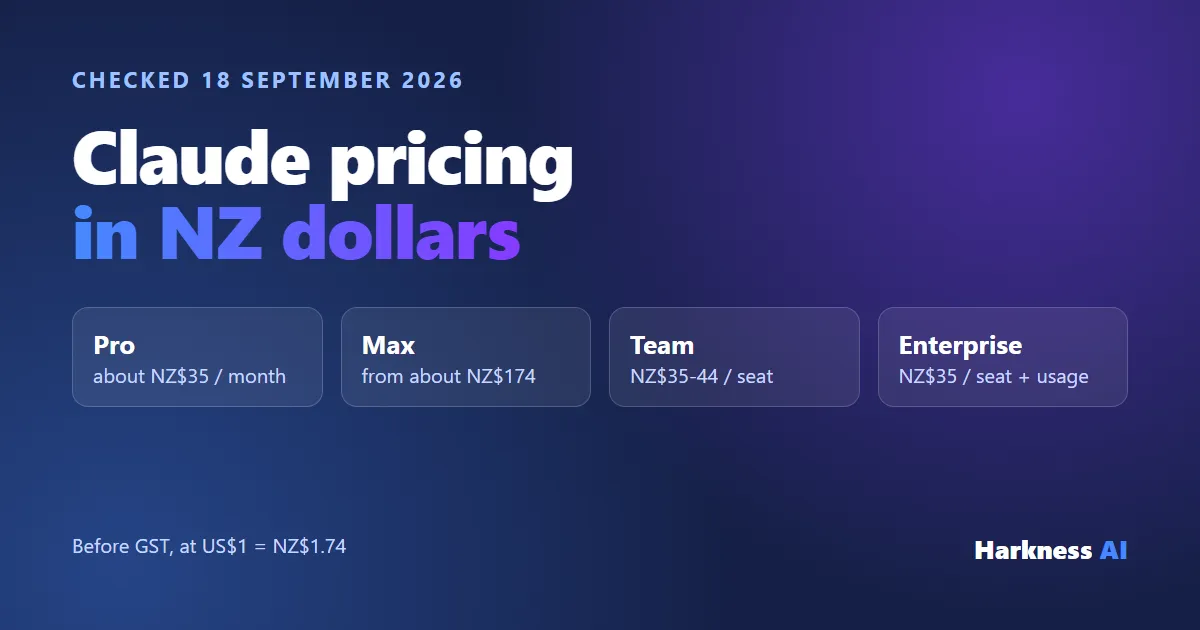
Before you connect anything, make sure you’re on a paid plan. On a free tier of any tool, AI or not, your data isn’t secure - it could be used to train other models or sold to advertisers. On paid plans you’re a paying customer and they’re not training on your business information. It’s still worth reading your privacy settings so you know what’s on and off. If you’re weighing up plans, here’s what Claude costs in NZ.
What prompt builds the email skill?
Next you want Claude to review your emails and create a skill - basically a way for Claude to remember how to do a task. The instruction has four parts:
- Read the evidence. Go back through my sent emails from the last six months and work out how I actually write.
- Group it. Group them by who I’m writing to and what the email is doing - quoting, invoicing, delivering bad news, whatever it is. You don’t write to a client the same way you write to your staff.
- Show your working. For every rule you give me, quote the email you got it from. If you can’t quote it, it’s not a rule.
- Build a skill. Turn it into a skill. This is the important one: you don’t want a report about your writing, you want a set of instructions Claude uses every single time from now on.
Put together, it reads something like this:
Go through my sent emails from the last six months and work out how I actually write. Group them by who I’m writing to and what the email is doing (quoting, invoicing, following up, delivering bad news). For every rule you find, quote the email you got it from - if you can’t quote it, it’s not a rule. Then build me a skill from it that you’ll use whenever you draft an email for me.
How do you fix what it learns wrong?
Don’t just take whatever comes back - review it properly. The swearing came back as a rule, and it was true, but we didn’t want to keep it going forward. On the same job it also found that someone else’s spelling was loose and their punctuation was all over the place. Fair enough when you’re typing on your phone, but not what you want going out to potential customers.
So tell it what to change, in plain English: “Keep how I talk, but tidy up the spelling. Don’t copy my typos. Make it a little bit more formal.” It updates there and then, and you’ll see the skill file change. That’s the part most people miss: it’s not a report you’re stuck with, it’s a draft that keeps evolving as you do.
What can you use it for day to day?
New enquiries
Someone fills in the form on your website or emails asking if you can do a job, and it sits in your inbox until you get home. Instead, ask Claude: “Go through anything new that’s come in today and draft me a response to each one.” It reads each enquiry, works out what they’re asking, and writes a reply in your voice using the skill. It isn’t a template - it sounds like the emails you’ve already sent, because that’s what it learned from.
The next layer is connecting your calendar so it can check your availability and suggest times. Speed matters more than most people think with a new lead: the first one to reply usually gets the job.
The questions you answer every week
What’s your hourly rate? How far out are you booked? Do you cover my area? Can you send me more information? You’ve written those replies dozens of times, and they’re all sitting in the sent folder Claude just learned from, so it can draft them straight back the way you’d normally say it. For a lot of the people I work with that’s genuinely an hour of the day back.
Does Claude send the emails itself?
No, and that’s what makes me comfortable recommending it. It only ever puts replies in your drafts folder. You open your email in the morning and every reply is sitting there, written and waiting. You read them, tweak the ones that need it, and hit send. You’re still the one deciding what goes out the door. That’s how we set up all of our AI for businesses: humans stay in the loop, so anything that leaves your business still has your name on it.
Where does it still go wrong?
It gets you about 90% of the way, and you still review every email. The misses are judgement calls. It will match exactly how you write, but it doesn’t know this particular client is annoyed with you, or that you agreed something different over the phone last week. That last 10% stays with you.
The other one is garbage in, garbage out. If it learns from 20 emails full of swear words or ignored client requests, those are the patterns it will copy. Point it at a decent stretch of time so it finds your real patterns, then remove anything you don’t want repeated.
Can you use the same approach for proposals and quotes?
Yes. The same method works for any repetitive writing: quotes, proposals, website copy. Use the same skill or build new ones for each document type. I use it for proposals myself - here’s how I automate client proposals with Claude.
To recap: get on a paid plan and check your privacy settings, connect your email, have Claude read six months of what you’ve sent, and turn it into a skill. Then review it, tell it what to change, and let it draft while you stay in charge of sending.