Construction and trades
AI use cases for NZ construction and trades
Real jobs we have handed to AI for New Zealand builders, contractors and trade businesses, plus the ones we show in the reels. Every one of them ends in a draft that you read before it goes anywhere.
Added to as new use cases go live. Checked 20 September 2026.
 Blake HarknessFounder, Harkness AI
Use case 1 · Tenders and submissions
Find the tenders, then draft them
Tendering is the biggest block of unpaid work in a construction week, and it is two jobs wearing one coat: finding the ones worth bidding, then writing them. AI is good at both, because most of a tender is the same content rearranged for a new client.
GETS + Gmail
A weekday scan of GETS
Claude reads the open tenders on GETS, scores each one against your capability statement, and drafts you an email with the best fits and their closing dates. You set it once as a scheduled task, weekdays at 7am, and read the shortlist with your coffee.
GETS already emails registered suppliers by category, so what this adds is the fit check, not the alert. And it cannot download the tender documents without your GETS login.
Instead of scrolling the tender list yourself, or finding it the day it closes.
Your own tender folder
Draft the new one from the ones you won
Put your last few winning tenders in one folder with your capability statement, your health and safety manual and your quality plan. Give Claude the new tender document, point it at that folder, and tell it to fill it in using your own words and flag anything it is not sure about. Company information, methodology, health and safety, past projects: the standard sections come back written.
Your pricing, your methodology and the commitments you are making are still yours. The point is turning a blank page into an editing job, not handing over the bid.
Instead of a senior person rewriting the same four sections from a blank page.
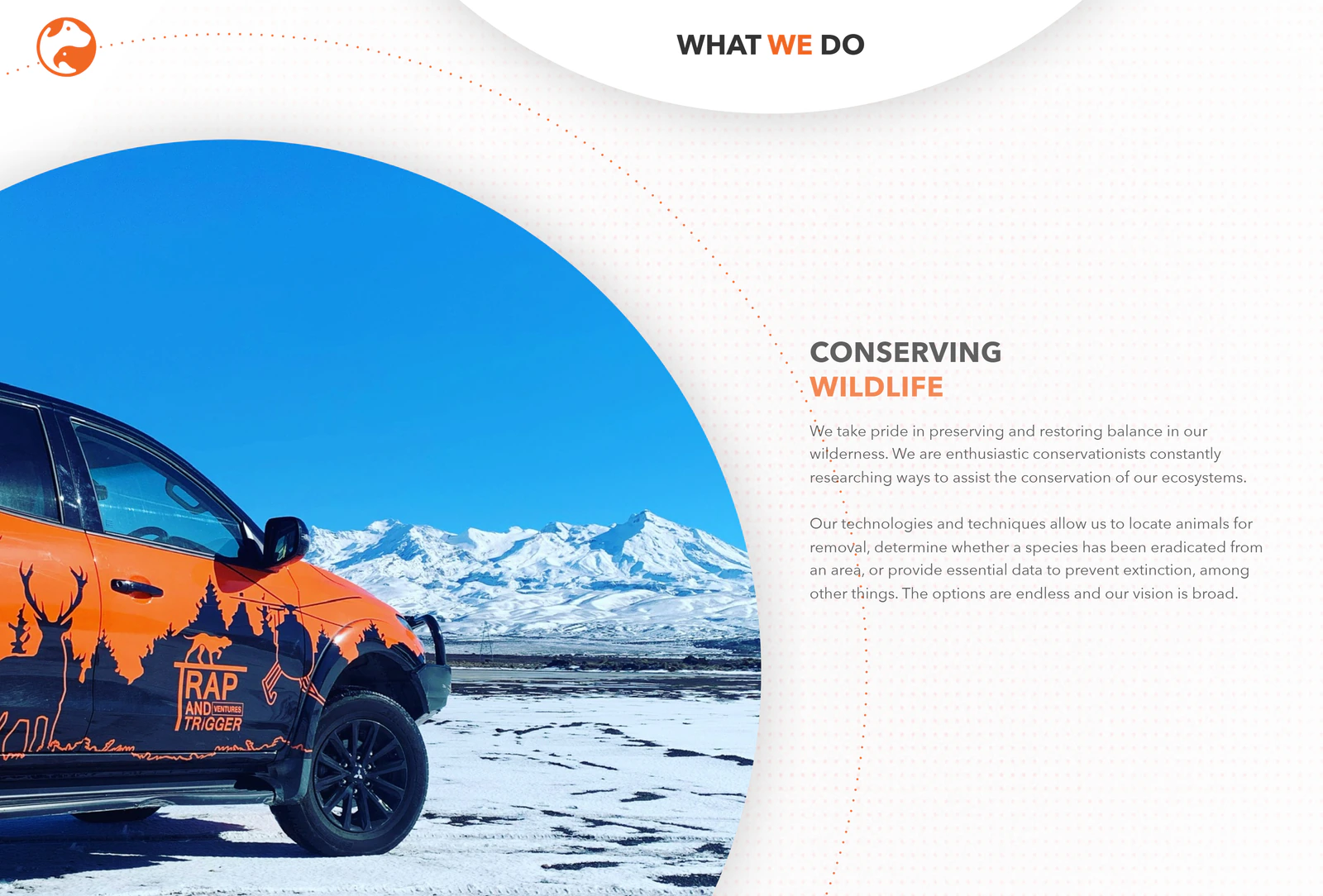
- Work we have done · Trap and Trigger, Upper HuttA tender drafter that tells you which answers to check
A conservation and pest-control contractor. After a half-day workshop at their office, Claude was set up with a tender-drafting skill of their own that colour-codes each answer green, yellow or red by how sure it is, so the team reads the red ones first.
Read the case study

Watch the tender setup end to end
The full walkthrough: a folder of past winning bids, a tender-drafting skill, and answers colour-coded by confidence. Prefer reading? The written version covers the same setup.
Use case 2 · Jobs and scheduling
Tomorrow’s jobs on one page
Job software holds everything you need for tomorrow and makes you tap through it one card at a time. Claude reads it and gives you the page.
ServiceM8
Tomorrow’s run sheet, written for you
ServiceM8’s own connector lets Claude read your jobs, bookings and diary notes. Ask for tomorrow’s run sheet and it opens each job and hands back one page: who is going where, in what order, with the client, the address, the job and the notes that matter, like the gate to use.
It can text and email your customers, so set its text and email tools to Blocked when you add the connector. Then it can only read.
Instead of tapping through job cards at nine at night.
Calendar
Bookings straight out of the email
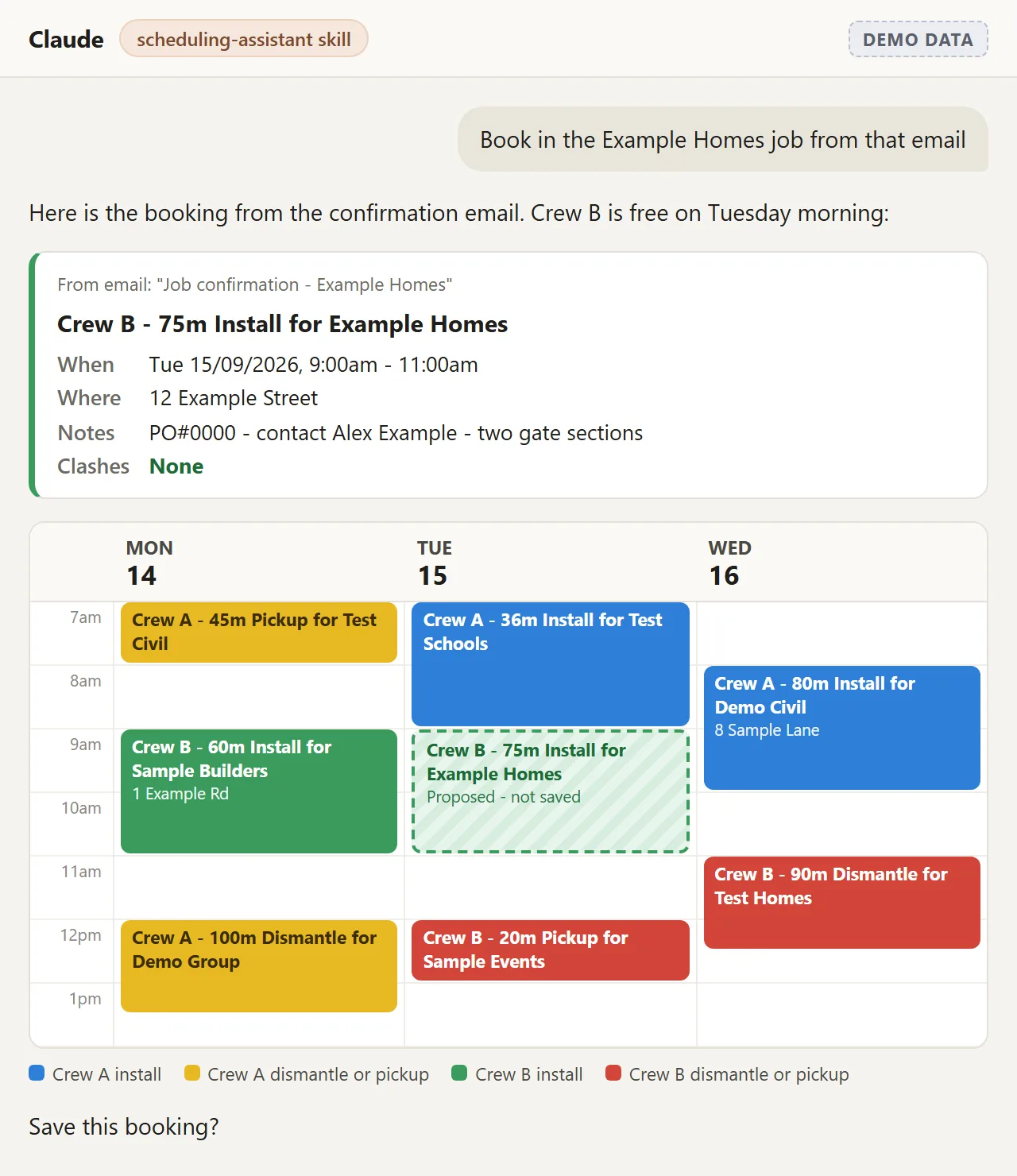
A job confirmation email becomes a calendar entry in your own format: metres, job type and customer in the title, the site address in the location, and a colour for who is on the job. Claude checks for clashes and reads the booking back before it saves anything.
Instead of retyping a confirmation email into the calendar and hoping it is free.
Claude on your phone
Take the job down by voice
Still on site with your hands dirty. Say the job into the phone app and it gets written up properly, rather than becoming a note on the dash you have to decipher on Friday.
Instead of losing the details between the site and the office.

- Work we have done · Site Safety, South Auckland to WhangareiSix parts of the week, set up in one session
A temporary fencing hire business run mostly from the ute. Claude was loaded with how the business works, then set up across hire invoices, job bookings, email, lead research and voice notes on the road. The setup itself was one two-hour session, and nothing goes out without the owner.
Read the case study
See it working
A job confirmation email, turned into a booking
The email goes in, and a calendar entry comes back in the owner’s own format: metres, job type and customer in the title, the site address in the location, a colour for who is on the job. Claude checks for clashes and reads the booking back before it saves anything.
From the skill we built for Site Safety, shown on made-up jobs. Read the case study.
What connecting job software actually means
The plain-English version of connectors: what they are, what they let an assistant read, and where the approval step sits. Prefer reading? The written version covers the same ground.
Use case 3 · Quotes and new work
Quotes that get chased
You priced the job. You sent it. Then a busy fortnight happened. Chasing quotes is the highest-value hour in the week and the first one that gets dropped, so give it to something that does not get busy.
Fergus
Every quote nobody chased
Fergus’s own connector lets Claude read your quotes, jobs and customers. Ask for every quote from the last 60 days that has not been accepted, oldest first, with the value, and a short follow-up drafted for each. A quote nobody chased is a job you have already priced, just sitting there.
You need to be a Master Admin in Fergus, and the connector can change real data, so set its write tools to Needs approval. The drafts stay in the chat and you send them yourself.
Instead of a priced job going quietly cold.
Gmail
The quotes you sent straight from your inbox
Not every quote goes out through job software. Google’s Gmail connector lets Claude find every quote you sent in the last month with no reply for a week, and draft a short follow-up as a reply in the same thread. Tell it how your quote emails are titled so it finds all of them.
Drafts cannot carry attachments, so re-attach the quote yourself before you send. Nothing goes out until you press send.
Instead of the Friday chase-up you never get to.
Web research
A one-page brief before the cold call
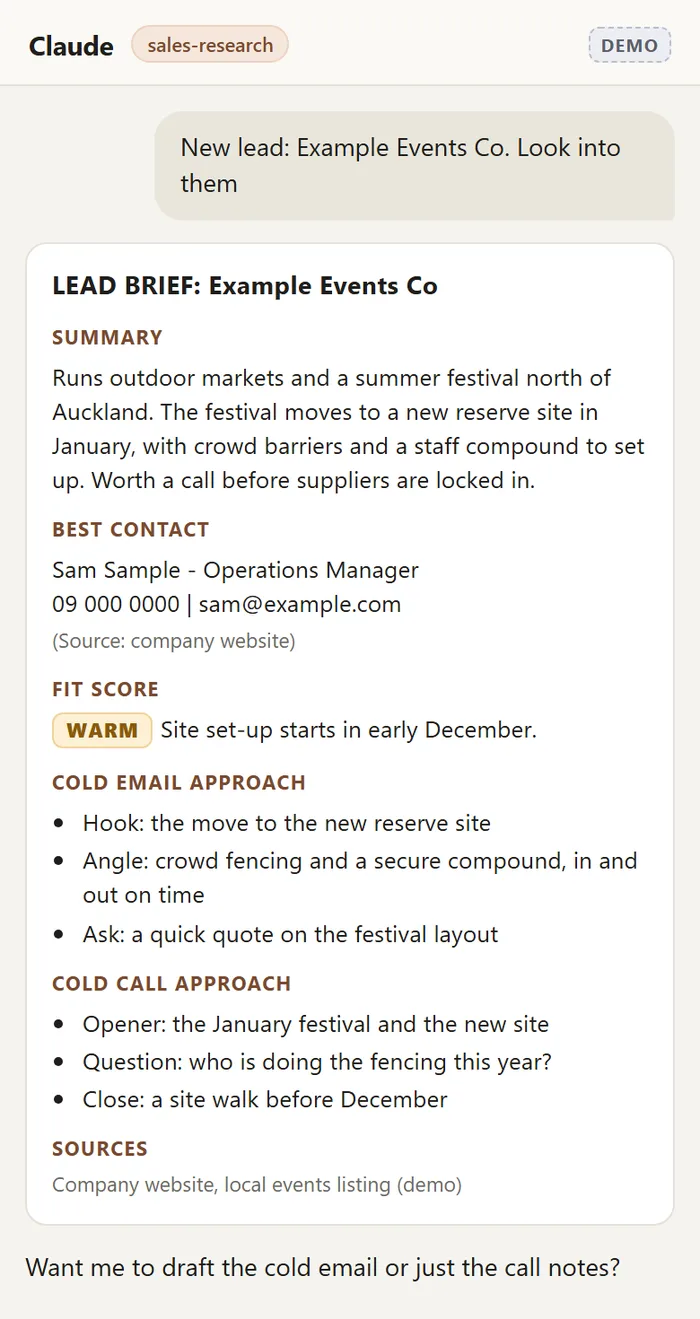
You spot a lead on the road: a sign on a site, a project announcement, a referral. Drop the name into Claude and get a brief sized for your phone. What they do, the best contact, how warm the lead is, and three talking points each for a cold email and a cold call, with every source listed.
Instead of ringing cold with nothing in front of you.
See it working
A name off the road, briefed before you ring
Drop the company name in and get a page sized for your phone: what they do, the best contact, how warm the lead is, and three talking points each for a cold email and a cold call, with every source listed. You make the contact yourself.
From the skill we built for Site Safety, shown on a made-up company. Read the case study.
Use case 4 · Invoicing and debtors
Invoices and who owes you
Two different problems: getting the invoice out, and getting it paid. Both are mostly wording and repetition, which is the part AI is reliable at.
Xero + Gmail
The Monday debtor sweep
A scheduled task reads Xero and sorts your overdue invoices by your own rules. A few days late, leave them. Two weeks, draft a friendly email. Over a month, flag it for a call. Paste in your own reminder wording so the drafts sound like you, and Monday morning you get one list: who to leave, who has a draft waiting in Gmail, and who you are ringing yourself.
Xero’s own connector in Claude is read-only, so it cannot touch your books, and the reminders sit in your drafts until you send them.
Instead of the chase-up everyone puts off because of the wording.
Xero
Last month’s hire invoice, new period
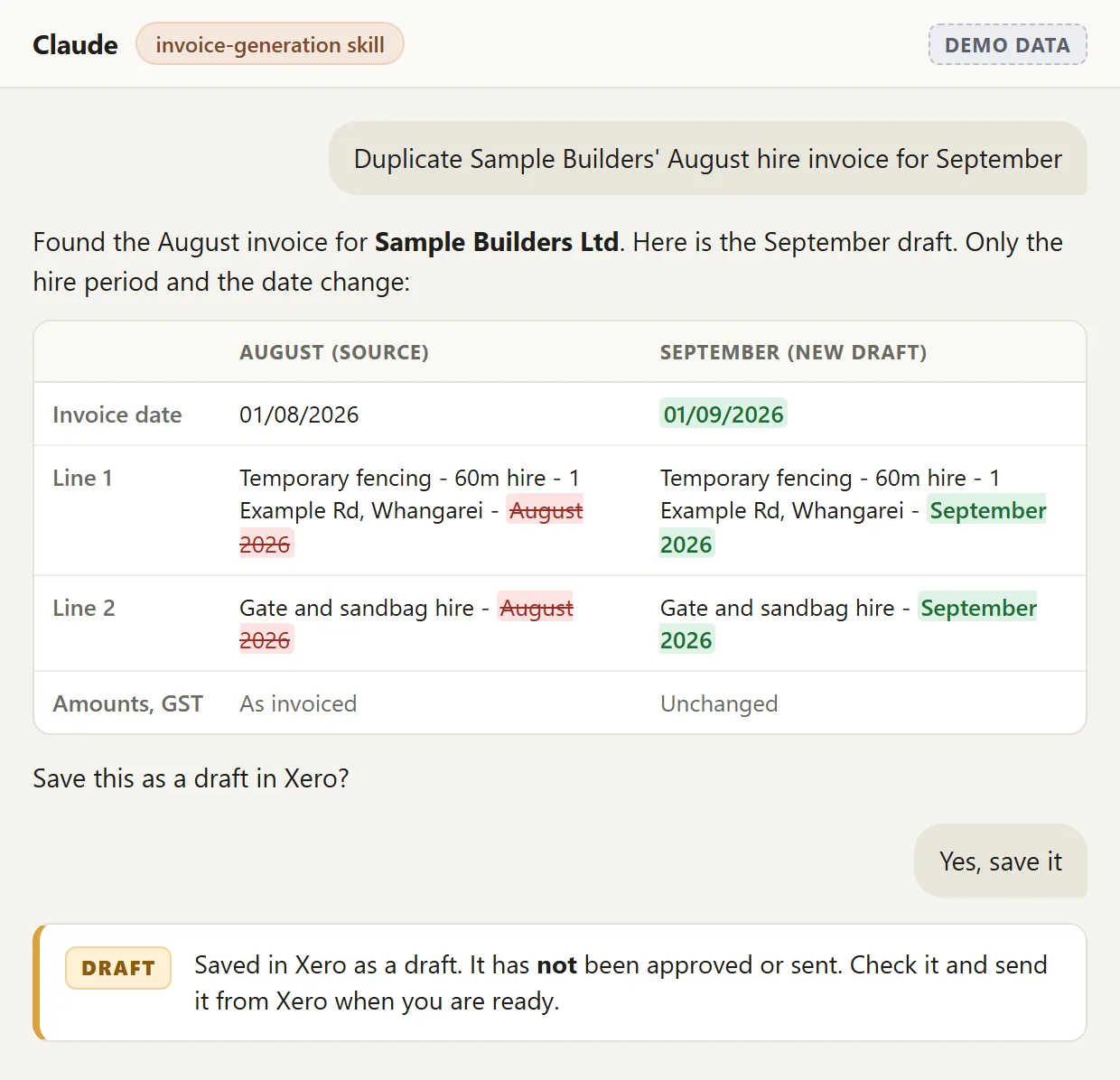
A lot of hire invoicing is last month’s invoice with new dates on it. Claude duplicates it, copies the lines, updates the period and shows you exactly what changed. It lands in Xero as a draft and you approve it.
Drafting into Xero needs a write connection, not the free read-only connector. The Xero guides walk through both, and which scopes to leave off.
Instead of rebuilding the same invoice on the first of every month.
See it working
Last month’s hire invoice, new period
The skill copies the lines, updates the dates and shows exactly what changed before anything is saved. It lands in Xero as a draft. It never approves or sends an invoice, and it will not touch one that has already gone out.
From the skill we built for Site Safety, shown on a made-up customer. Read the case study.
Check the GST and the due date on every draft before you approve it. Claude picks the tax rate off your Xero list, and the write connector has no due date field, so drafts take your default payment terms.
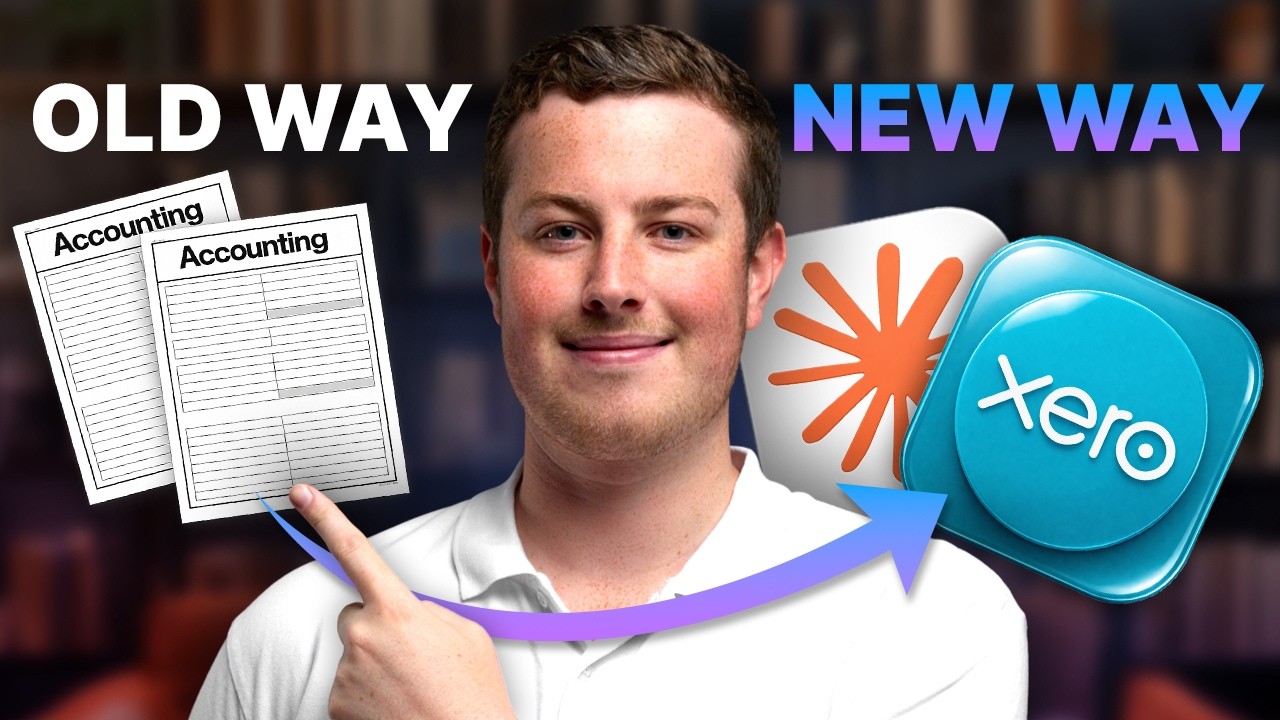
Watch the Xero side set up end to end
Connecting Claude to Xero, which scopes to leave off, and what a draft invoice looks like before you approve it. Prefer reading? The written version walks through the same setup, and the Xero guides go deeper on bills and expenses.
Use case 5 · Health and safety, timesheets and leave
Crew paperwork
Forms, timesheets and leave balances all live in systems that were never built to talk to each other, so someone in the office checks them by hand. Connect them once and you ask a question instead.
Site App Pro
Which safety forms are actually missing
Ask which health and safety forms are in, which are missing, and which sites have gone quiet. The answer comes back as a list you can act on before someone asks for it.
Instead of opening every job to find the gaps.
PayHero
Timesheets checked against the logs
Timesheets get checked automatically against the spreadsheet logs your crews already fill in, so the mismatches come to you instead of you hunting for them.
Instead of eyeballing two systems on payday.
PayHero
Who has leave banked before Christmas
PayHero’s own connector is read-only. Ask for everyone’s annual leave balance, flag anyone under two weeks, and who has already booked December off. If you are closing down over Christmas you have to give your team 14 days’ notice, so you want that table in November, not December.
The PayHero connector is on their Universe plan only.
Instead of finding out who is short on leave the week you shut the yard.
- Work we have done · Trap and Trigger, Upper HuttConnected to the systems the crews already use
Site App Pro connected, so health and safety compliance is one question away. PayHero timesheets checked automatically against the spreadsheet logs. Google Sheets and Docs connected for drafting and editing, plus a nightly Xero sync into their track record spreadsheet.
Read the case study
Where to start
Pick one piece of paperwork, not a platform
Firms that start with a big build before knowing what their team will actually use tend to regret it. The order below is what we run ourselves.
- Pick the paperwork your team complains about most.
One document, not a platform. It is cheap, it proves the value in a fortnight, and it tells you whether the bigger integration work is worth doing.
- Start in the office, not on site.
Tenders, reporting, invoice processing and health and safety paperwork are where the fast wins are. Anything aimed at crews has to be simpler than what they do now or it will not get used.
- Use the tools you already run.
Most trades businesses we work with looked at the big construction platforms and turned them down on cost or fit. That is a fair call, and it does not stop you getting value out of AI. It just means the work goes into connecting Xero, Microsoft 365, Dropbox or your job software rather than migrating off them.
- Keep a person on the send button.
Every use case on this page ends in a draft. Read it, change what you want, then send it. That person is your safety net, so keep it that way.
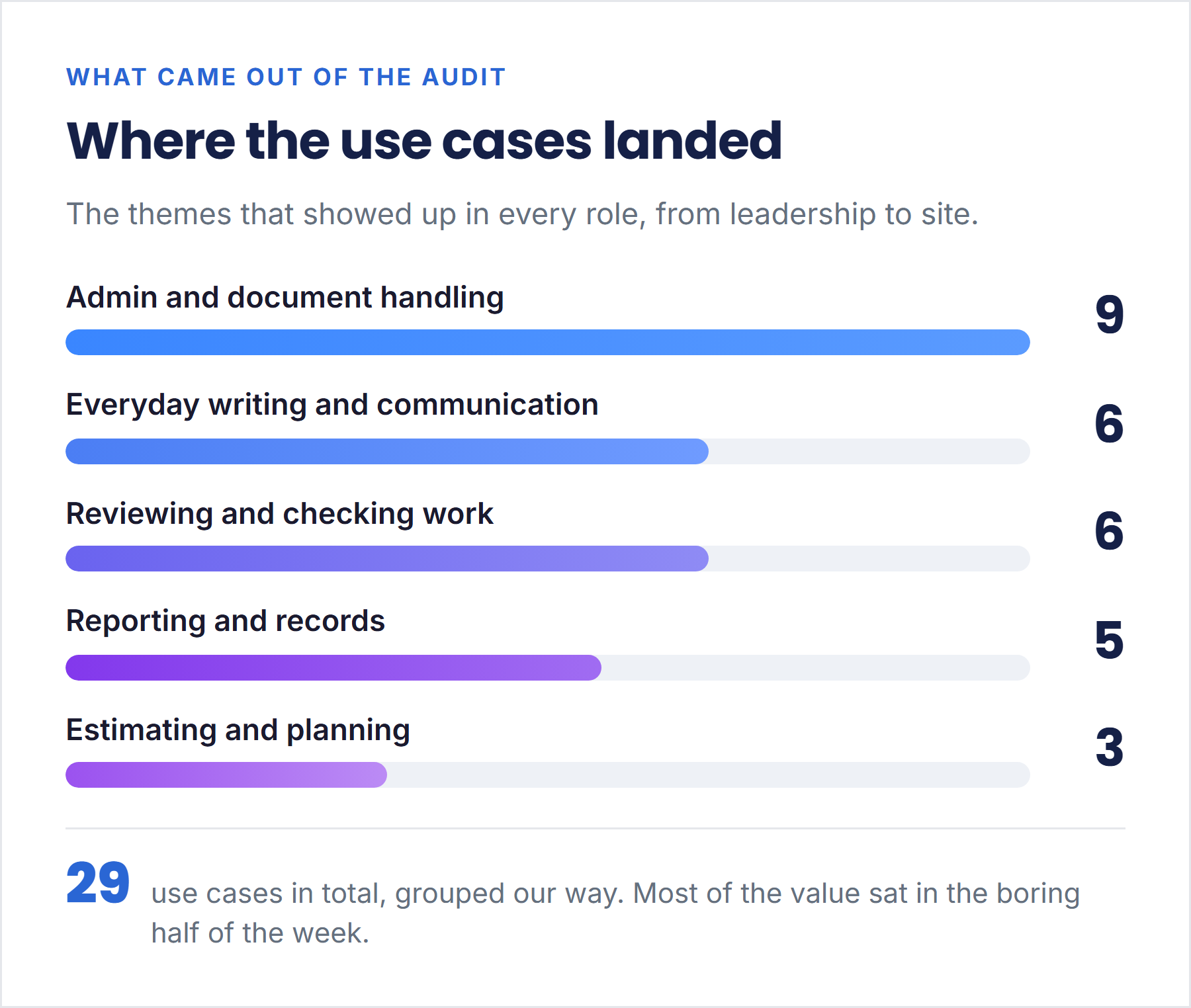
What a whole firm asks for, when you ask them
One New Zealand construction firm put a 17-person cohort through two workshops, from leadership through to site. Twenty-nine use cases came out of the room, each scored on hours saved a week, how sure we were, and weeks to build. Nine of the 29 were admin and document handling. Nobody asked for a robot.
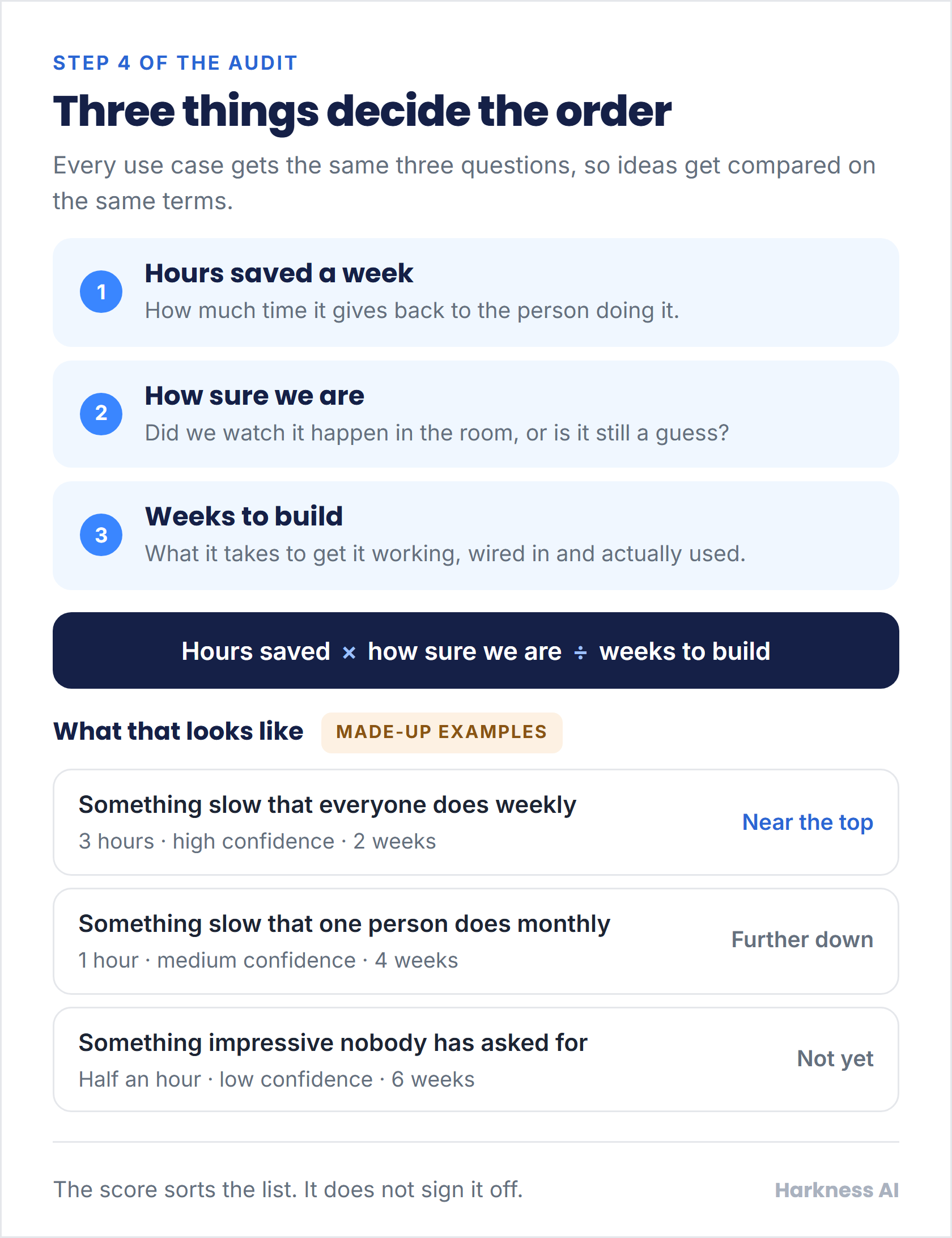
How the 29 got put in order. The examples on it are made up. 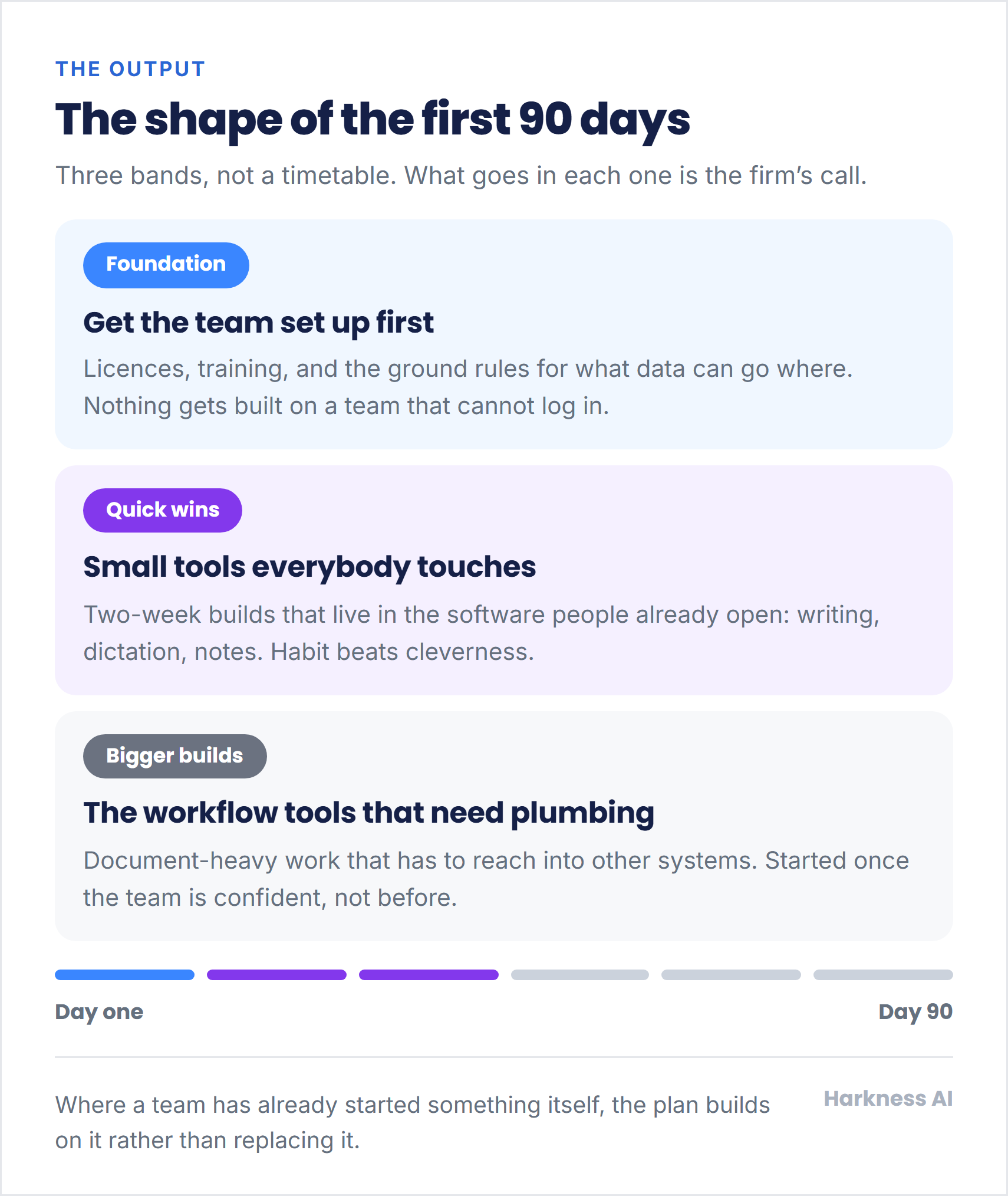
The shape of the first 90 days. Three bands, not a timetable.
The walkthroughs, end to end
Free to watch, nothing gated. Each one has a written version with the same steps.



Get the next use case by email
New use cases go out in Blake’s AI Briefing, a short monthly email on AI for NZ businesses. No pitch, just what is working.
We only collect your email address, to send you the AI Briefing. Harkness AI holds it and never sells it, and you can unsubscribe any time. Privacy policy.
Want this set up for your business?
We set it up around the way your crew already works, train your team to run it, and leave you in charge of what goes out.
Talk to us about your businessLast updated 20 September 2026