

Accountants, bookkeepers and finance teams

AI for Accountants in New Zealand

Most of a practice's day is reading, retyping and first drafts: source documents, client questions, month-end commentary, GST checks. That is where AI earns its keep, and since May 2026 Claude connects to Xero officially.

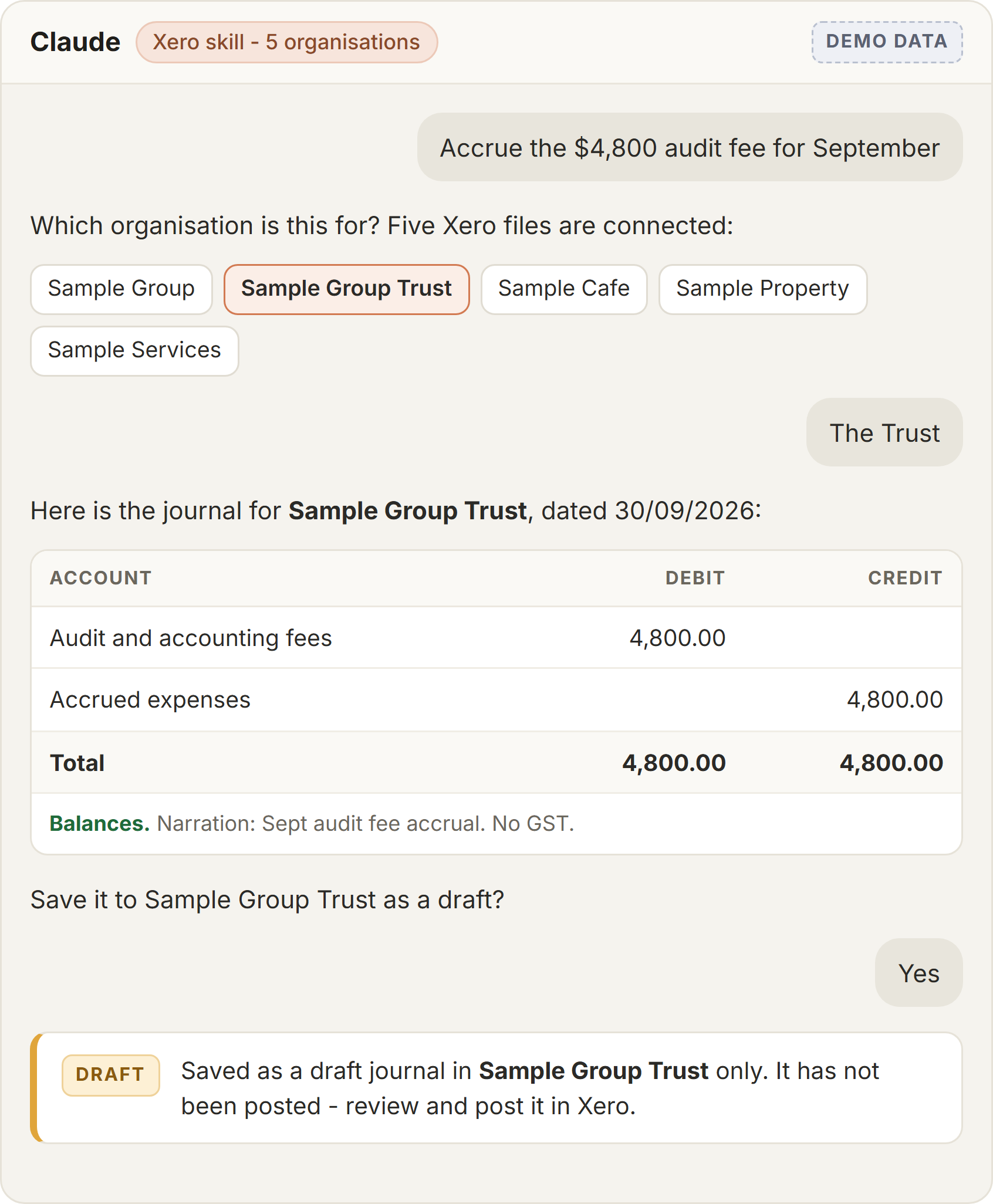
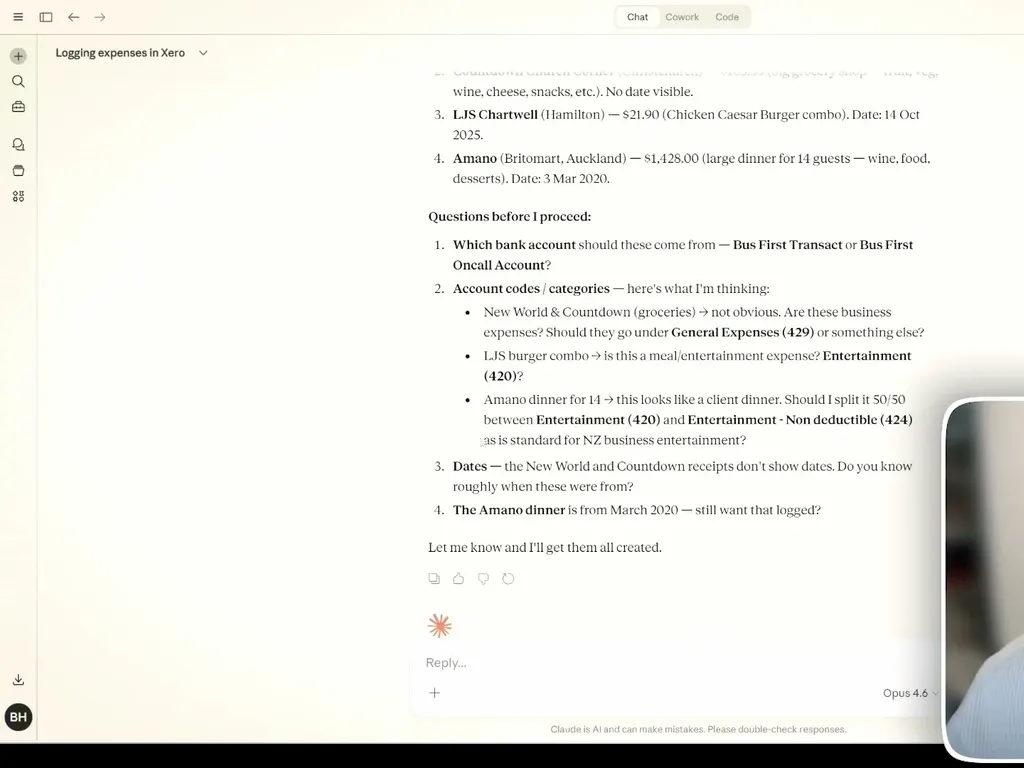
Claude asking which Xero account codes and bank account to use before logging receipts, including the NZ entertainment 50/50 split
The short answer

What can AI do for an accounting practice in NZ?

Take the reading, retyping and first drafts off your team: answering client questions from live Xero data, pulling figures and GST out of receipts and invoices, drafting management report commentary and client emails, and running the checks before a GST return. The judgement and the sign-off stay with you.

The starting point is simpler than most practices expect. Xero has an official, read-only connector in Claude that is free to add, and Xero's open-source MCP server covers the write side - invoices, contacts, bank transactions and payroll timesheets - when you are ready for it.

Where it pays

What we actually get asked for

Where AI saves an accounting team real hours - and where a person still has to check the work.

Client questions from live Xero data

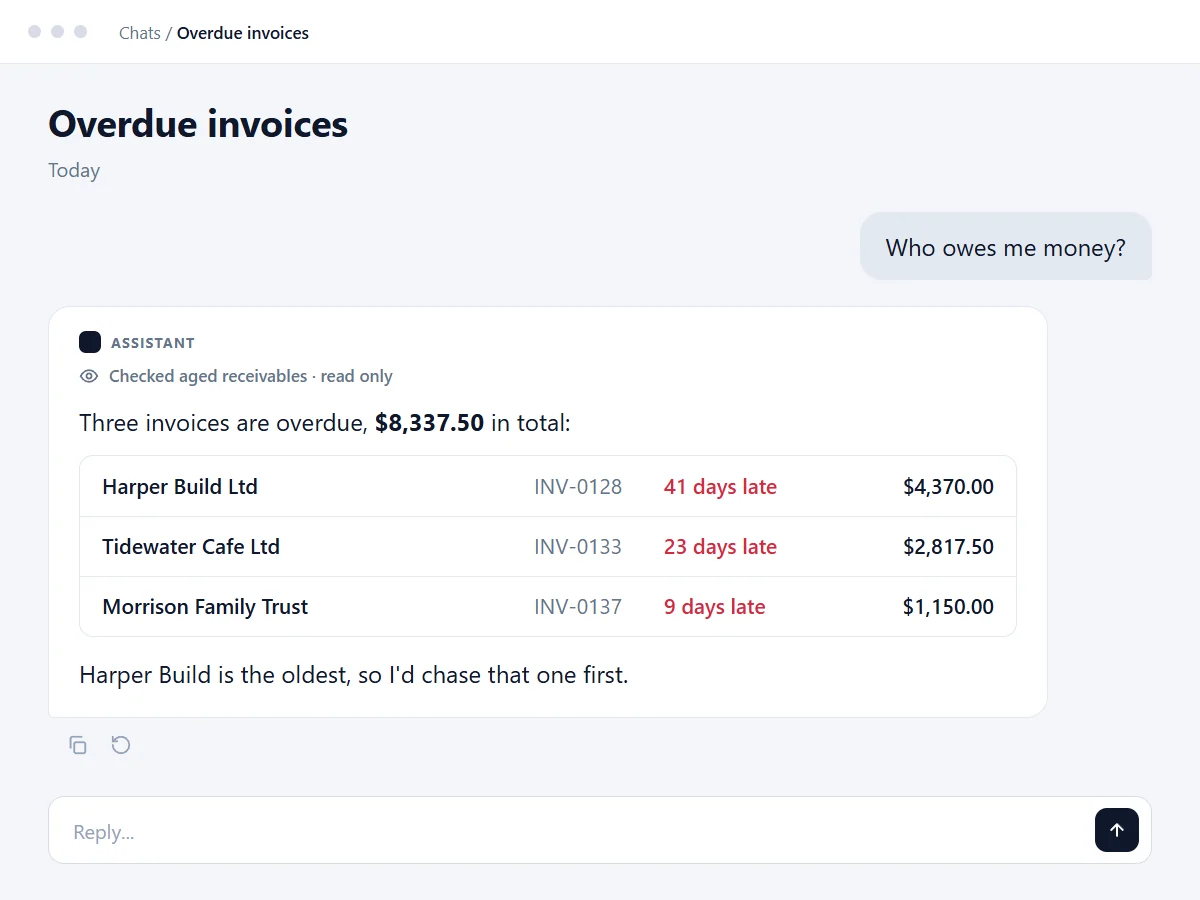
Profit this quarter, cash position, who owes what: Claude answers in plain English from the client's live Xero file and links back to the report or invoice it used. Xero itself pitches this as clients arriving better informed, with fewer basic report requests.

Receipts and source documents

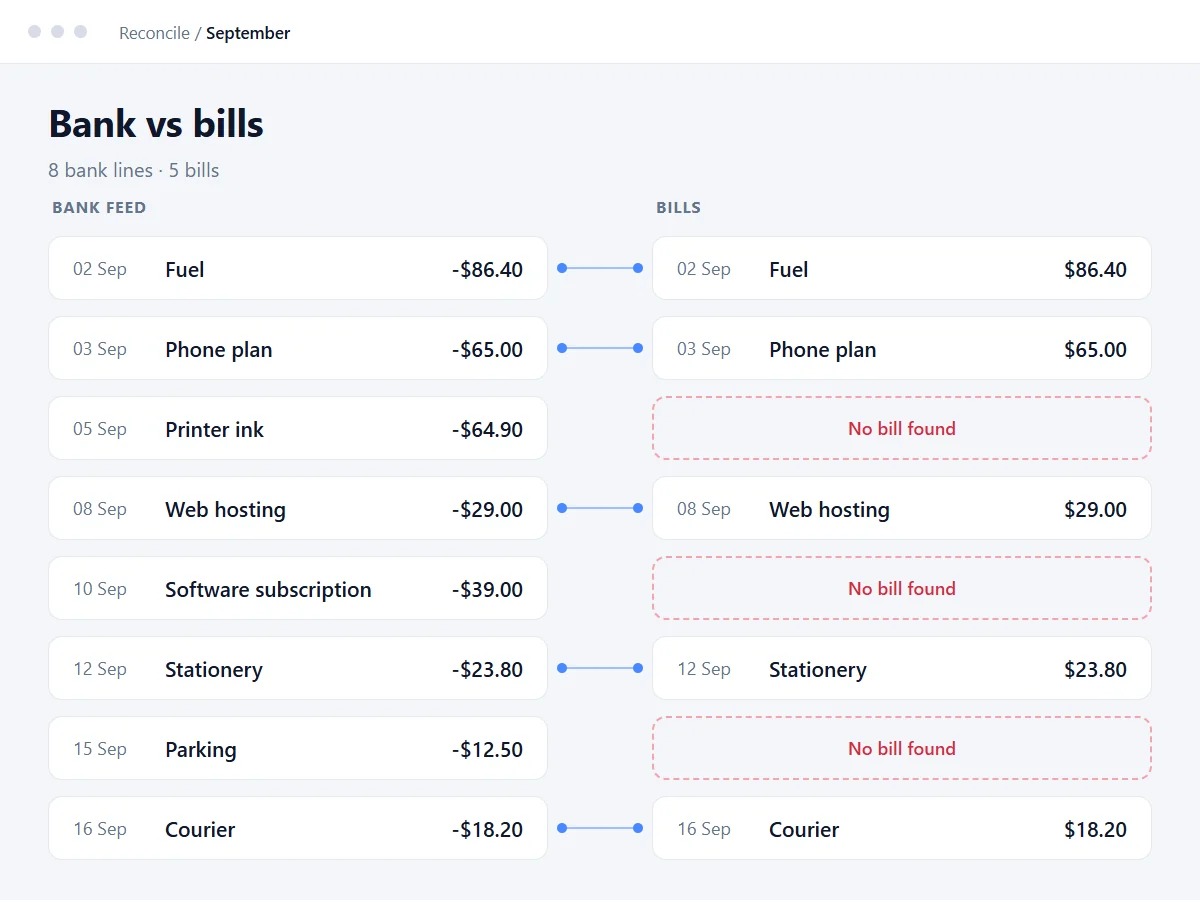
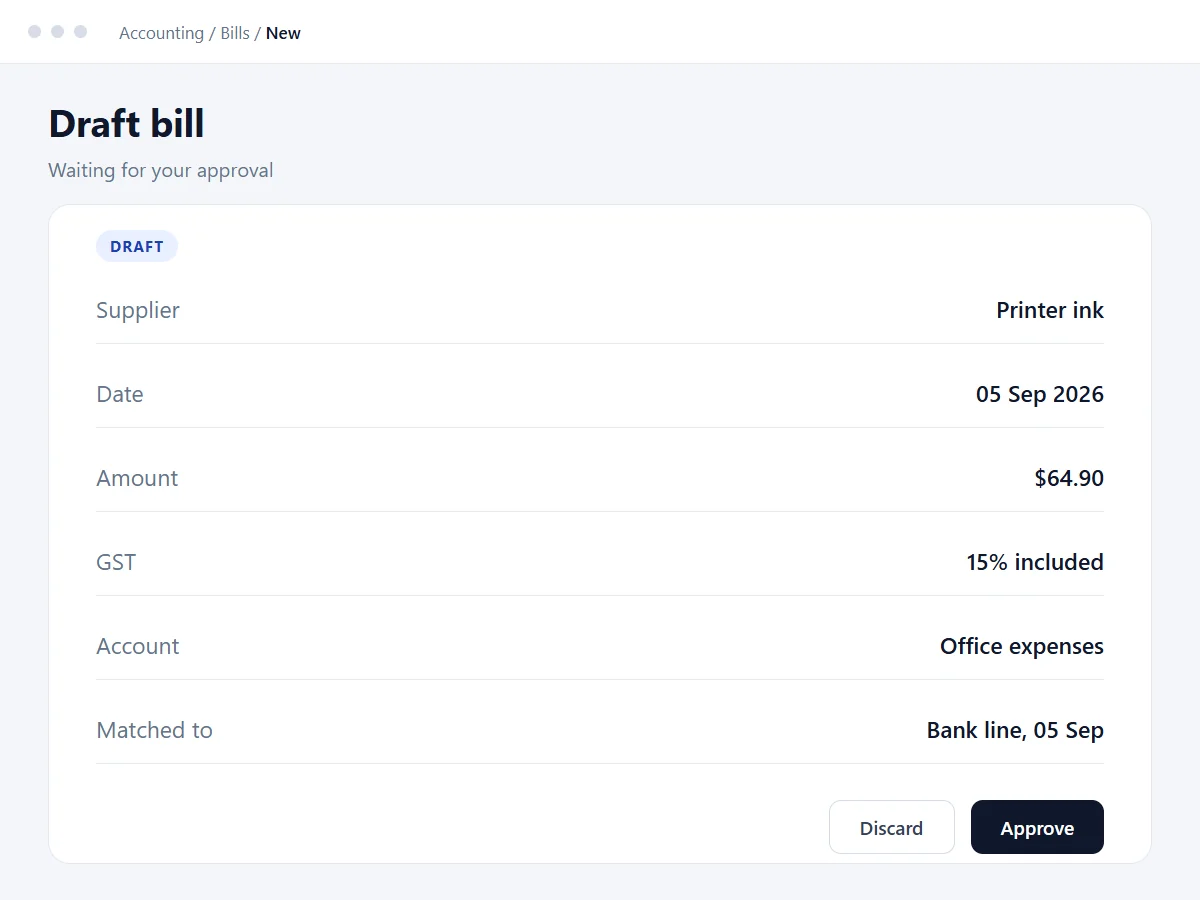
Claude reads receipts, bills and statements, pulls out supplier, amount and GST, spots duplicates and asks which account code and bank account to use before anything is posted. You approve each entry the first time round.

Checks before the GST return

With a full Xero connection, Claude can scan the period before a return goes in for transactions coded to an unusual GST rate, expenses without receipts and entertainment that has not been split. It flags; a person decides and files.

Management reports and commentary

P&L, balance sheet and aged receivables pulled for the period with a first draft of the commentary written, in your practice's format. The review becomes editing, not writing.

Working across many client files

Xero's connector asks you to choose one organisation when you connect. For practices, we have built a read-only connector that works across several Xero organisations in one conversation, including reading the attachments on bills.

Client emails and document chasing

Drafting the "we still need these from you" emails, engagement letter updates and year-end checklists from your templates, so the chasing happens on time without a person rewriting the same email.

Your existing tools

We work with what you already run

Nothing to migrate. These are the tools New Zealand practices run, and the work goes into connecting them properly.

  • Xero and Xero Practice Manager
  • Xero Tax
  • MYOB
  • Karbon
  • FYI
  • Ignition
  • Hubdoc or Dext
  • Microsoft 365 and Outlook
  • IRD myIR

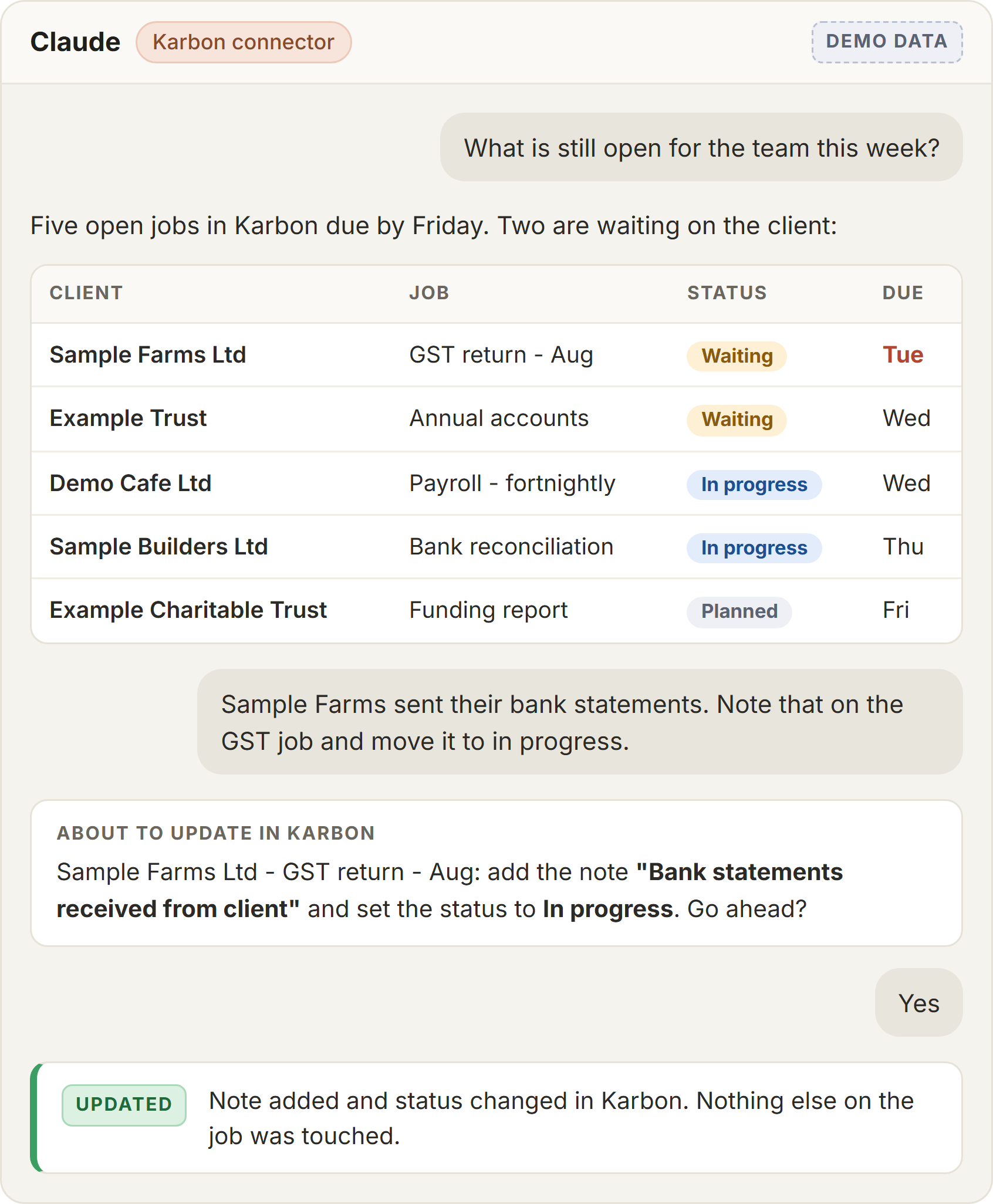
Xero is the easy one: there is an official Claude connector and an open-source Xero MCP server. For practice software without an off-the-shelf connection, we build one, read-only first, so nothing in a client's books changes until you decide it should.

In their words

From the finance side of the table

A CFO on working out what his business actually needed from its systems and AI.

Blake brought a solid technology & AI perspective to our engagement at BMC. He clearly knows his space and was easy to work with, the conversations he sparked were useful in helping us get clearer on what we actually needed from a systems / AI standpoint. Thanks again.
Shaun CrowleyChief Financial Officer at BMCProfessional Services
Getting started

How a practice starts

  • Connect Xero read-only. Use the official connector on your own practice file or one test client, and ask it the questions clients ask you for a week.
  • Pick one repetitive job. Receipts, month-end commentary or client queries. Measure the time before and after on that one job.
  • Only then add write access. Limited scopes, approval before anything posts, and a clear rule on which client files it can touch.

Worth reading next:

Questions

The ones we actually get asked

Get Claude wired into Xero properly

We set Claude up for your practice: Xero connected with the right scopes, Skills for your recurring work and your team shown how to use it, read-only first. It starts with a free call.

Last updated 18 September 2026