Nicholas Petrie's research partner
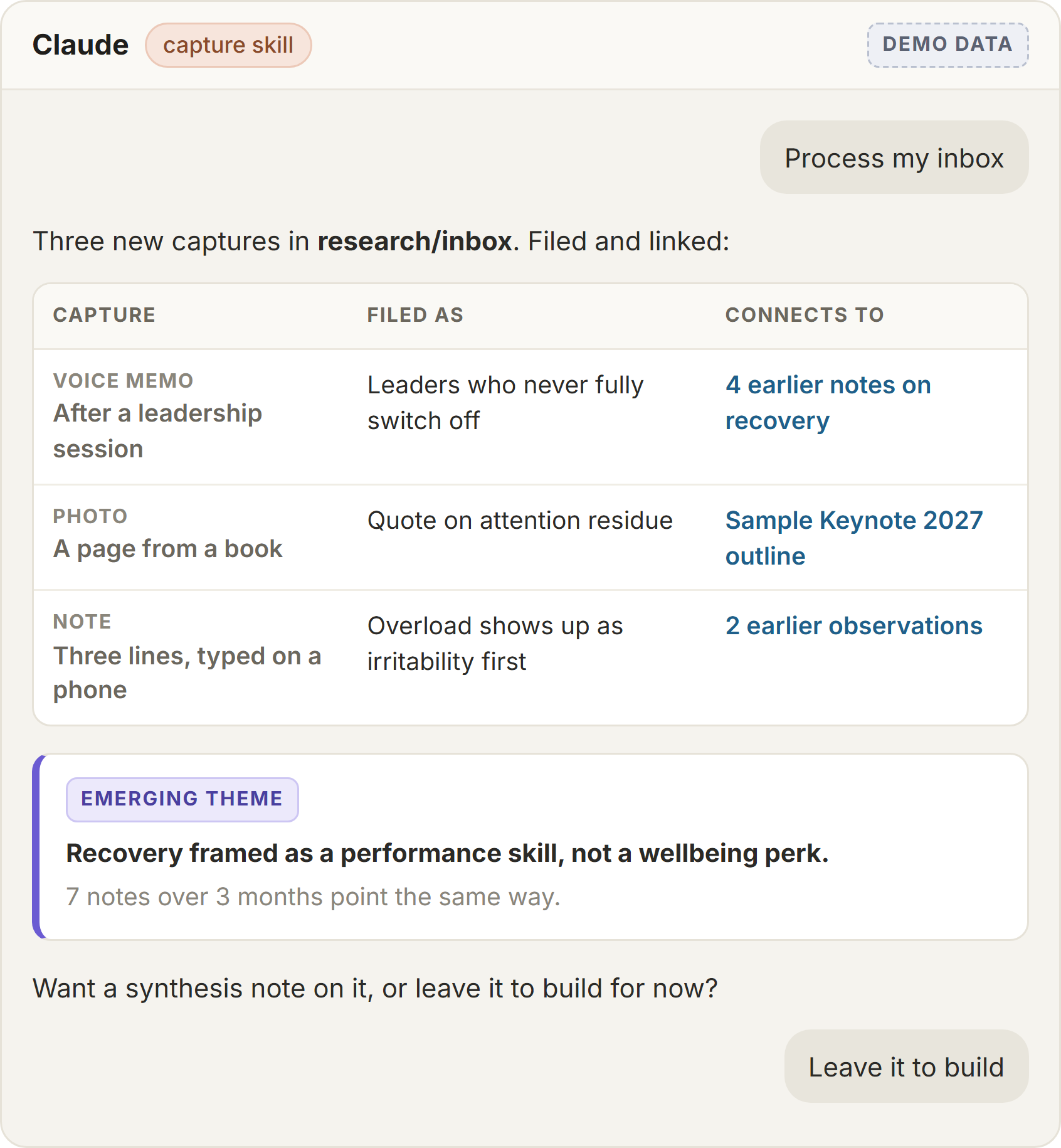
Voice memos, photos and quick notes from his phone get filed and linked across conversations, so themes surface he would otherwise miss. The email side drafts; he sends.
Your time with clients is what you sell. The notes, follow-ups, proposals and programme material around it are what eat the rest of the week. Claude can carry most of that, in your voice and built on your own frameworks.
For NZ coaches, consultants and advisers working solo or with a small team.
Trusted by New Zealand coaches and consultants


Handle the work around the client work. Turning session notes into follow-ups, drafting programme material and proposals, pulling client context together before a session, and acting as a second brain for your research and frameworks. You stay the expert; Claude does the first draft and the finding.
It works best set up once, properly, around how you already work - your tools connected, your own material loaded, and clear rules about what client information goes in. That is what we did for executive coach Nicholas Petrie, and it is the job our Claude setup does.
What coaches and consultants hand over first - the admin and drafting around sessions, not the sessions themselves.
From your notes or a call transcript, Claude drafts the summary, the agreed actions and the follow-up email in your voice. You check it and send it the same day instead of the end of the week.
Session plans, workbooks, exercises and slides drafted from your own frameworks and past programmes, so new material sounds like you and builds on what already works.
Claude pulls the last session's notes, recent emails and the client's goals into a one-page brief, so you walk in prepared without twenty minutes of scrolling.
Your articles, book notes, frameworks and past talks become something you can ask questions of. Claude finds the study you half-remember, gathers research on a new topic and drafts from your own thinking.
For consultants: a proposal drafted from the discovery call notes, the client's emails and your past proposals. In our own business that took a one-to-two-hour job down to about ten minutes of review.
LinkedIn posts, newsletters and talk outlines built from the themes that keep coming up in your work, with client details left out.
From our own proposals and the coaches we have set up.
The workflow we run in our own business, on our own proposals.
In our own business that took a one-to-two-hour job down to about ten minutes of review.
Where a coaching or consulting week actually goes, and which parts of it Claude carries.
Claude pulls the last session's notes, recent emails and the client's goals into a single page, so you walk in prepared without twenty minutes of scrolling.
The session is what you sell and nothing about it changes. What client information goes near an AI tool is decided before any of this is switched on, and model training goes off.
From your notes or the call transcript, Claude drafts the summary, the agreed actions and the follow-up email in your voice. You check it and send it the same day instead of at the end of the week.
Session plans, workbooks, exercises and proposals drafted from your own frameworks and past programmes, so new material sounds like you and builds on what already works.
Coaches, consultants and advisers we have set up or built for.
Voice memos, photos and quick notes from his phone get filed and linked across conversations, so themes surface he would otherwise miss. The email side drafts; he sends.
A half-day session setting Claude up around her coaching business, then building on it for the work she repeats.
Recurring online sessions for a practice supporting Māori trusts with governance and compliance. One of the team now manages her own clients confidently off the back of it.
A half-day public workshop. Owners left with their own Claude brain, starting with a skill that interviews them and writes up their business.
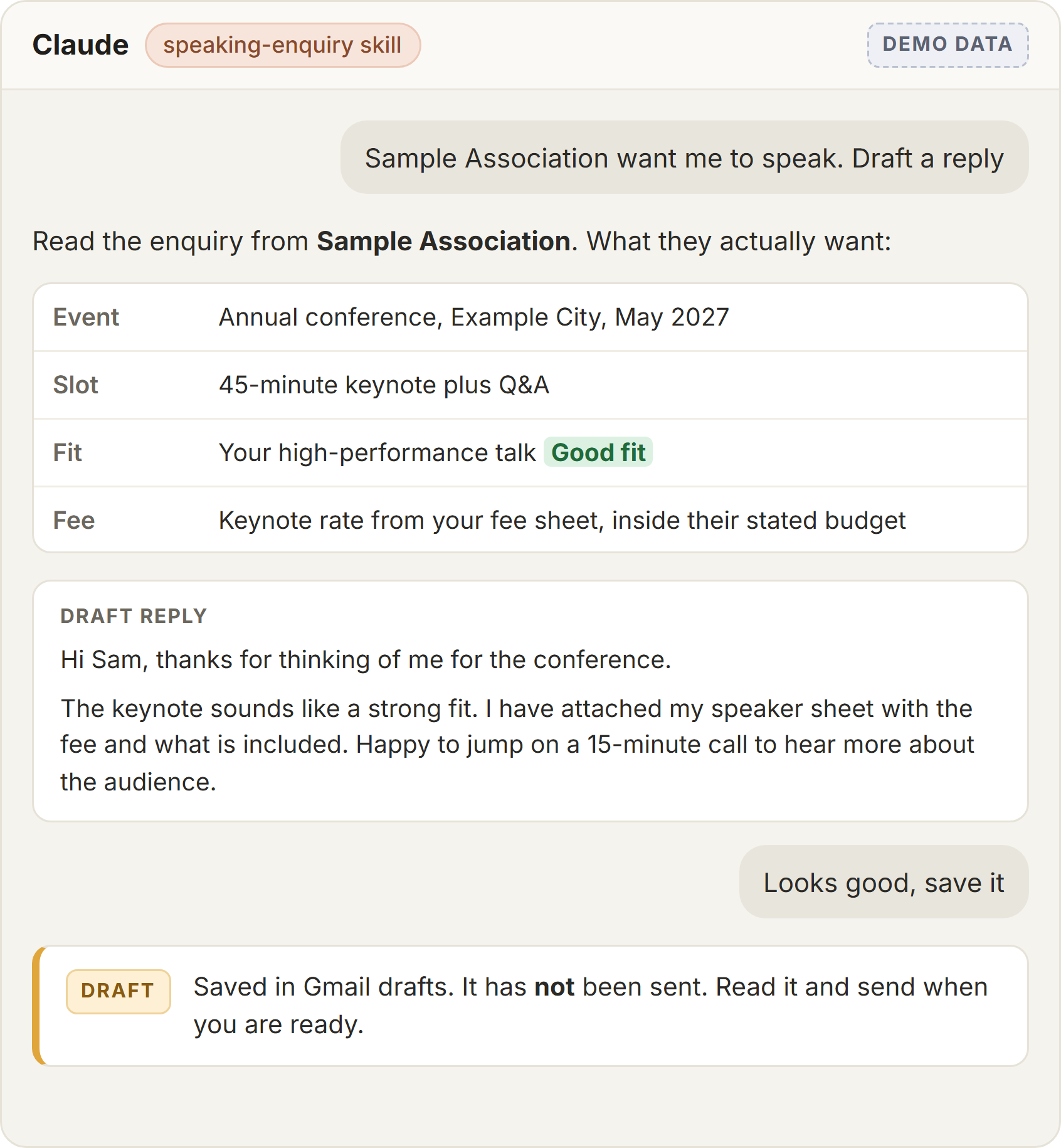
Two jobs from a coach's Claude brain.
Nicholas Petrie is a leadership researcher, executive coach and keynote speaker. We built his Claude brain around how he actually works.

Blake built me a custom AI 'brain' that now handles a chunk of my day-to-day admin and research gathering. He took the time to understand how I actually work before building anything, and has been responsive every time I've hit a snag. Great combination of technical skill and genuine patience with a non-technical client. Would recommend him to anyone wanting to put AI to real use in their business. Thanks Blake!
Bring the job that eats the most time. We will tell you straight whether Claude helps.
See how Claude setup worksWorth reading next:
No new platform to learn. These are the tools coaches and consultants in New Zealand already run, and Claude works with them.
Claude connects directly to Google Workspace, Microsoft 365, Notion and Canva, and reads the transcripts your note-taker saves. Your frameworks and past material become the knowledge it works from, so the output sounds like you rather than a generic chatbot.
Free to watch, nothing gated. Each one has a written version too.
We set Claude up for you: your tools connected, your own material loaded, Skills for the jobs you repeat, and the privacy settings right. Then we hand it over running and show you how to use it. It starts with a free call.
Last updated 25 October 2026 - added who it is for, the problem it solves and the results up front