NZ builder: 29 AI use cases, mapped and ranked
A New Zealand construction firm wanted to know where AI would genuinely help before anyone built a thing, so we ran two workshops with its 17-person AI cohort and scored 29 use cases into a ranked list and a 90-day plan.

- Client
- A New Zealand construction firm
- Industry
- Construction
- Location
- New Zealand
- What we did
- AI audit: two workshops, a ranked use case list, an AI policy and a 90-day plan
The audit in numbers
- 29AI use cases found, scored and ranked
- 9 of 29use cases sat in admin and document handling
- 17people in the AI cohort, from leadership to site
- 90day plan in three bands, people before builds
The short version
- A New Zealand construction firm wanted to know where AI would actually save time before building anything, and most of its 17-person AI cohort were not yet using AI day to day.
- We ran two workshops where each role group mapped its own processes and tagged every step, then scored every use case on hours saved, confidence and weeks to build.
- The firm came away with 29 use cases in a ranked list, a 90-day plan in three bands and an AI use policy, all delivered in April 2026.
The problem
The firm wanted to know where AI would pay before anyone built a thing
The firm pulled together a 17-person AI cohort: leadership, the people who price the work, the people who run the projects, and the people on site. A few were already using AI daily. Most were not.
Two things to deliver. Get the whole group past guessing at what the tools can do, then work out where AI would actually save them time and put it in an order someone could act on Monday.
The solution
Every process step was tagged by the people who do it
We started with the work, not the tools. Each role group mapped its own processes, and every step got one of three tags.
- Map the real workEach role group maps its own processes, step by step.
- Tag every stepPerson only, AI with a person checking, or runs on its own.
- Sit with the teamsSmall-group sessions walking through a normal week.
- Score every use caseHours saved a week, how sure we are, weeks to build.
- The directors set the orderThe scores are one input. The firm's own priorities are the other.
Start where the work is slow, not where the AI is clever.
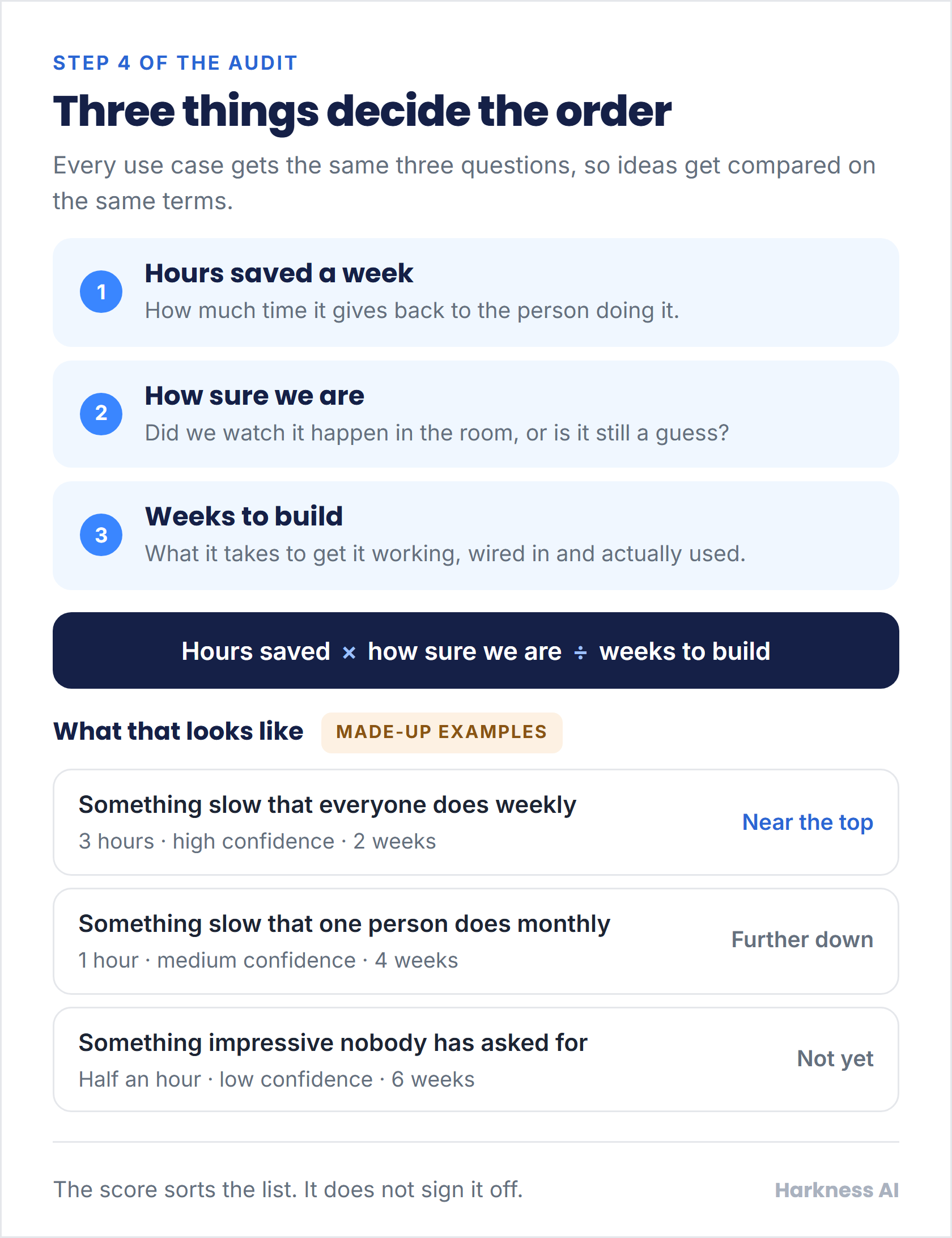
Three scores stop the loudest idea winning by volume
Every use case gets the same three questions: how many hours a week it gives back, how sure we are that saving is real, and how many weeks it takes to build. Value over effort, applied evenly.
The score does not decide anything on its own. It cannot know which client matters most this quarter, so the directors take the ranked list and set the real order.
The result
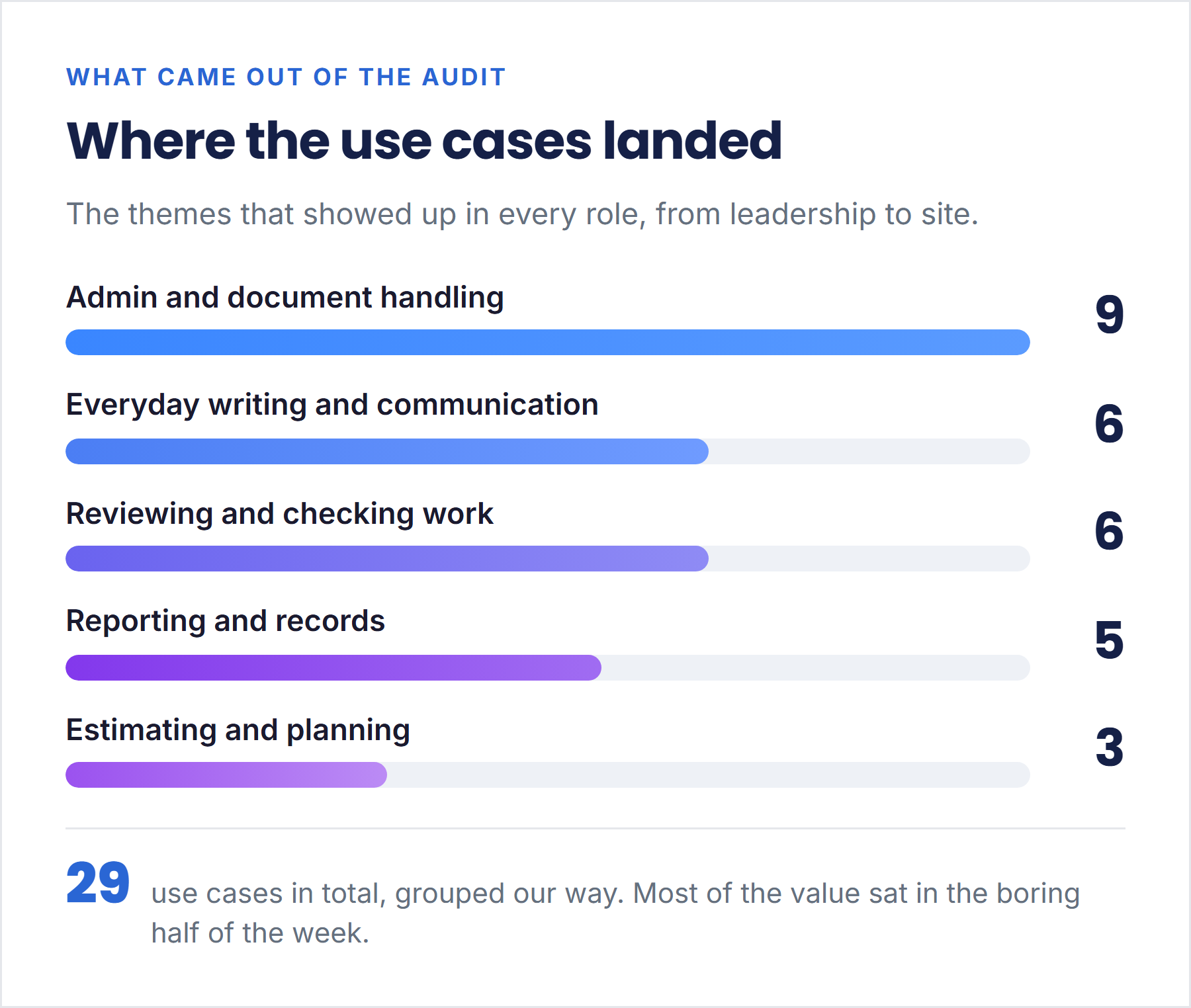
Admin and document handling came up in every role: 9 of the 29
Nobody asked for a robot. Across every role, the same thing came up: admin and document handling is eating the week. Reading what arrives, filling in the template, filing it, keeping the register straight.
Grouping the list our way, nine of the 29 sat squarely in that admin bucket. The rest split between everyday writing, checking other people's work, records and reporting, and counting things off drawings.
The top of the list became a 90-day plan that puts people first
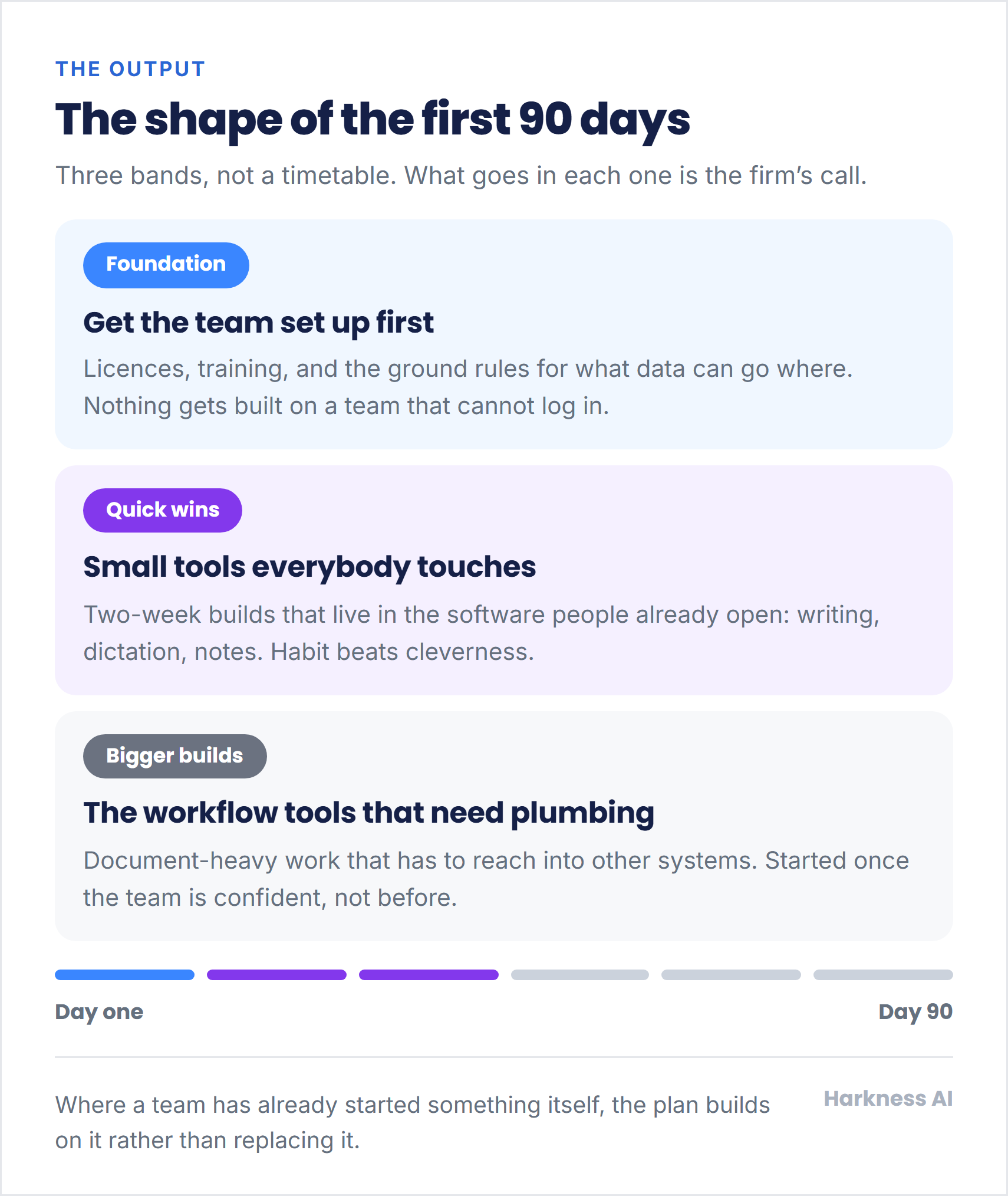
The plan runs in three bands: set the team up, ship the small tools everyone touches, then start the builds that need real plumbing. No build starts before the people are ready for it.
Where someone inside the firm had already started something themselves, the plan builds on their work instead of replacing it. Alongside it came an AI use policy: approved tools, what data can go where, and when a person has to check the output.
What comes next: an audit is a map, not a build
This was an audit, so this page claims no build. The ranked list, the plan and the policy belong to the firm, and the first band - licences, training and ground rules - is where any team starts.
Questions people ask
How long does an AI audit like this take?
Two workshop days: a group session to map and tag the work, then small-group sessions with each team. The ranked list, AI use policy and 90-day plan were all delivered in April 2026.
What did the firm's team have to do?
Describe how their week actually runs. Each role group mapped its own processes and tagged every step, and the directors set the final order of the ranked list.
Did the audit need access to the firm's systems or data?
No. The audit ran on workshops and conversations, not system access. The AI use policy that came out of it sets which tools are approved, what data can go where, and when a person checks the output.
How would we start an AI audit for our business?
Get in touch and tell us which work in your team is slow and repetitive. We start with how the week really runs, and you end up with a ranked list of where AI saves time.
More case studies
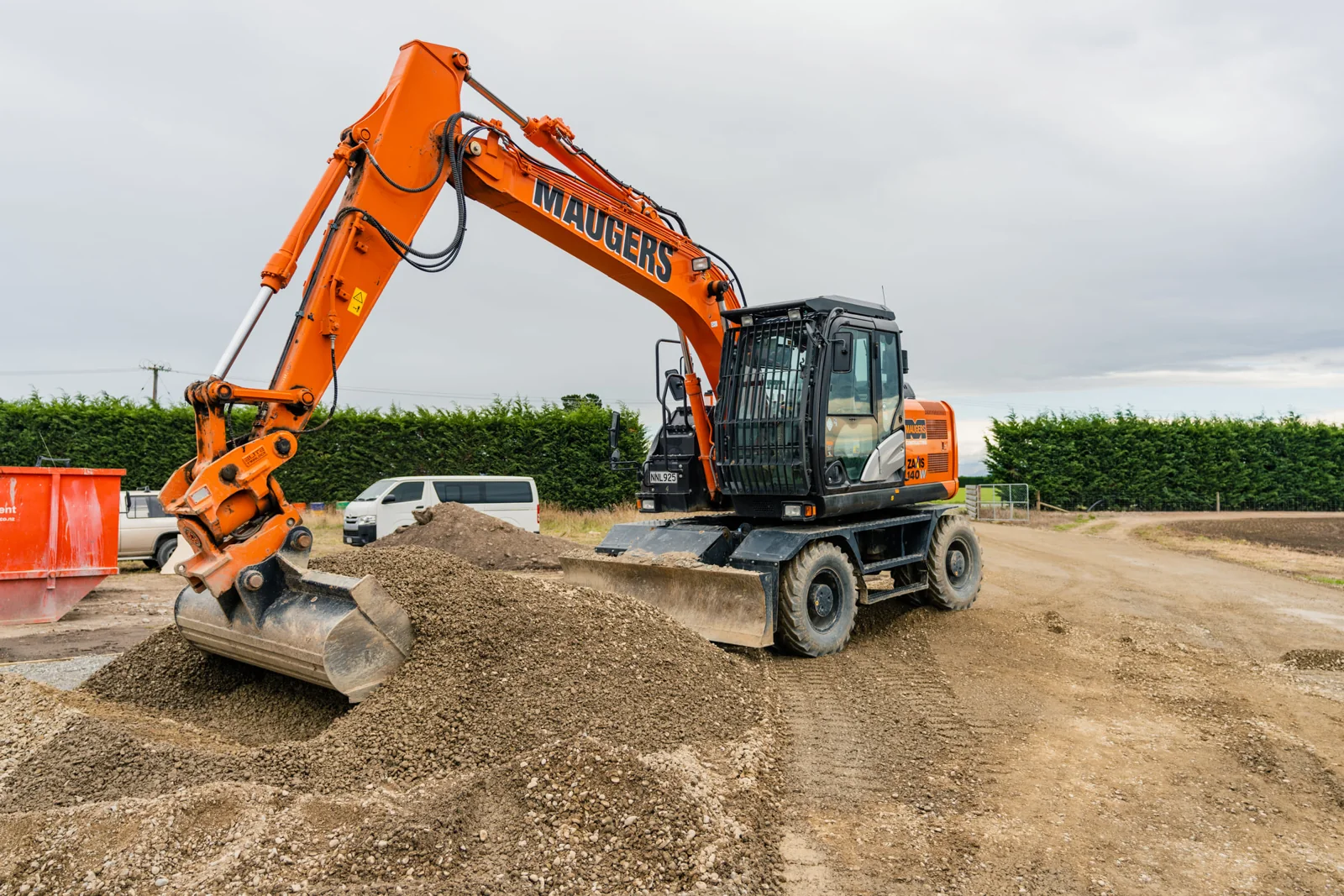
Maugers Contracting: crews, plant and paperwork, run through Claude
A Christchurch civil contractor whose managers and supervisors built their own Claude tools in three sessions, led by a live staff and plant planner that pulls QuipCheck, Outlook leave and site updates into one view.

 Claude setup and training
Site Safety: Claude set up across six parts of the week in 2 hours
A temporary fencing hire firm from South Auckland to Whangarei got Claude set up across six parts of the week in one 2-hour session, drafting invoices, bookings and lead briefs for the owner to sign off.
Not sure where AI fits in your business?
We start with the work, not the tools. Your team maps how the week actually runs, tags every step, and you get a ranked list of where AI saves time.
Last updated 29 September 2026