Trap and Trigger: team trained, Claude connected to 6 of their tools
We trained Trap and Trigger, a conservation and pest-control contractor in Upper Hutt, on Claude in a hands-on workshop, then connected it to six of their tools, from Gmail and Google Drive to Site App Pro and PayHero, so health and safety compliance is one question away and timesheets are checked automatically.
- Client
- Trap and Trigger
- Industry
- Conservation and pest control
- Location
- Upper Hutt, New Zealand
- What we did
- Claude setup, team training, connectors and monthly support
In numbers
- 1question to see which health and safety forms are in or missing
- 6connections: 3 built-in Google ones, plus Sheets and Docs, Site App Pro and PayHero
- 4 hrsof hands-on training on the team's own tasks
The short version
- Trap and Trigger's work happens in the field, and the health and safety forms, timesheets, tenders and spreadsheets around it land on a small office team.
- We trained the team on Claude in a hands-on workshop, set it up with a tender-drafting skill, then connected it to their email, calendar and Drive, plus Google Sheets and Docs, Site App Pro and PayHero.
- Health and safety compliance is now one question to Claude, timesheets are checked against the spreadsheet logs automatically, and Claude drafts documents and edits sheets directly.
The problem
The work is in the field, the admin lands on a small office
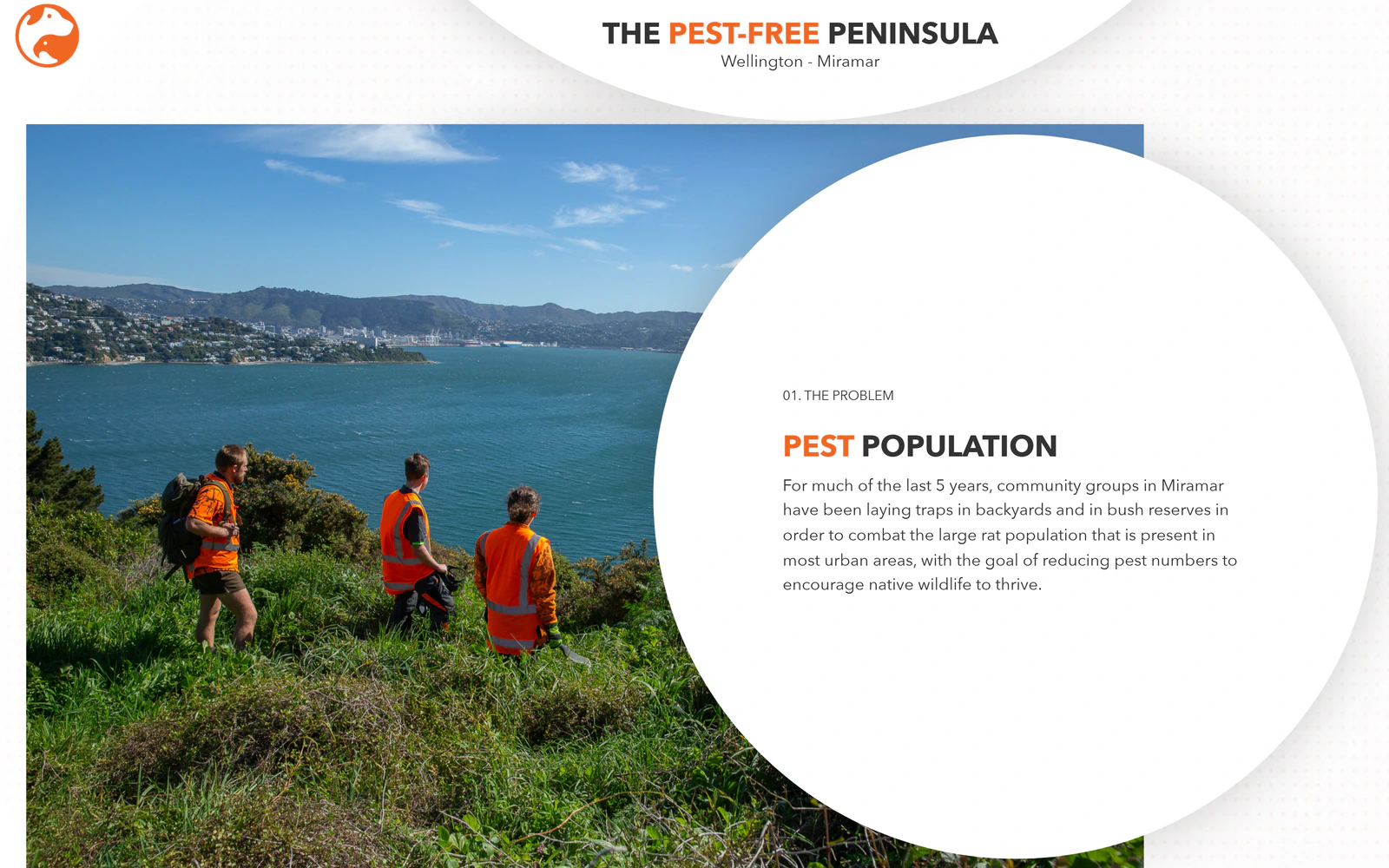
Trap and Trigger runs conservation and pest-control projects across New Zealand. Crews are out in the field, not at desks.
The admin around that work does not stop: health and safety forms from every site, timesheets, tenders and spreadsheets. It all lands on a small office team.
The goal was a team that is confident with Claude, and Claude connected to the systems they already run.
The solution
Training came first, on the team's own tasks
It started with a half-day workshop at their Upper Hutt office, laptops open on real work rather than demos. Out came a Claude setup plan for the business.
Then Claude was set up with skills of their own, starting with a tender drafter that colour-codes each answer green, yellow or red by how sure it is. The team can see at a glance which lines need a person to check.
Then Claude was connected to six of the tools they run
Three are Claude's built-in Google connectors. Sheets and Docs run through Composio so Claude writes straight into them. Site App Pro and PayHero had no connector Claude could use, so we built both, with setup instructions so the team installs them.
Gmail
Claude reads and searches the team's email and drafts replies.
Google Calendar
Claude checks availability and sets up meetings and events.
Google Drive
Past tenders, capability statements and health and safety documents, found and read in place.
Google Sheets and Docs
Claude drafts documents and edits sheets directly, instead of handing back text to copy and paste.
Site App Pro
Nick asks which health and safety forms are in, which are missing, and which sites have gone quiet. Read-only.
PayHero
Timesheets are checked automatically against the spreadsheet logs, so nobody cross-checks them line by line.
In their words
Blake has become our go-to for everything AI in our business. He started by helping us set up Claude across the business and training our team to actually use it well, then built out a range of connections between our AI systems and the apps we run day to day, both native integrations and custom ones like our PayHero setup that we had struggled to get working ourselves.
Beyond the technical builds, Blake has been a genuine sounding board. He talks through our ideas with us, gives honest advice on what is worth doing, and steers us away from things that will not pay off. He has built us AI tools for reporting and project tracking that have made a real difference to how we operate.
What stands out is how easy he is to deal with. He keeps us in the loop, hits his timelines, and hands over tools that work along with clear instructions so we can run with them. He knows his stuff and gets things done.
We would happily recommend Blake and Harkness AI to any business looking to get real value out of AI.
 Nick ZaloumisDirector, Trap and Trigger
A health and safety check takes one question
- Nick asks ClaudeWhich forms are in this week?
- Connector reads Site App ProRead-only: who filed what, where, when
- Claude answersForms in, forms missing, quiet sites
- Nick follows upA person chases the gaps
The result
Compliance is one question, and timesheets check themselves
Compliance in one question
Every site's forms, checked by asking Claude, not by trawling through Site App Pro.
Timesheets check themselves
PayHero hours are matched against the spreadsheet logs automatically.
Documents written in place
Claude drafts the docs and edits the sheets, working across their email, calendar and Drive.
Drafts that flag their doubts
Every answer arrives colour-coded, so a person checks the lines that need it.
A nightly Xero sync feeds the track record spreadsheet, with monthly AI support on top.
What comes next, and what Claude cannot see yet
The Site App Pro connector sees form activity - who filed what, where and when - but not the answers, PDFs or photos inside a form, because the system does not share those. Monthly support covers connector upkeep, and new connections get added one system at a time.
Questions people ask
How long did it take?
The workshop was a single half-day in April 2026. The PayHero connection followed in June, and Site App Pro was live by September, one system at a time.
What did the Trap and Trigger team have to do?
Bring real work to the workshop, and sort the logins and access approvals for each system. Each connector came with setup instructions, so staff install it themselves.
Is their data safe with Claude connected?
Gmail, Calendar and Drive use Claude's built-in Google connectors, signed in with each person's own account. The Site App Pro connector is read-only: it looks at form activity and nothing in it writes back. Google Sheets and Docs are where Claude writes, on purpose, and payroll access was approved by the business before anything was built.
How would we start something similar?
Start with a hands-on workshop on your own team's tasks. It shows where Claude helps, and the connections to your systems get built from there, one at a time.
More case studies

 Claude setup and training
Site Safety: Claude set up across six parts of the week in 2 hours
A temporary fencing hire firm from South Auckland to Whangarei got Claude set up across six parts of the week in one 2-hour session, drafting invoices, bookings and lead briefs for the owner to sign off.

 Claude setup and custom connectors
Shakti Mat: 6+ custom connectors, one Claude across six stores
Shakti Mat, a Christchurch wellness brand in six markets, now asks one Claude chat across its stores and systems, after we built 6+ custom read-only connectors in under four weeks.
Running a field business?
Crews, health and safety forms, timesheets and tenders. We set Claude up for your team and connect it to the systems you already use, with the guardrails you ask for.
Last updated 29 September 2026