Claude has been dropping updates almost every single day, and their latest one might be my favourite yet. Claude Design lets anyone use plain natural language to create on-brand presentations and slide decks, website landing pages, and even full animation videos. In this article I’ll walk you through how I built all three examples in only about 10 minutes.
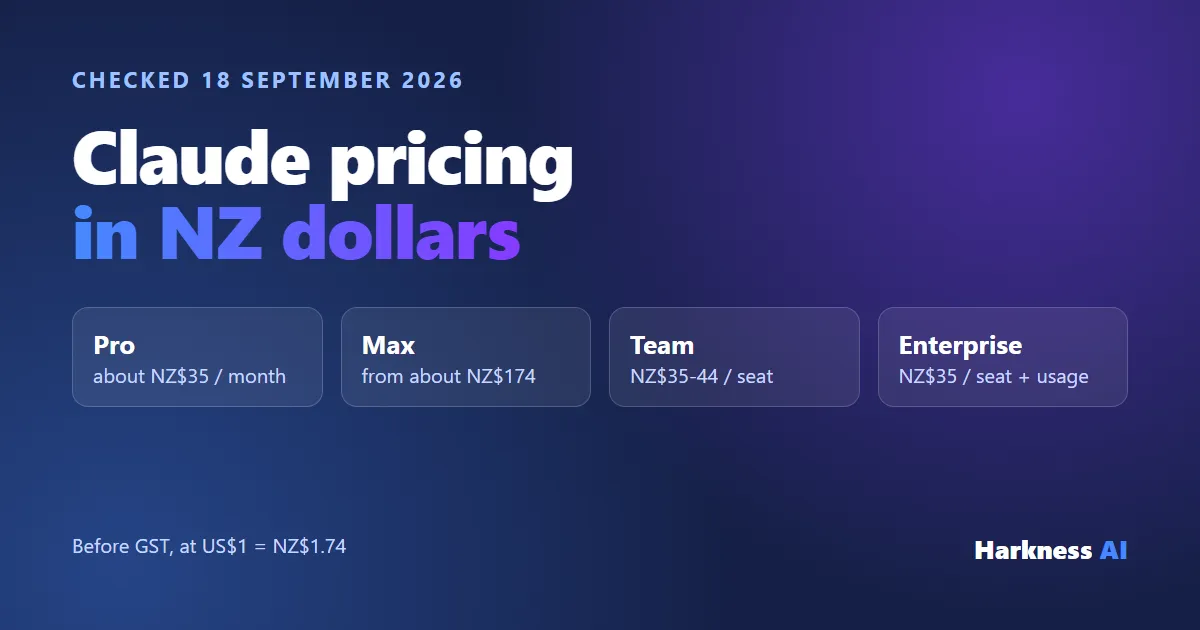
To get started, all you need is a Claude plan - it can be Pro, Max, or a Team plan. Once you’re logged in to the browser, you’ll see a new “Design” option appear on the left-hand side that takes you to the new landing page. From there you can build prototypes (website landing pages), slide decks, and animation templates - or create your own from scratch. But before any of that, we need to teach Claude about our brand.
Setting up your brand and design system
Claude needs to know your colours, your themes, and your overall design before it can build anything on-brand. So the first step is to create a design system. Click the option in the top right, hit create, and set it up from scratch.
It then asks you for a few things:
- Company name and blurb - I put in “Harkness AI, helping businesses work smarter, not harder, with AI.”
- Examples of your design system - if you have access to the code behind your website, you can link your GitHub repo. Otherwise you can drag and drop a folder of brand files from your computer, upload a design file, or add your fonts, logos and assets directly. I grabbed two logos out of my brand files and dropped them in.
- Extra notes on the feel - this is where you describe the personality of your business. Are you trying to be really tech-savvy? Warm and friendly? The more context you give, the better the output. I asked for tech-savvy, plain, minimalistic design.
Because I linked a GitHub repo, Claude asked me to validate that I actually own it, so I connected through. From there it takes about 5 minutes to compile everything into its own template - so I hit generate, went and grabbed a coffee, and came back.
When I returned it had built out my entire design system. It pulled my display headings and fonts off my website, captured my colour palette, and included the brand logo I uploaded. You can scroll through every piece and make changes if needed. Now that Claude knows the colouring and branding for the business, we can start creating things for real.
Feature 1 - Animations
Let’s say I’m a gutter cleaning company and I want an animation explaining why build-up in your gutters is bad and why you should get them cleaned. I just described it: pretend I’m a gutter cleaning company, I want a really cool animation for social media and potentially my website to explain why clogged gutters are bad, and we’re the solution that comes in and cleans them up.
For the voice input throughout this I was using a tool called Whisper Flow, which lets you speak instead of typing. It makes the whole process a lot easier.
Claude then asked me some clarifying questions:
- What format - I chose reels for TikTok or shorts
- How long - around 12 to 15 seconds
- The look and feel - a house cross-section with a problem-led story
- Company name and tagline - Harkness Gutters
- Service area - Christchurch
- Colour direction and number of variations - I asked for three
If you don’t want to answer everything, you can just tell it to continue. A couple of minutes later it told me the build was clean and the animation was ready. I opened the gutter animation folder, clicked the index.html, and watched it play.
With very little prompting, the output was genuinely mind-blowing. A storm hits, your gutter is clogged, the rain backs up, the foundation gets damaged and starts rotting - then it shows someone going up there and cleaning it, finished with a clean “book your clean today” call to action. For such a basic prompt, that is an insane result.
Editing with tweaks and draw mode
Two editing features make this really powerful:
- Tweaks - a panel that lets you edit text and filters directly. Instead of “Harkness Gutters” I could change the name to “Blake’s Gutters” or swap the tagline, and it updates in the animation without regenerating the whole thing.
- Draw mode - you can circle a specific area you want to change, or even sketch your own drawings on the canvas. I circled the heading and told it to keep the heading text on screen longer because it disappeared too fast. Claude went and made just that change, and on the next playthrough the text stayed up much longer.
You’re basically outlining exactly what you want changed and letting Claude handle it - no full regeneration needed.
Exporting your design
Exporting is dead simple. In the top right you can:
- Copy a share link so teammates on your Claude plan can edit it
- Download it as a zip file
- Download as a PDF
- Download as a PowerPoint
- Send it directly into Canva
- Export it as HTML
Feature 2 - Slide decks and presentations
I can’t tell you how much time I’ve spent building and tweaking slideshows - through high school, university, and now for work presentations. Having Claude do that in my brand colours is a huge relief.
I created a deck, asked for speaker notes, and described what I wanted: a slideshow for an AI presentation teaching people how to use Claude Design properly. You can attach screenshots, code bases and other files, and the design system was already set up. The really handy part is how easily you can paste in reference material - take a snipping tool screenshot of another website or slideshow, or upload reference slides, and Claude works from it.
Within a couple of minutes, skipping through the questions, it came back with a full deck. It scraped an image and my face picture off my website, used my usual template, and applied my colouring and theme. The whole thing looked really good for one basic prompt - including a nicely faded background on the questions page. As always, the more information you provide, the better the output.
Feature 3 - Website landing pages
Last up is website design. You can choose a wireframe (just the components) or high fidelity (the full page). To test it I dragged in a single product photo of a creatine tub and said: generate me a landing page, don’t ask me any questions, I want to sell this creatine product.
The landing page came back matching my existing site template - the same layout I use on my own website, copied across automatically. It had reviews, an add-to-cart section, and the full page structure. The product image had white boundaries that didn’t look amazing, but that was the only image I gave it. If you want a completely different look, you just change the design system at the start. Building a full landing page in a couple of minutes from one product photo is, again, insane.
Claude is becoming an all-in-one powerhouse - design, software coding, email automation, the lot. That’s exactly why so many businesses are moving over to it. I’ve helped over 10 companies here in New Zealand make the move into Claude and get set up properly, so if you want a hand doing the same, reach out to me through the link in the description below. See you around.
Prefer to learn it yourself? Our Claude training in New Zealand is a hands-on half day where you set Claude up against your own work.