Did you know that Google quietly dropped a free API key that gives you 500 requests daily to their latest Gemini Pro model? Absolutely no cost. Whether you’re building AI chatbots, content tools, or just experimenting, this is the easiest and cheapest way to start working with Google’s AI right now. I’ve been using it with NZ clients and it’s a game changer for prototyping.
Getting Your Free API Key
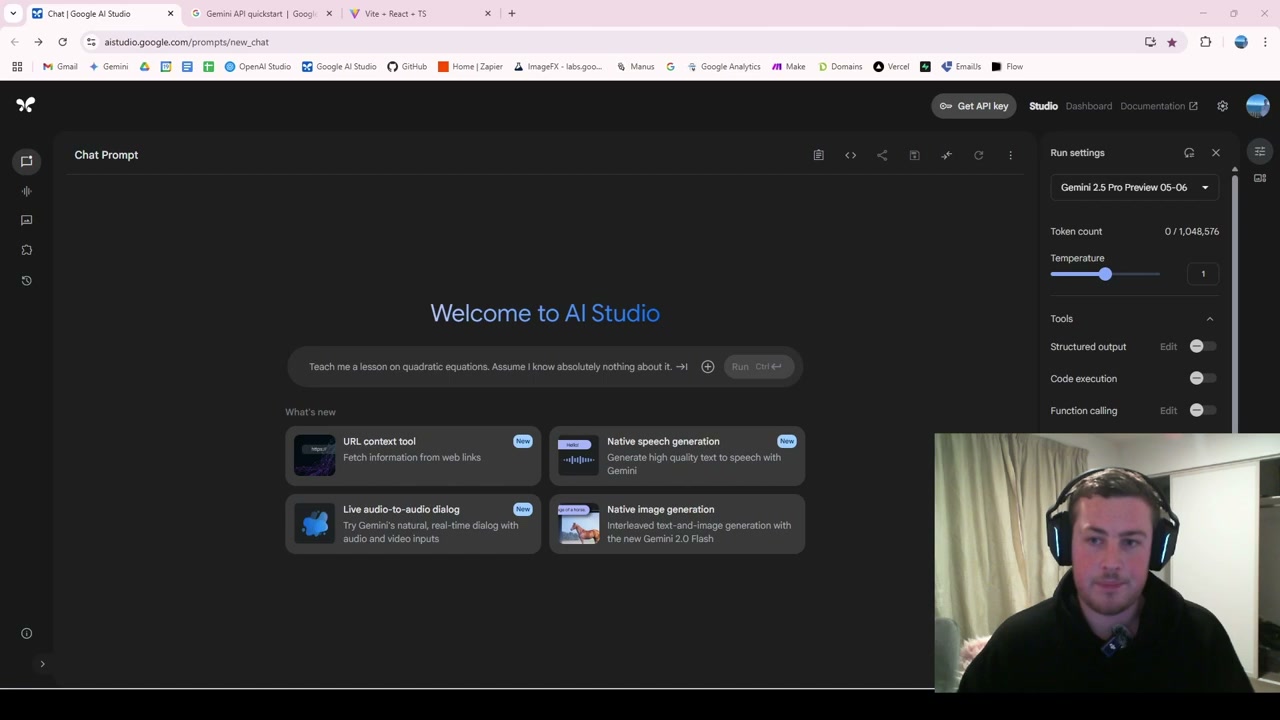
Head over to Google AI Studio. All you need is a free Google account. Click “Get API Key” in the top right, then “Create API Key.” Select a Google Cloud project (it can create one for you if you don’t have one), and your key is generated instantly. Copy it and store it somewhere safe.
Using the API in Code
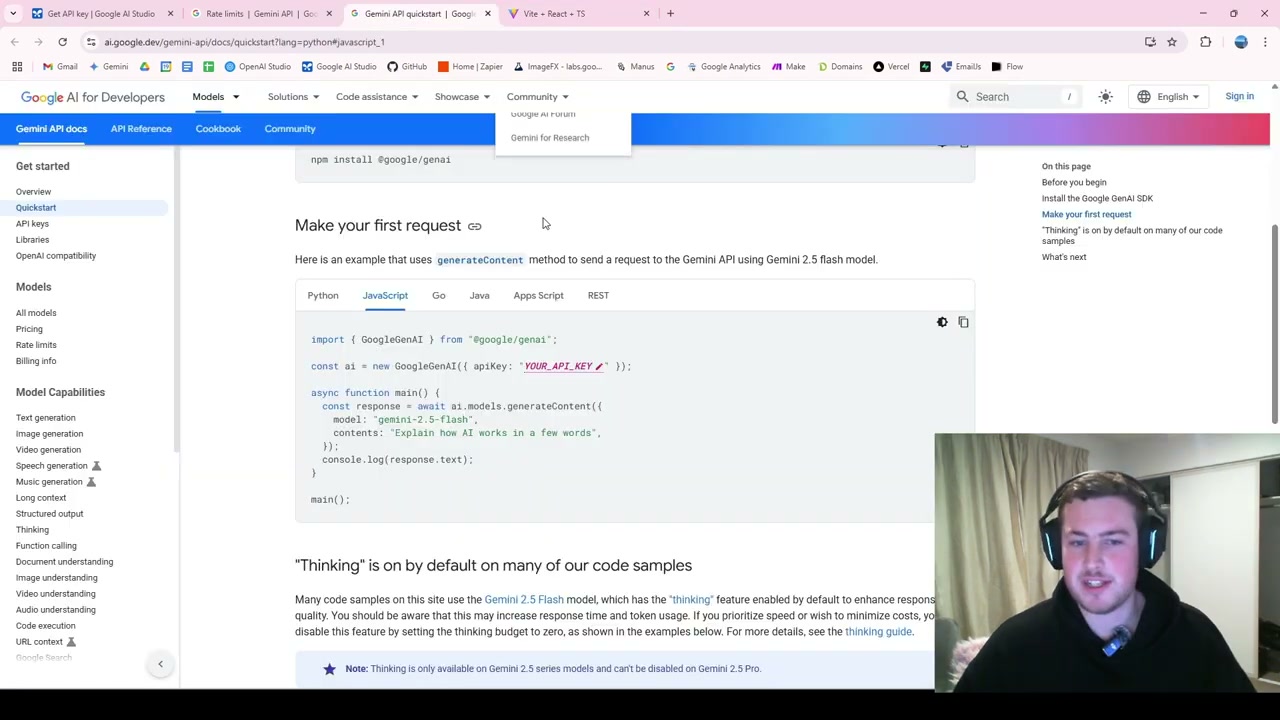
Google provides documentation for implementing the API in all major languages: Python, JavaScript, Go, Java, REST, and more. Python is typically the most common and easiest starting point.
For a quick test, you can build a simple chat interface that switches between Google and OpenAI models behind the scenes. Paste in your API key, send a prompt, and the Gemini 2.5 Flash model responds immediately.
Rate Limits
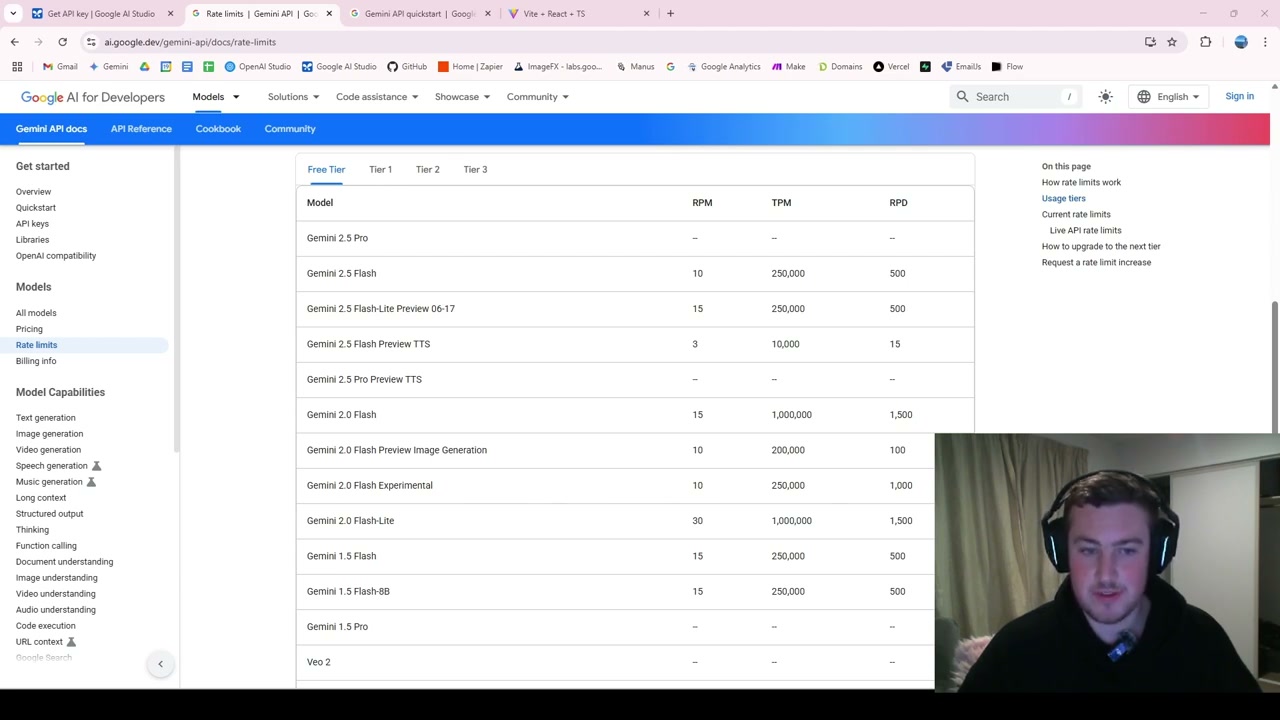
The free tier is generous:
- Gemini 2.5 Flash and most latest models: 500 requests per day
- Text-to-speech: 15 requests per day
- Gemini 2.0 Flash: Up to 1,500 requests per day
A smart strategy is to set up fallback logic: if you hit the limit on 2.5 Flash, switch to Flash Lite, then fall back to 2.0 Flash. This way you get a very high total limit from a single free API key.
The Data Privacy Trade-Off
One crucial thing to note: the free API allows Google to train on the data you send through it - that’s essentially why they offer it for free. It’s critical that you don’t send any personal, sensitive, or business-critical data through the free tier.
The free tier is excellent for testing and development. Once you need data privacy, you’ll need to move to a paid plan where your data is protected and not used for training.