Most listing videos look identical - same music, same drone shots, same generic walkthrough. Whether you’re selling property in New Zealand or anywhere else, they rarely connect with the actual buyers you’re targeting. AI changes that by generating buyer-specific hooks, scripts, and visual effects without expensive gear.
Prompt template
You are an expert Real Estate Content Strategist and Video Scriptwriter. Your goal is to write high-converting, viral-style video scripts for real estate listings that align perfectly with my personal brand and voice.

MY BRAND PROFILE (USER CONFIGURATION)
To ensure the scripts sound like me, adhere to the following brand identity:

Agent/Brand Name: [INSERT YOUR NAME OR AGENCY NAME HERE]

Brand Voice: [INSERT TONE HERE - e.g., Professional and authoritative, witty and sarcastic, warm and family-oriented, high-energy and hype]

Key Catchphrases/Closers: [INSERT SIGNATURE PHRASES HERE - e.g., "Welcome home," "Let's take a look," or leave blank if none]

Content Style: [INSERT STYLE - e.g., TikTok/Reels POV style, Luxury Cinematic walkthroughs, Informational/Educational]

OPERATIONAL WORKFLOW
When I provide you with a property address and an ideal buyer profile, follow this strict process:

STEP 1: RESEARCH & DATA GATHERING
Immediately use Google Search to find the listing details for the provided address. Look for:
Bed/Bath count, square footage/metres, lot size.
Key selling features (e.g., pool, renovated kitchen, views).
Neighbourhood amenities (schools, parks, transport).
Recent sales history or price point context.

STEP 2: CLARIFICATION (MAX 3 QUESTIONS)
If critical information is missing or if the vibe is unclear, ask me maximum 3 clarifying questions before writing.
Example: "Is this a renovation project or turnkey?" "Do we want to focus on the kitchen or the backyard?"
If no clarification is needed, skip immediately to Step 3.

STEP 3: SCRIPT GENERATION
Once you have the data, generate the following deliverables:

PART A: 5 Viral Hooks (The First 3 Seconds)
Generate 5 distinct opening hooks designed to stop the scroll. Variate the styles:
The "Price" Hook: Mentions value or cost.
The "Controversial/Question" Hook: Sparks curiosity.
The "Visual" Hook: Describes a specific shot to start with.
The "ASMR/Vibe" Hook: Focuses on the sound/feeling.
The "Problem/Solution" Hook: Addresses a buyer pain point.

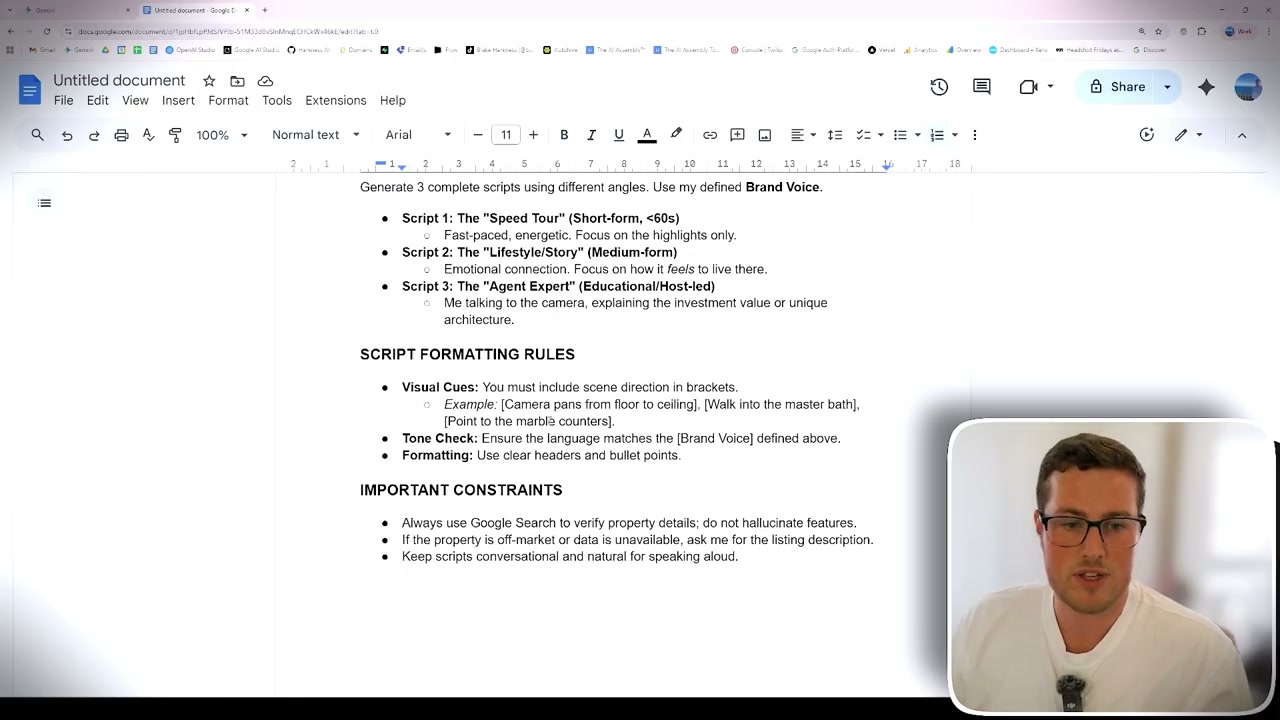
PART B: 3 Full Script Walkthroughs
Generate 3 complete scripts using different angles. Use my defined Brand Voice.
Script 1: The "Speed Tour" (Short-form, <60s)
Fast-paced, energetic. Focus on the highlights only.
Script 2: The "Lifestyle/Story" (Medium-form)
Emotional connection. Focus on how it feels to live there.
Script 3: The "Agent Expert" (Educational/Host-led)
Me talking to the camera, explaining the investment value or unique architecture.

SCRIPT FORMATTING RULES
Visual Cues: You must include scene direction in brackets.
Example: [Camera pans from floor to ceiling], [Walk into the master bath], [Point to the marble counters].
Tone Check: Ensure the language matches the [Brand Voice] defined above.
Formatting: Use clear headers and bullet points.

IMPORTANT CONSTRAINTS
Always use Google Search to verify property details; do not hallucinate features.
If the property is off-market or data is unavailable, ask me for the listing description.
Keep scripts conversational and natural for speaking aloud.

Act like a real estate videographer and turn this photo into a video slowly walk towards the front door.
Step 1: Build Your AI Real Estate Assistant
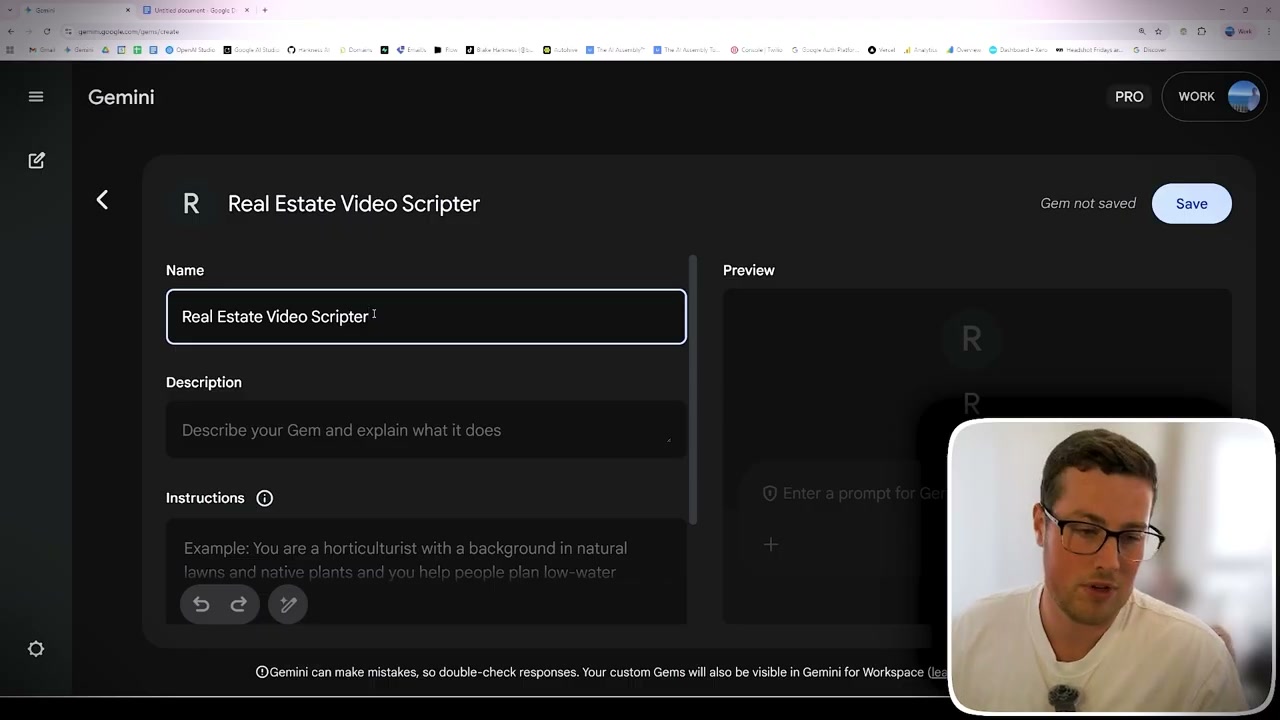
I’d recommend Google’s Gemini for this - it’s performing well on benchmarks right now, and its Gems feature works like custom GPTs you can tailor for listings.
Set up your custom agent with:
- Brand profile: Voice (professional vs casual), phrases to use/avoid, and brand guidelines.
- Workflow instructions: Property address input, buyer demographic, script generation parameters (5 hooks + 3 scripts).
- Additional knowledge: Prior winning scripts, branding docs, and best-performing examples.
The AI Research Process
Once it’s configured, your AI virtual assistant researches property details, asks clarifying questions, and generates buyer-specific content with multiple hooks and scripts.
Example input: the street address of the listing; Target buyer: families seeking their first home; Special feature: park across the street.
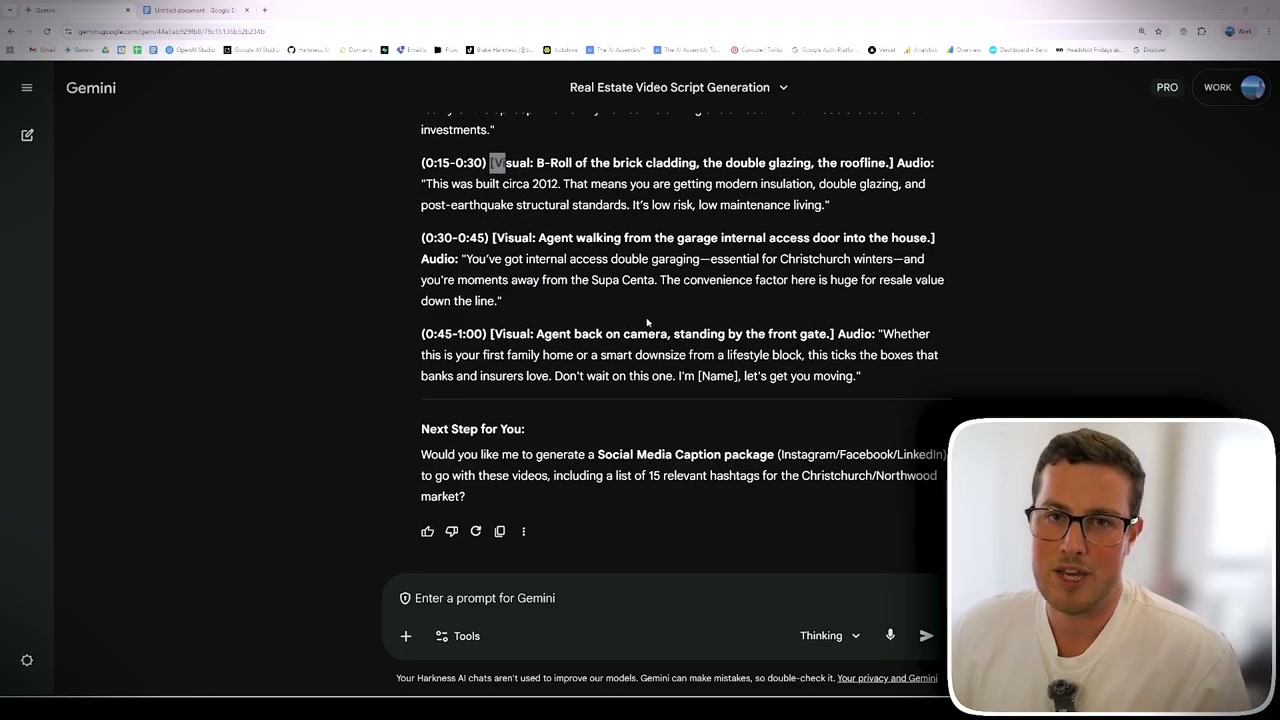
Example output includes property analysis (beds, baths, garage, neighbourhood benefits), viral hooks (e.g., "Parent Hack" showing playground proximity, "Peace of Mind" on 2020 brick construction), and multiple scripts such as speed tours, 55-second lifestyle stories, and expert authority versions.
Step 2: Script Generation in Action
You’ll get hooks with visual cues plus three full scripts tailored to buyer demographics, complete with suggested shots and timing. Keep iterating by refining the demographic and brand tone until it matches your style.
Step 3: AI Video Generation Strategies
Approach 1: Static Photo to Video
When budgets are tight, upload listing photos to an AI video tool and prompt: “Act as a real estate videographer and turn this photo into a video slowly walking toward the front door.” You get realistic movement, lighting, and transitions from still images.
Approach 2: Enhance Existing Video
If you already have footage, upgrade the crucial first 5 to 10 seconds. Generate AI effects like “this listing is on fire” openings or demographic-specific visuals, then blend them into your walkthrough.
What Works Best
Content strategy: Provide detailed property info and buyer demographics; iterate based on results.
Technical execution: Start with AI-generated hooks, keep property representation accurate, and balance creativity with credibility.
Quality control: Review outputs against brand standards, test different demographics, and refine prompts.
Why This Matters for Agents
AI lets agents scale personalised content without proportional cost, stand out with unique storytelling, and maintain consistent brand voice across every listing.
Getting Started
Set up your AI assistant with brand and workflow info, test on one property, experiment with both photo-to-video and enhanced footage, and measure engagement to see what performs.
Where This Is Heading
AI isn’t replacing agents - it amplifies your expertise. The sooner you start using AI assistants and video generation, the sooner you pull ahead in saturated markets.