Claude 3.7 Sonnet dropped recently and it’s a huge game changer, especially for coding. In this guide, I’ll show you how to build a professional AI portfolio website from just one or two prompts, completely for free. This is great for showcasing your projects to employers or for your own business - I built my own NZ portfolio site this exact way.
Creating the Portfolio
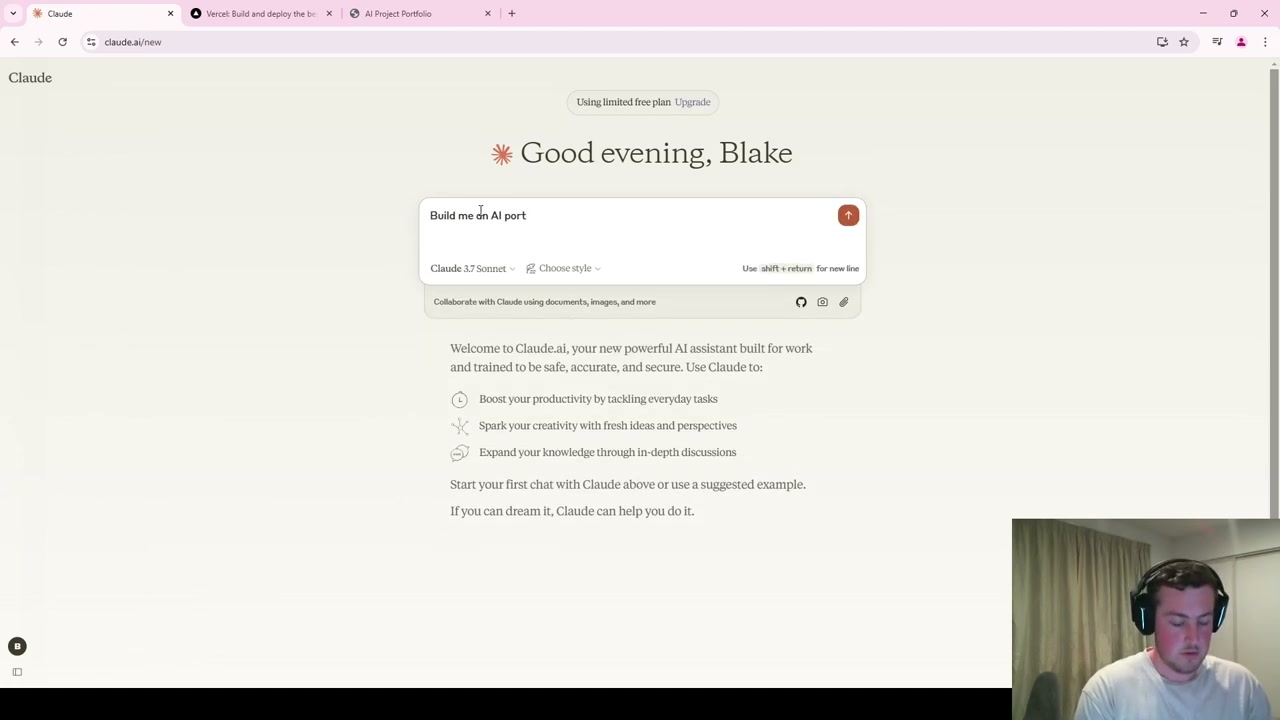
Head to Claude and sign up with a Google account for free. The model will already be set to Claude 3.7 Sonnet. Enter a prompt like: “I would like to build me an AI portfolio website that proficiently displays projects, has my contact information, and displays my skills.”
Claude will generate all the HTML code and you can preview the website visually right inside the app. From that single prompt, it produces a professional template with:
- An About Me section with space for a profile photo
- A skills section highlighting relevant AI capabilities (machine learning, deep learning, etc.)
- Featured projects with interactive hover effects
- Social media links (which Claude adds automatically because it understands portfolio conventions)
- A contact section
Customising Your Portfolio
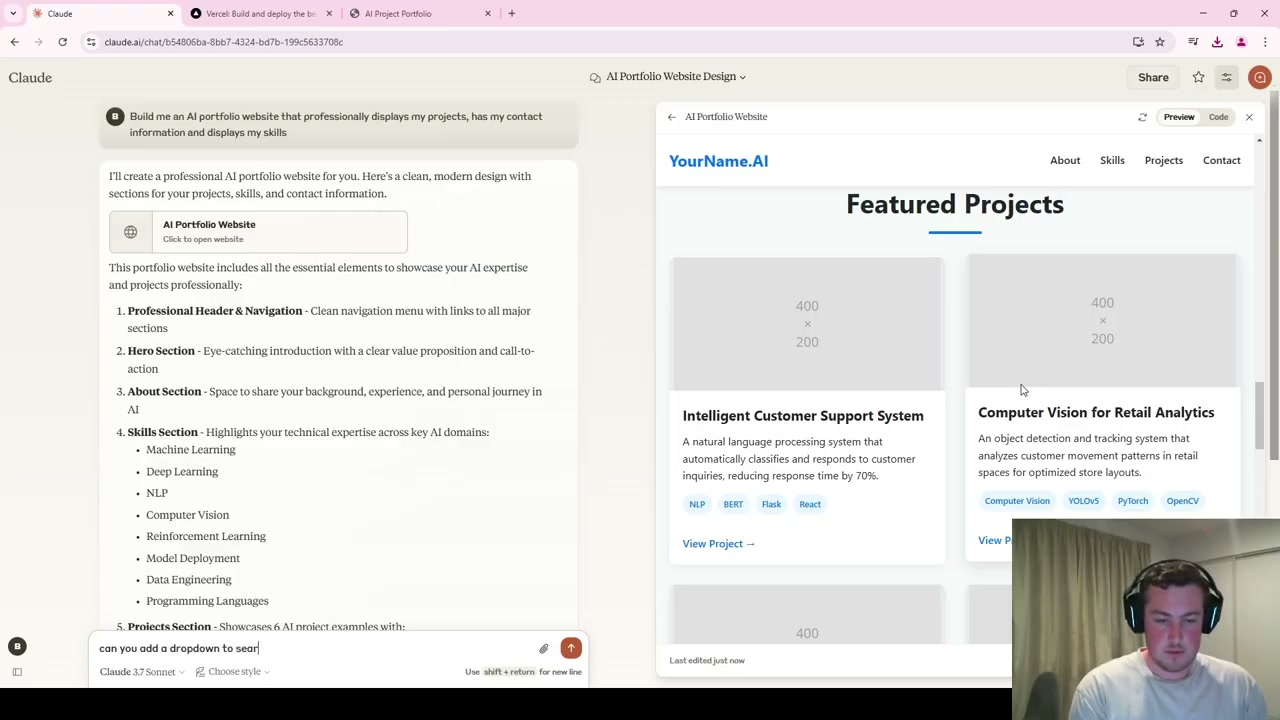
To make changes, simply describe what you want in the chat. For example, asking Claude to add a dropdown to search and filter projects by skills results in a working filter system with both dropdown selection and text search. Claude even adds contextual features you didn’t ask for because it understands what a portfolio needs.
The one downside is that each edit requires Claude to rewrite the entire file rather than just editing one section, which takes a minute or two per change.
Deploying for Free
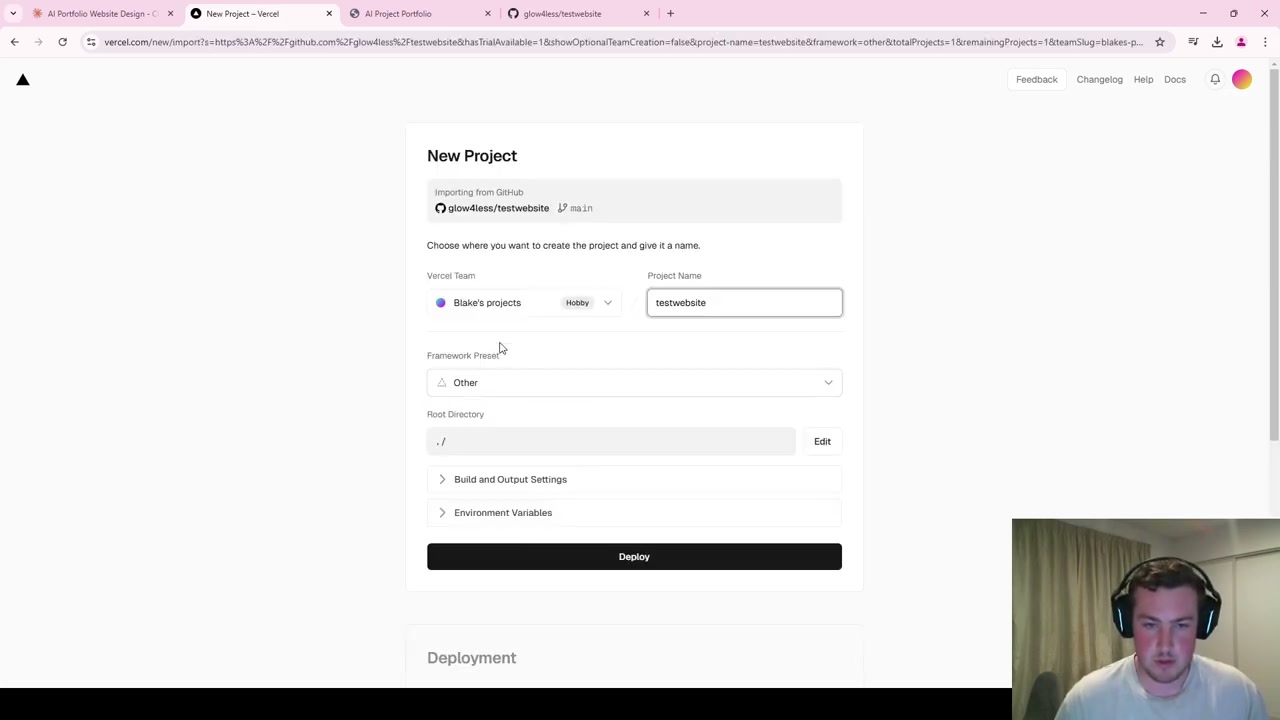
Once you’re happy with the portfolio, here’s how to deploy it for free using GitHub and Vercel:
Step 1: GitHub Repository
Create a new public repository on GitHub, upload the HTML file that Claude generated, and commit it to the main branch.
Step 2: Vercel Deployment
Go to Vercel, create a new project, connect it to your GitHub account, import the repository, and hit deploy. Within about a minute, you’ll have a live domain under the Vercel app that anyone can access.
Why This Matters
The entire process - from prompt to live website - takes just minutes. No web development knowledge required. You get a professional, interactive portfolio that you can continuously improve by chatting with Claude. For anyone in the AI space looking to showcase their work, this is the fastest path to getting online.