If you run a business and make your own videos, editing is the part that never gets done. Filming is quick. Cutting, captioning and adding graphics eats hours, and there are always other fires to put out.
So I recorded a video and told Claude Code to edit it from scratch. The cuts, the captions, the animations, the screens, all of it. It took around 40 minutes of Claude working on its own while I went and did something else. Here’s the whole setup, stage by stage, with the tool at each step and the mistakes that make most AI edits look bad.
Can Claude Code actually edit a video?
Yes. Claude Code is Claude running on your own computer, so unlike the chat app it can open your files, run programs and do the edit itself. It drives ffmpeg to cut, Whisper to transcribe and HyperFrames to build animations, then checks its own output before handing you a finished file.
It isn’t magic. It’s a pipeline of ten stages, and the quality depends almost entirely on how much reference material you give it. The rest of this article walks through each stage.
What does an AI video editing setup cost?
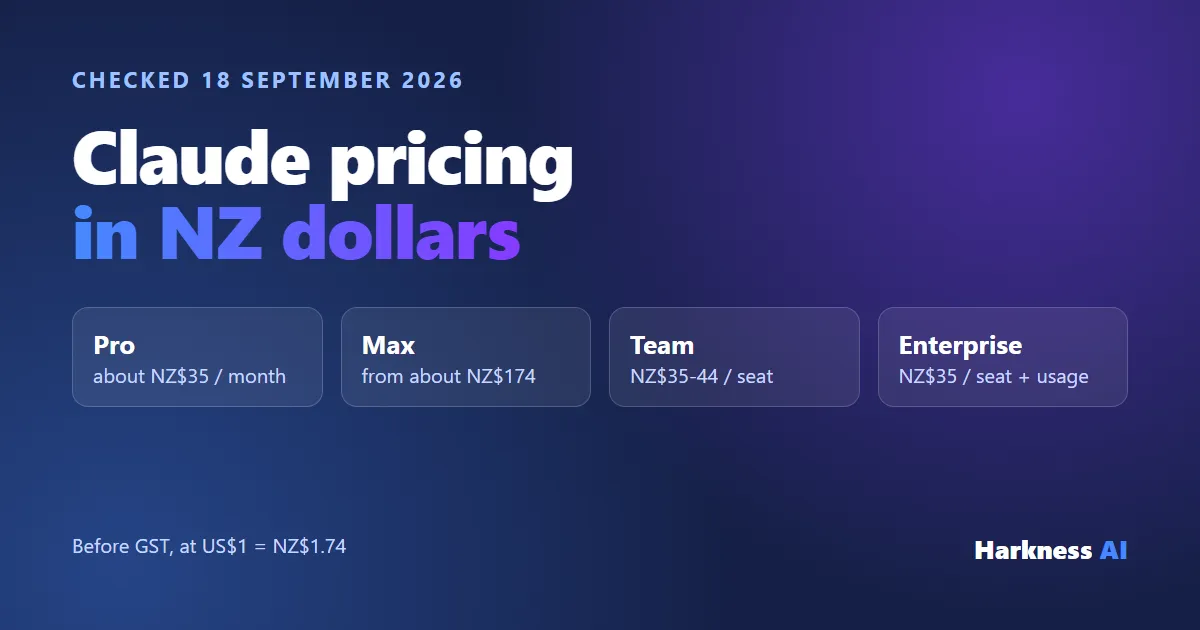
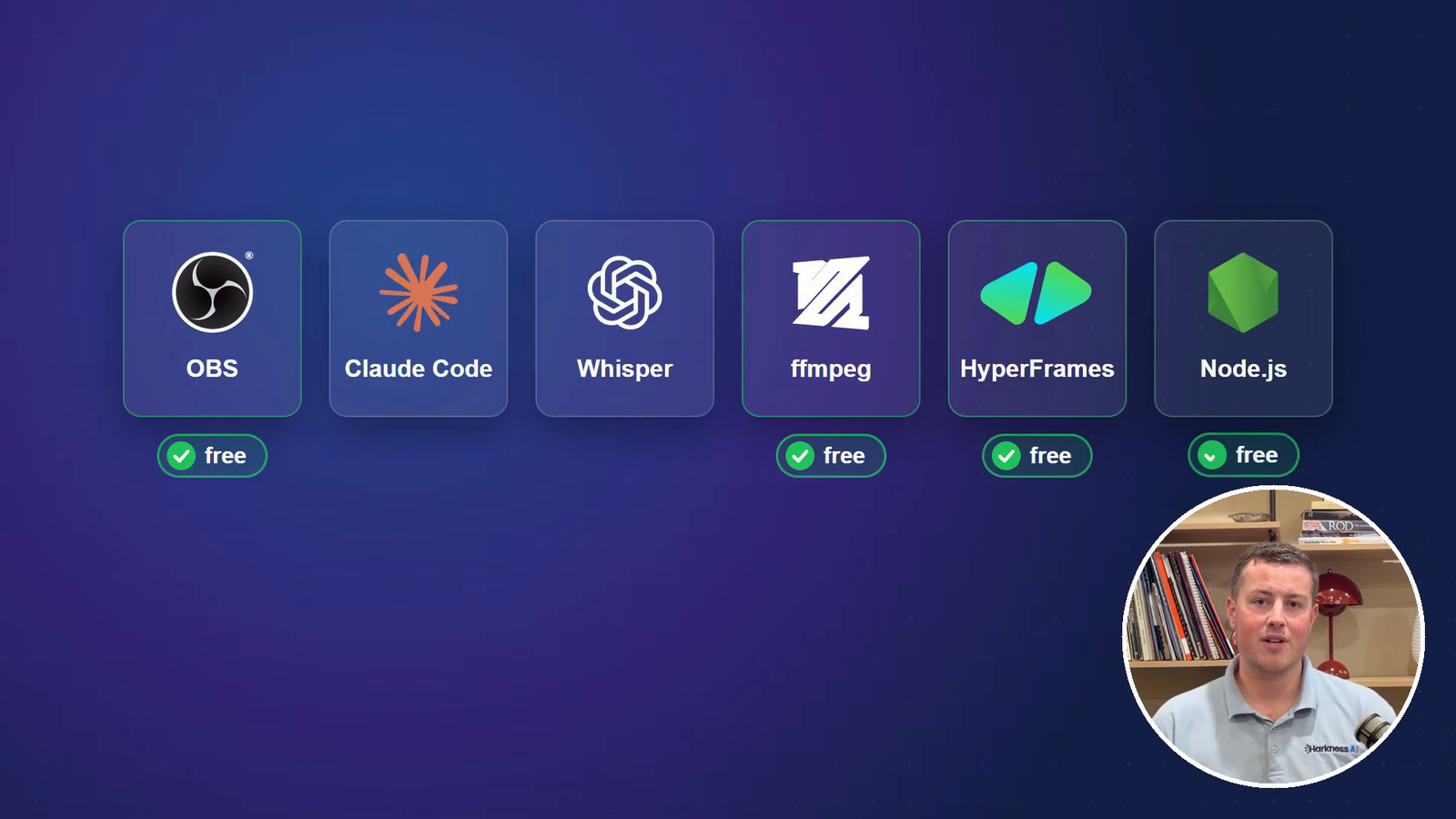
Most of it is free. OBS, ffmpeg, HyperFrames and Node.js cost nothing. The paid parts are a Claude plan, which Claude Code needs, and transcription, which you can run locally for free or on OpenAI’s API for very little.
- A paid Claude plan - Pro, Max, Team or Enterprise
- Claude Code - installed on your computer
- ffmpeg - free, does the actual cutting
- Node.js 22 or later - free, needed for HyperFrames
- HyperFrames - free and open source, made by HeyGen, for animations
- An OpenAI API key for Whisper transcription - whisper-1 is US$0.006 per minute of audio
- Claude in Chrome - the browser extension, for recording real product screens
- Optional: OBS Studio for recording, and Wispr Flow for talking to Claude instead of typing (free plan available)
The 10 stages from script to shorts
1. Script: fix what Claude knows, not the script
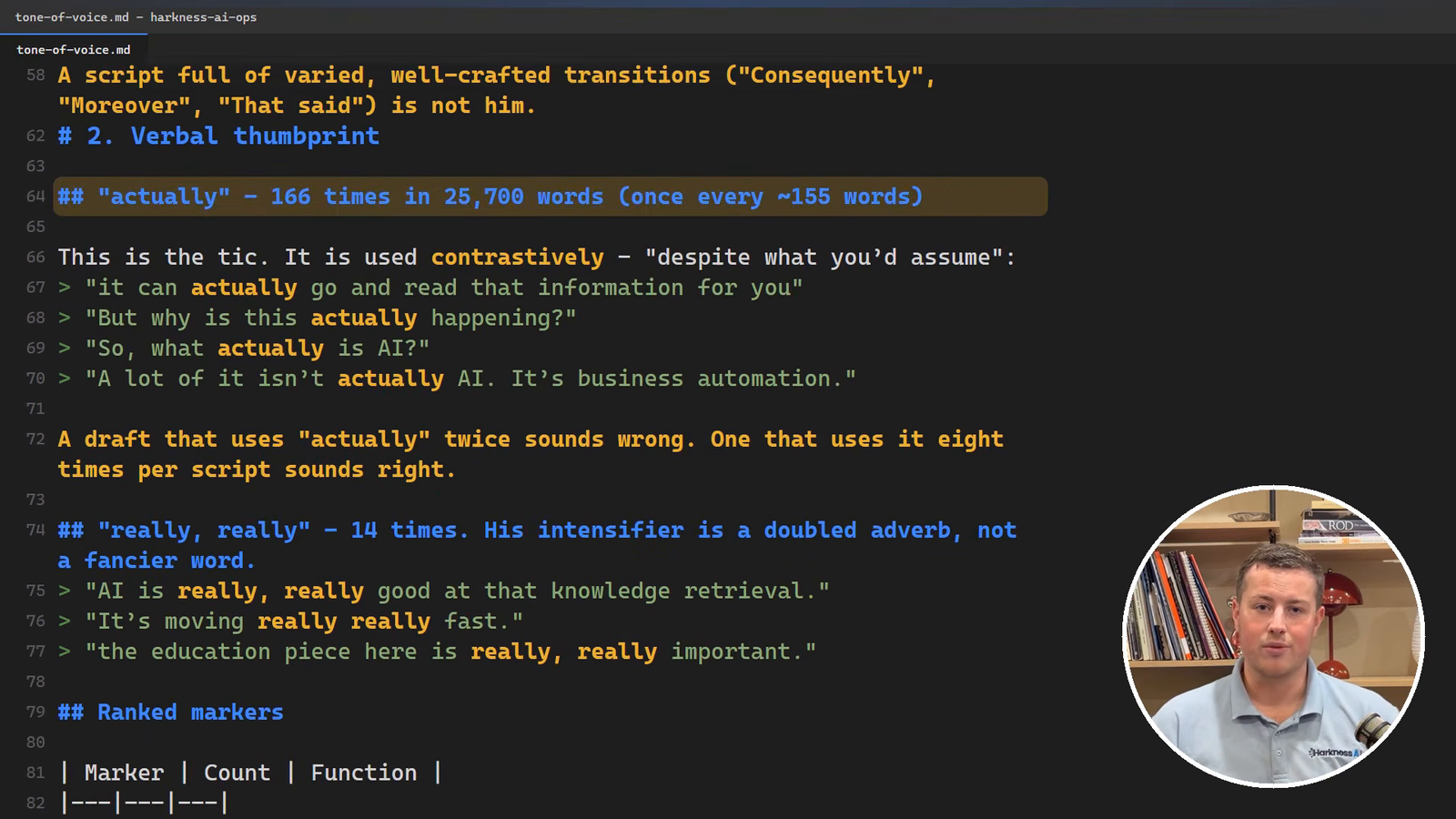
AI wrote me three scripts in a row and I rejected every single one. They were cringe and not my voice whatsoever. So instead of fixing the scripts, I fixed what Claude knew about me.
I gave it 45 of my old video transcripts and got it to write a full voice guide for itself: how long my sentences actually are, the words I overuse, and the things I never say. Now every script it writes gets checked against that guide. AI is garbage in, garbage out, so it needs that material to learn from.
Then read it off a prompter, not your notes. Looking down at a piece of paper reads badly on camera. I use an Elgato Prompter.
2. Record: test the audio first
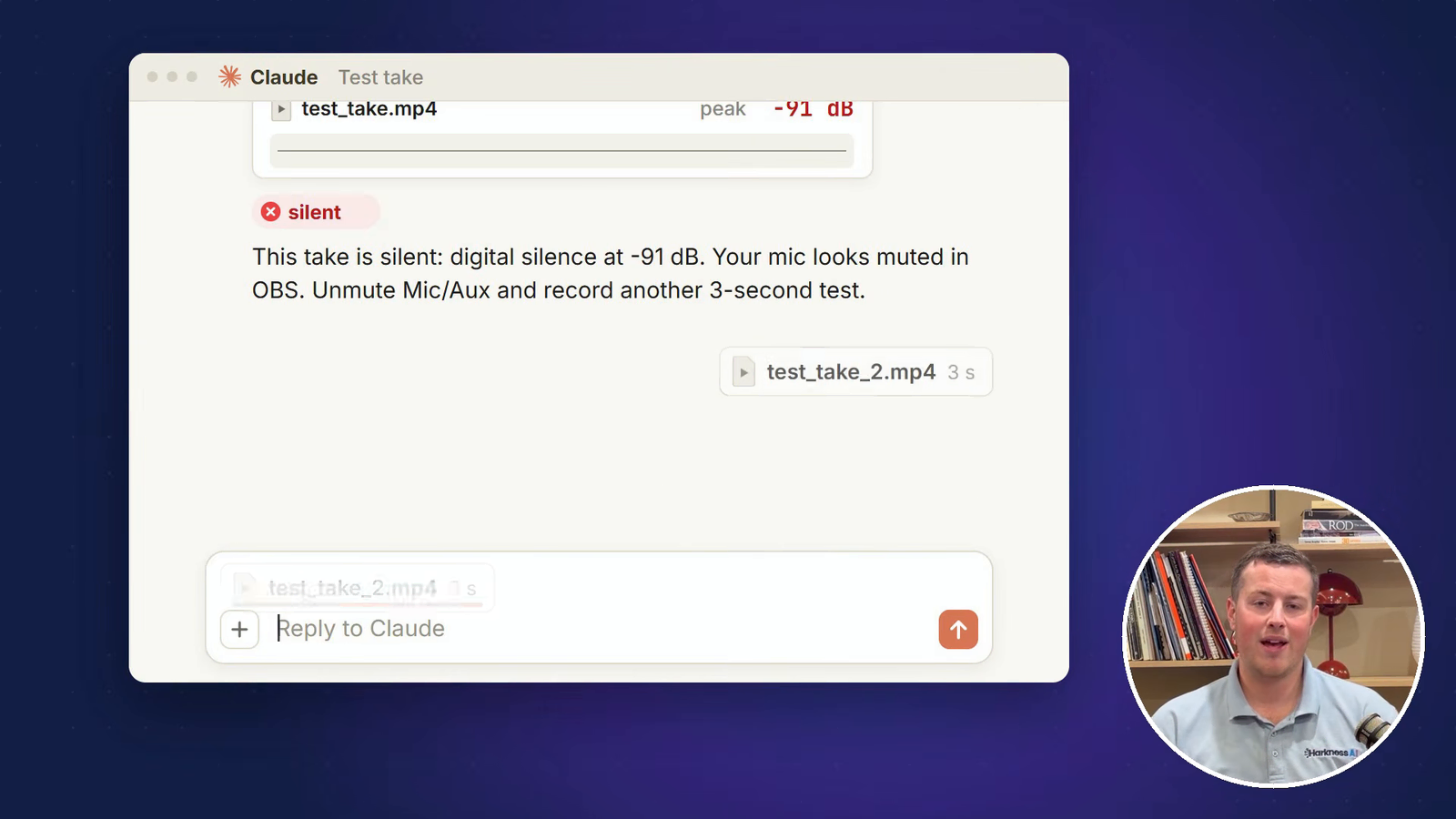
I record in OBS, which is free, on a normal webcam. Use whatever you normally would. The first thing I record is a quick three-second test, which I hand straight to Claude to check the audio level. If it’s silent, it fails straight away. If it needs a volume adjustment, Claude does that too.
When I stuff up a line mid-take, I don’t stop. I keep going and say “remove that line”, and Claude cuts it out when it edits.
3. Talk to Claude Code, and research first
Once the footage is together, you tell Claude Code exactly what you want. I don’t type to it, I talk to it with Wispr Flow: hold Ctrl and the Windows key and brain dump everything.
Before editing, get it to research what similar creators are doing. How are their scripts paced? What are their edits like? What kind of B-roll are they using? Claude Code will produce a full audit with suggestions. You tell it which parts you want and which you don’t, and it saves that for the edit.
4. Transcribe with Whisper, and correct by telling Claude
Claude Code installs Whisper, runs the audio through it and comes back with every word I said, with timings. It’s very good, but with a New Zealand accent it sometimes mishears names. I said Akahu, the New Zealand open banking service, and Whisper heard “Okahu”. Xero came back as the number zero.
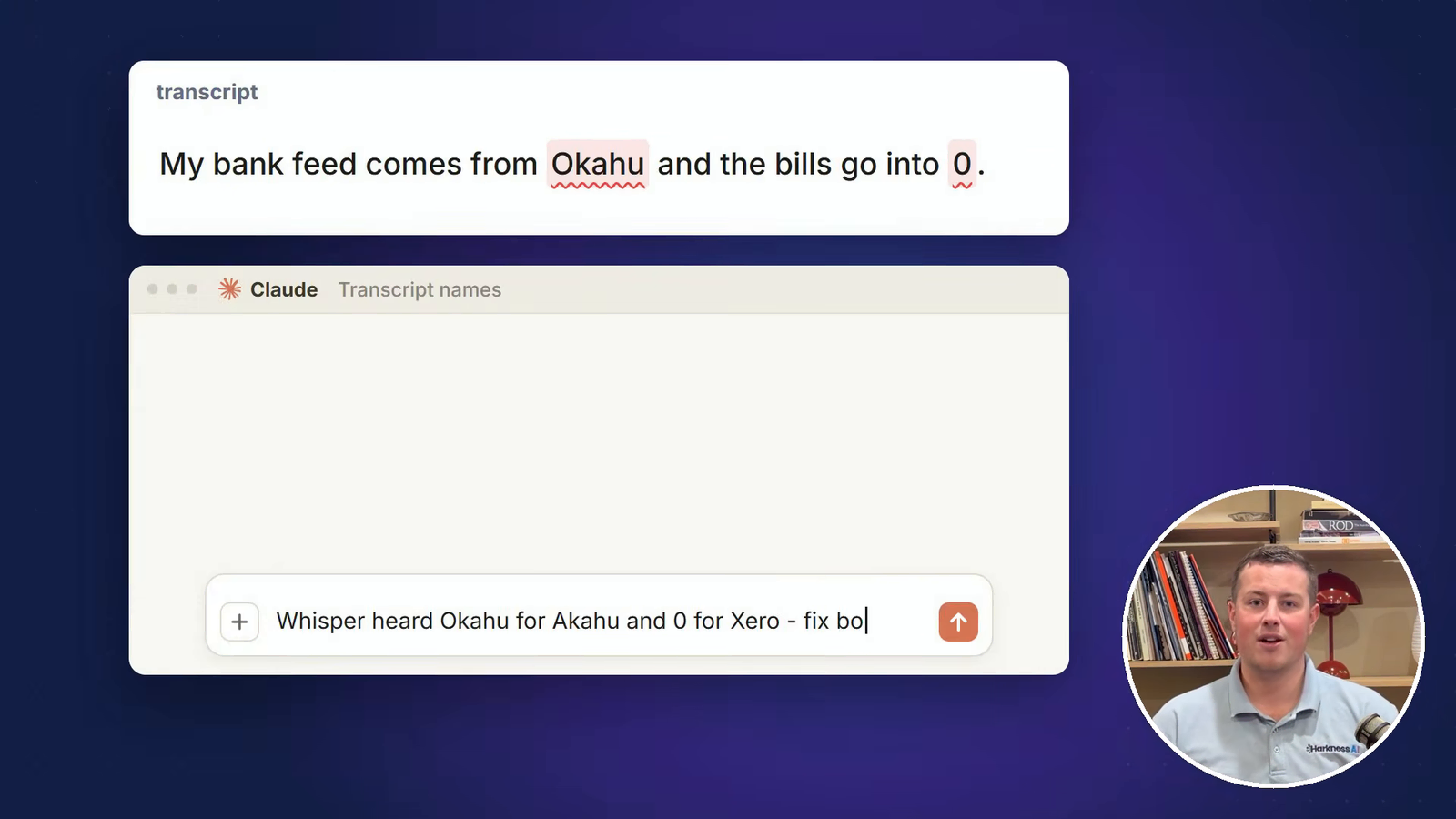
The temptation is to fix that by hand. Don’t. Tell Claude, so it corrects it and remembers for next time.
5. Cut every pause with ffmpeg
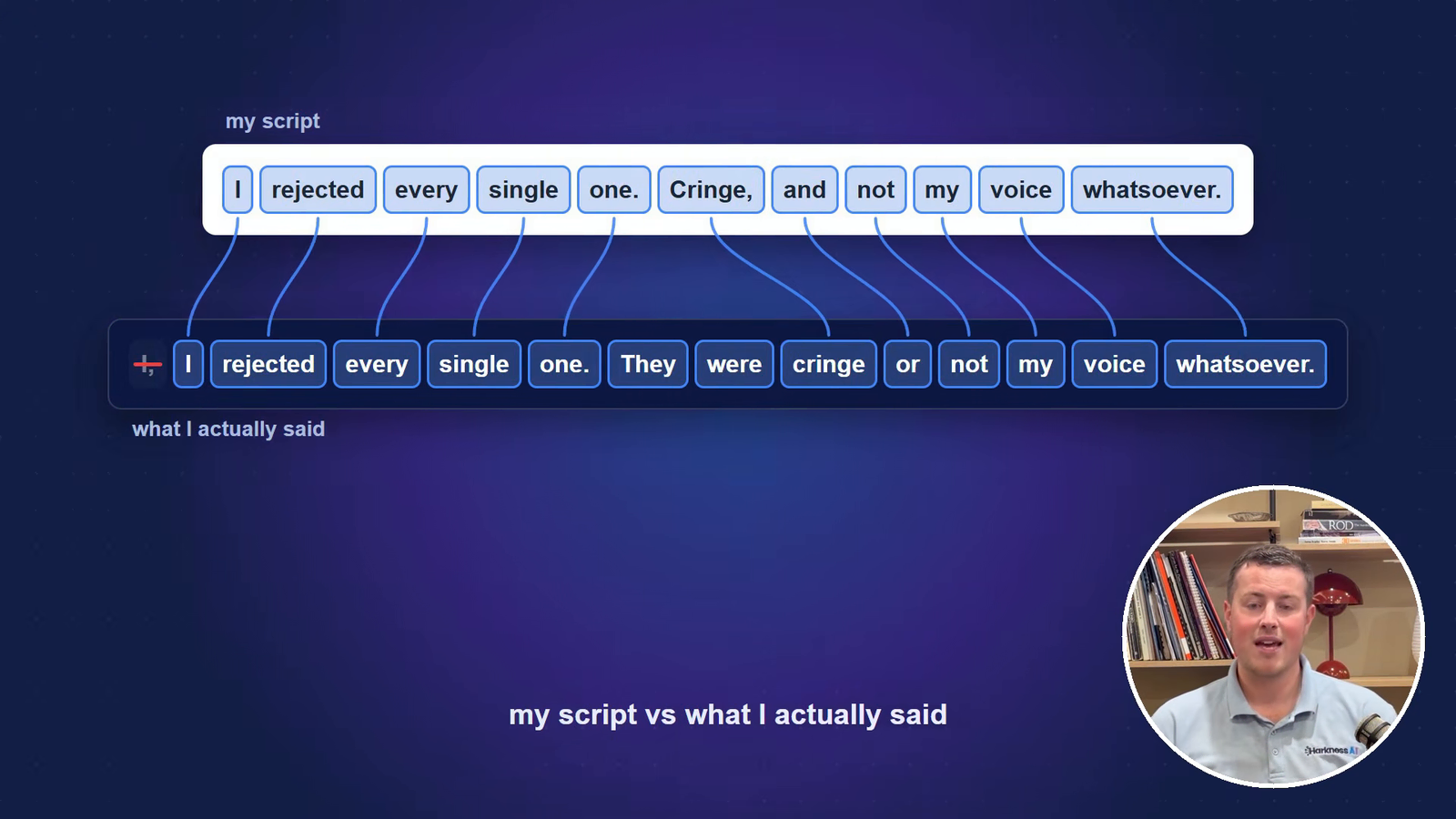
The cut uses ffmpeg, which is free, and Claude drives it for you. The job is removing every pause. The obvious way is from the transcript, since you have the time of every word. But those timings drift, and I don’t say exactly what’s in the script, so Claude has to compare what I said against the script and pick out the good takes.
Anything quieter than -35 dB counts as a pause and gets cut, because short-form needs to be fast. It leaves a little air either side and fades each cut so there’s no click.
6. B-roll: build the screens, or record real ones
B-roll is the screens you see while I’m talking, and there are two ways to get it. The default is Claude building the screens. The bank feeds, the bills and the draft bill in my video didn’t come from a real account. Claude wrote each one as a little webpage full of fake data, then used HyperFrames to animate it into video.
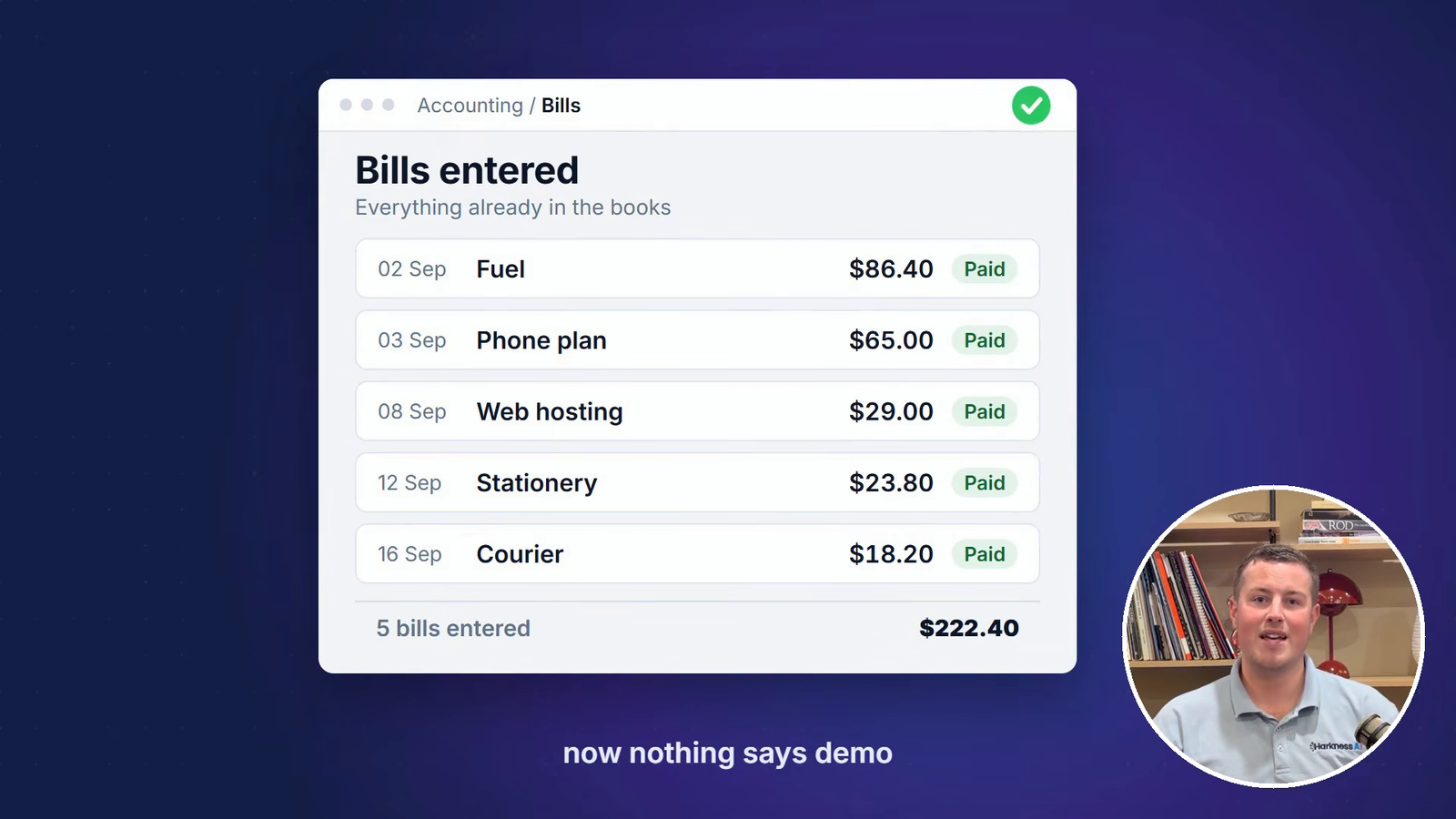
The gotcha: Claude really wants to label everything. The first batch had “demo” and “fictional” all over the screen, plus a pile of fake names. Now the brief says nothing is labelled as a demo.
The other way is live. Claude in Chrome lets Claude control your browser and record its own screen, so you get real product shots. It can even record itself sending a prompt to Claude, which is a bit mind-blowing.
7. Animations with HyperFrames, and a library
Animations use HyperFrames again. You write the animation as a webpage and it renders to an MP4, which is easy for Claude to work with. Every graphic that works gets saved into a library for the next video. Make sure Claude checks that library first, or it will happily build the same thing from scratch again.
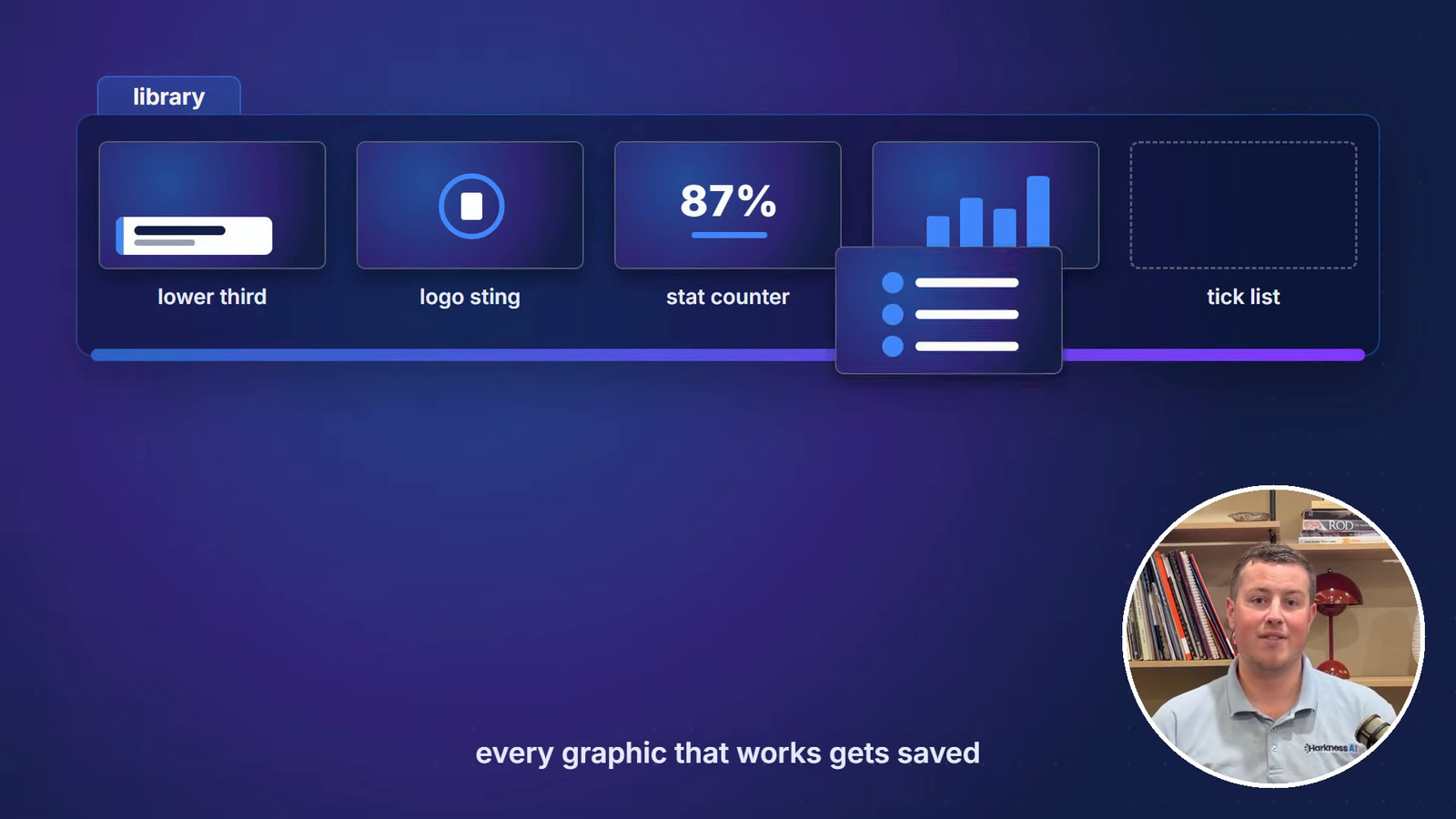
Build up your name, company banner, logos and text boxes as reusable pieces. The best starting point is your brand guidelines. Most companies have a document covering colours, fonts and how the logo can be used. Give Claude that and get it to build your animations from it.
8. Captions straight off the Whisper timings
Captions burn directly into the video from the Whisper timings, popping up a word or three at a time as I say them, with keywords in blue. One rule: when you re-render, make sure the contractions are exactly as you said them, and that names keep the capitalisation you corrected. Keep those corrections in real files so Claude doesn’t guess at common New Zealand words.
9. Sound, measured to -14 LUFS
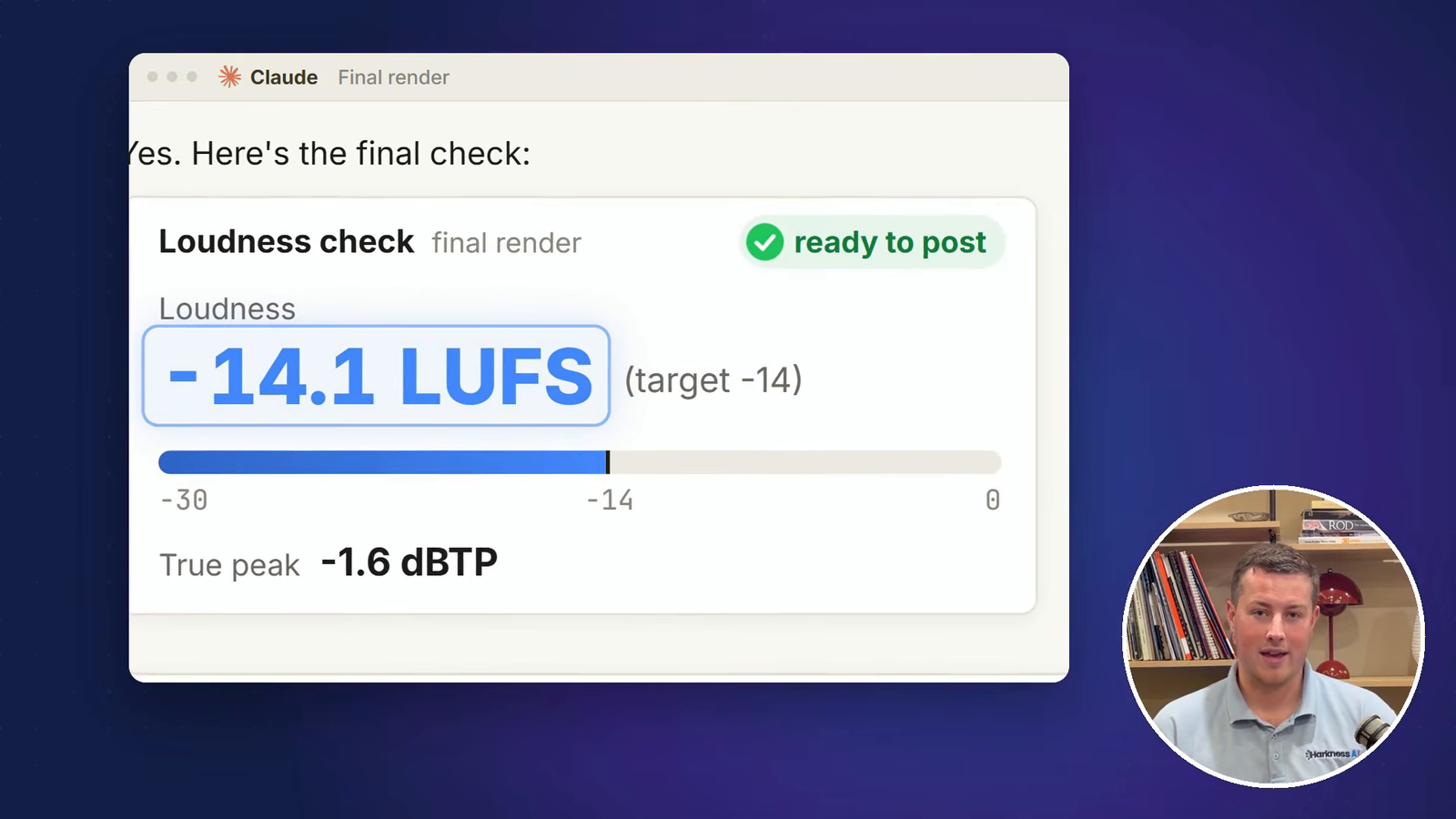
Sound is measured, not eyeballed. The target is about -14 LUFS, and everything gets delivered at that level. The goal is simple: someone sets their volume once at the start and never touches it again. That matters most when mixing in clips, sound effects and B-roll, so you don’t jump from loud music to a quiet voice.
10. Bonus: long-form into shorts
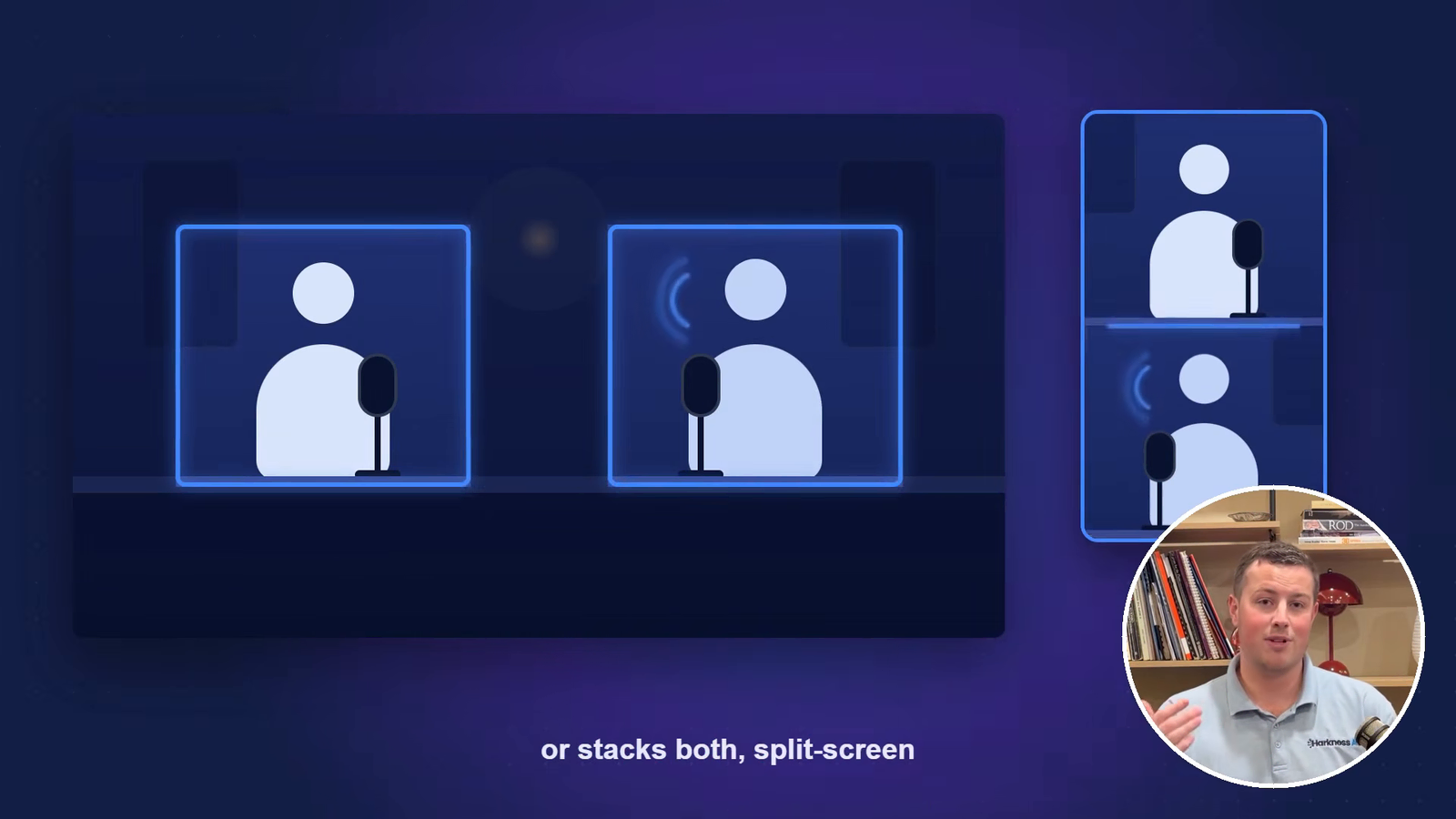
If you already put out long-form content like a YouTube video or a podcast, AI is very good at finding short clips in it. It reads the full transcript, suggests short sections for you to review, then cuts them once you approve. It frames the shot so whoever is speaking stays in view, and for a podcast it switches between speakers or stacks both in a split screen.
Then turn it into a skill. I have a short-form creator skill, so every long-form video I put out now gets cut into shorts with a proper hook, captions, titles and animations.
Make it your own
Those are the core pieces, but you have to test and iterate with your own touch. AI is inherently average. Reference material pushes it further from average, and the more you tell it what you want, the better the result. When it does something good, tell it, so it records that and repeats it. I’ve been refining this setup for about four months, and only recently have I been happy putting out videos with AI edits.
Where does AI video editing still go wrong?
- Names. Whisper mishears anything it hasn’t heard before: your business name, your street, your clients. The fix is telling Claude so it remembers, but you still need a human to review the captions, especially te reo words.
- Timings. Word times can be up to 0.7 of a second out. Fine for a caption, not fine when cutting between clips, so check every switch.
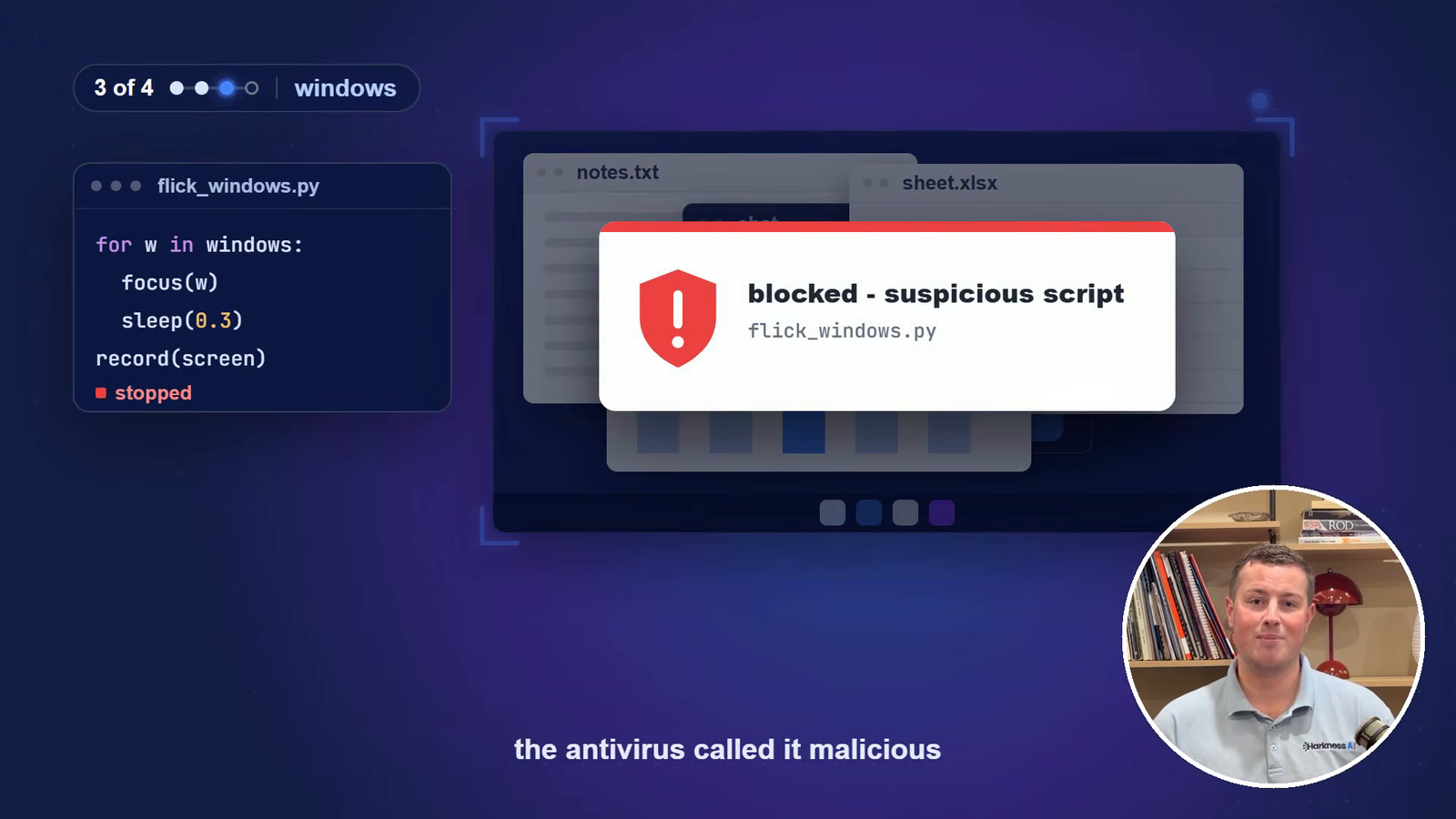
- Windows. At one point Claude wrote a script to flick between windows while recording my screen, and my antivirus blocked it as malicious. Fair enough, but worth knowing if you want it recording your screen.
- Taste. The first shorts Claude cut had too many cuts, sections that were too short, and animations that weren’t on brand. It needed that information before the results were good.
My long-form videos still go to a human editor, because I don’t have that editing taste myself. Claude handles the short-form well, but not most of the long-form yet. Overall it gets you about 90% of the way there. The last 10% is taste, and you still need a person for that.
The main lesson
Ten stages, script to shorts. The most important thing with any AI tool is that you have to give it the information, or you get poor results. The voice guide, the brand guidelines, the graphics library and every correction you make are what turn an average edit into one that sounds and looks like you.
If you want another workflow like this, see how I got Claude to sort and label 600 photos - my whole B-roll library, filed automatically. And if you want Claude set up to handle work like this in your business, get in touch.